
Managing your domains in 1-grid’s Customer Zone helps you quickly confirm the status of your domain registrations, understand what services are linked to them, and identify potential issues before they affect your website or email services.
This guide will help you:
- view all domains linked to your 1-grid account
- understand common domain statuses
- identify whether your domain is active, pending, expired, cancelled, or transferred
- better understand how your domain’s status may affect your website, DNS, or email services
Whether you are troubleshooting a website issue, reviewing renewals, checking service information, or managing multiple domains, this guide gives you a quick and safe way to confirm your domain information with confidence.

Why This Matters
Your domain is one of the most important parts of your online presence.
It connects your:
- website
- email services
- DNS records
- hosting environment
to the internet.
How Checking Your Domain in 1-grid’s Customer Zone Helps
- Confirm whether a domain is active
- Review renewal or expiry status
- Identify possible service interruptions
- Verify transferred or pending domains
When Checking Your Domain Is Useful
This is especially useful when:
- Troubleshooting website problems
- Reviewing upcoming renewals
- Checking DNS changes
- Managing multiple domains
- Confirming account-linked services
This means you can safely review your domain information without causing downtime or configuration changes.
Step-by-Step Guidance
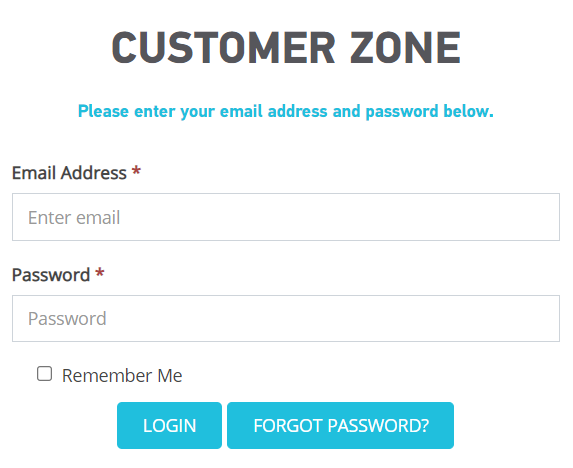
1: Log in to 1-grid Customer Zone
Go to:
Log in using:
- your registered email address
- your Customer Zone password
2: Open the Domains Section
Once logged in:
- click on Domains
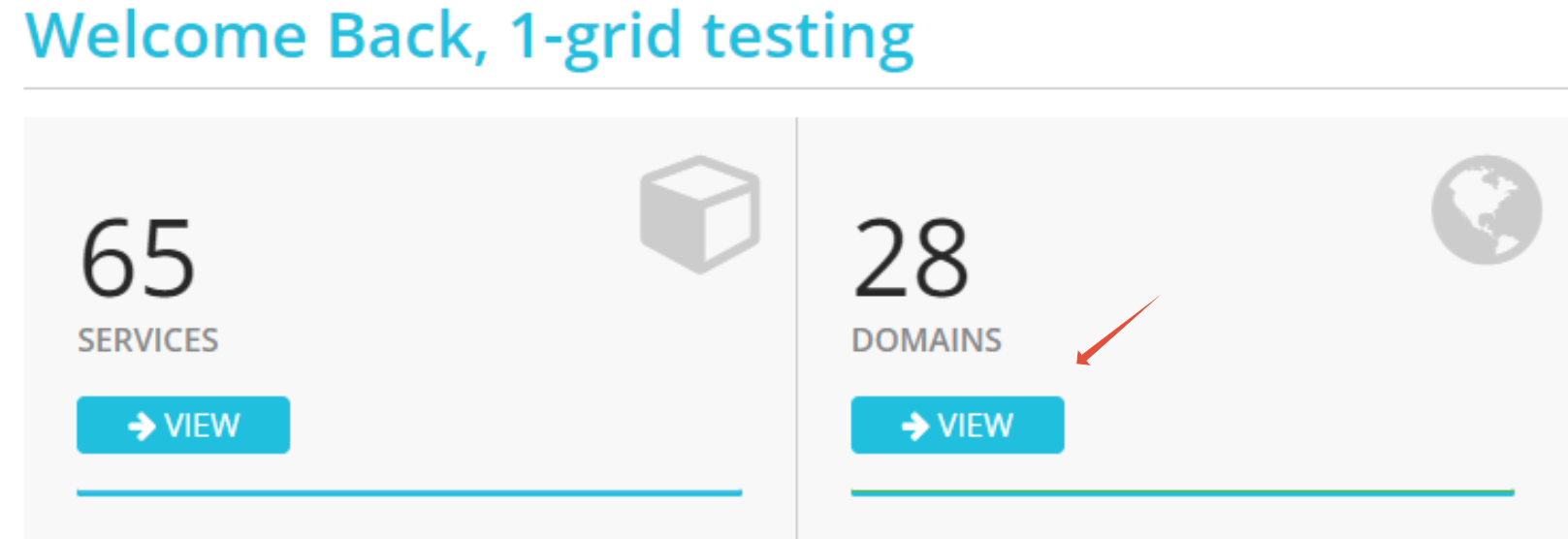
This section displays all domains linked to your 1-grid account.
3: Review Your Domains
Your domains will now appear in a list view.
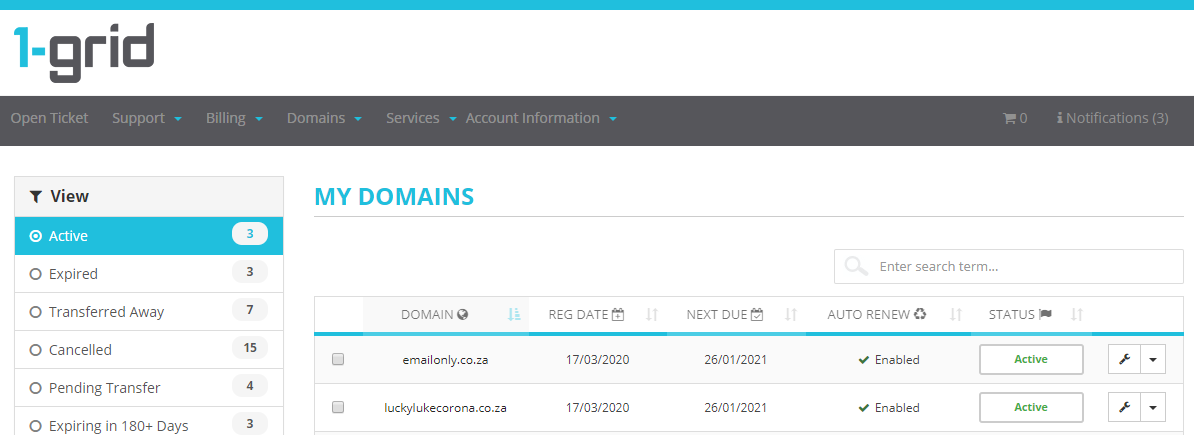
This allows you to:
- confirm which domains are active
- review renewal statuses
- identify expired or pending domains
Understanding Domain Statuses
Active
This means:
- your domain registration is active
- services linked to the domain can function normally
- no immediate action is required
If, for any reason, your website becomes unavailable while the domain is active, the issue may relate to:
- hosting
- DNS
- SSL
- browser cache
- local connectivity
Pending
This usually means:
- registration is still processing
- a transfer is underway
- payment confirmation is pending
Temporary delays in website or DNS functionality may occur during this stage.
Expired
This means the domain renewal period has lapsed.
Possible impacts include:
- website downtime
- email interruption
- DNS issues
However, expired domains are not always permanently lost immediately, and recovery options may still be available depending on timing.
Cancelled
This means the domain is no longer active on the account.
This may occur if:
- the service was cancelled
- renewal was not completed
- the domain passed its recovery period
Transferred Away
This means the domain is now managed with another provider.
Depending on configuration:
- your website may still function
- DNS may still point correctly
- hosting may remain active elsewhere
Why Checking Your Domain Status Helps
When a website or email service stops working, customers often immediately assume:
- the website is hacked
- hosting failed
- files were deleted
- services were cancelled
However, issues may instead relate to:
- expired domains
- DNS delays
- propagation
- inactive hosting
- SSL configuration
- pending transfers
Checking your domain status inside 1-grid’s Customer Zone is one of the fastest ways to rule out account-related causes before moving into deeper troubleshooting.
Advanced Section (Optional)
Reviewing Domain Renewal Timing
1-grid sends renewal notices in advance to:
- help prevent downtime
- avoid accidental expiration
- protect domain ownership
- allow time for payment processing
This is proactive and normal.
Understanding DNS Propagation
If you recently changed:
- nameservers
- DNS records
- hosting providers
your website may temporarily appear inconsistent while propagation completes globally.
How Long Propagation Can Take
Propagation can take:
- a few minutes
- up to 24 hours in some cases
What May Happen During This Period
During this period:
- some visitors may see the website correctly
- others may still experience loading issues
Before You Move On
Before escalating a website or email issue:
- confirm the domain is active
- review expiry dates
- verify whether DNS changes were recently made
- check whether hosting services are also active
This helps reduce unnecessary downtime investigations and speeds up troubleshooting significantly.
Common Mistakes to Avoid
Assuming All Website Issues Are Hosting-Related
Many “website down” reports are actually linked to:
- domain expiry
- DNS delays
- browser cache
- SSL issues
Ignoring Renewal Notifications
Renewal reminders are sent early to help prevent accidental interruption of services.
Making Repeated DNS Changes
Constant DNS edits can:
- delay propagation
- create inconsistent website loading
- make troubleshooting harder
If This Didn’t Work
What To Do If Your Domain Shows “Active” But Your Website or Email Still Isn’t Working
If your domain shows as Active but your website or email still isn’t working, continue with:
- DNS troubleshooting
- browser cache clearing
- SSL troubleshooting
- hosting checks
- propagation checks
This will help you eliminate all possible blocks before investigating the matter further with 1-grid.
Empowering Insight

Regularly checking your domains in 1-grid’s Customer Zone helps you identify potential issues early, stay informed about renewals and services, and troubleshoot website or email concerns faster with confidence.
FAQs
Q. Will checking my domains affect my website?
No. Viewing your domains inside 1-grid’s Customer Zone does not change any settings.
Q. Can an expired domain affect email services?
Yes. Depending on configuration, email delivery may stop working if the domain expires.
Q. Why is my domain active but my website still down?
The issue may instead relate to:
- hosting
- DNS
- SSL
- browser cache
- local connectivity
- propagation
Q. Why are renewal invoices sent early?
This helps prevent downtime and accidental expiration.
Q. Can I manage multiple domains in Customer Zone?
Yes. All domains linked to your 1-grid account appear within the Domains section.
Additional Resources
My Website Is Down: Step-by-Step Checks
Understanding DNS Propagation
How to Check if Your Hosting Service Is Active
Clearing Browser Cache on Mobile
Clearing Browser Cache on Desktop
Flushing Your DNS Cache
SSL Errors Explained
Need Additional Support?
We’re Here to Help
Domain and website issues can feel urgent, but many are resolved quickly once the root cause is identified.
If you’re unsure what your domain status means or need help understanding the next step, contact us:
We’re ready to help you!