

At 1-grid, we know that maintaining continuous access to your hosting, domains, and email is crucial for your business and online presence. However, when services are suspended due to non-payment or prolonged inactivity, restoring them may involve administrative and technical work; this is where a Service Reactivation Fee applies.
This guide will help you understand what the fee covers, why it’s necessary, how to pay it, and how you can prevent service interruptions in the future.
What is a Service Reactivation Fee?
A Service Reactivation Fee is a small charge applied when your hosting, email, or domain service has been suspended and requires manual restoration.
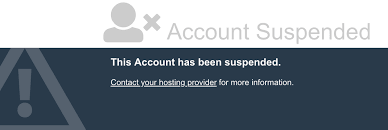
This fee covers the administrative, billing, and potentially any technical work needed to:
- Safely restore your services and files.
- Reconnect your hosting and email accounts to the server.
- Verify and re-enable your databases.
- Ensure your data integrity and system security.
The system generates the R50.00 standard admin service reactivation fee upon receiving late payment for your outstanding invoice, as part of the recovery process.
IMPORTANT: Sometimes, though, when a more technical restoration is required, like when your services have been suspended or cancelled for more than 60 days, and we can recover your data and services, the fee may be higher due to the manual restoration process.
Why Do I Have to Pay a Reactivation Fee for Non-Payment?
At 1-grid, we strive to provide the best possible service to you. We offer services with different billing cycles so that you can choose the one that best suits your business needs.
We also send invoices over 14 days (7 days before the due date and 7 days after the due date) to allow you to pay.
In addition to that, we send a 48-hour notice prior to suspension to notify you beforehand.
Once services have been suspended, we charge a fee for the administration costs of reactivating your services.
Importance of Paying Services Timely
Paying invoices on time ensures your services remain active and uninterrupted.
Timely payment:
- Prevents suspension and reactivation fees.
- Protects your website data and email continuity.
- Keeps your domain ownership secure.
- Reduces administrative delays.
TIP: Switch to Debit Order for automatic payments; it’s the easiest way to avoid service interruptions and reactivation costs.
How Do I Pay a Reactivation Fee?
Paying your reactivation fee is quick and secure through your 1-grid Customer Zone:
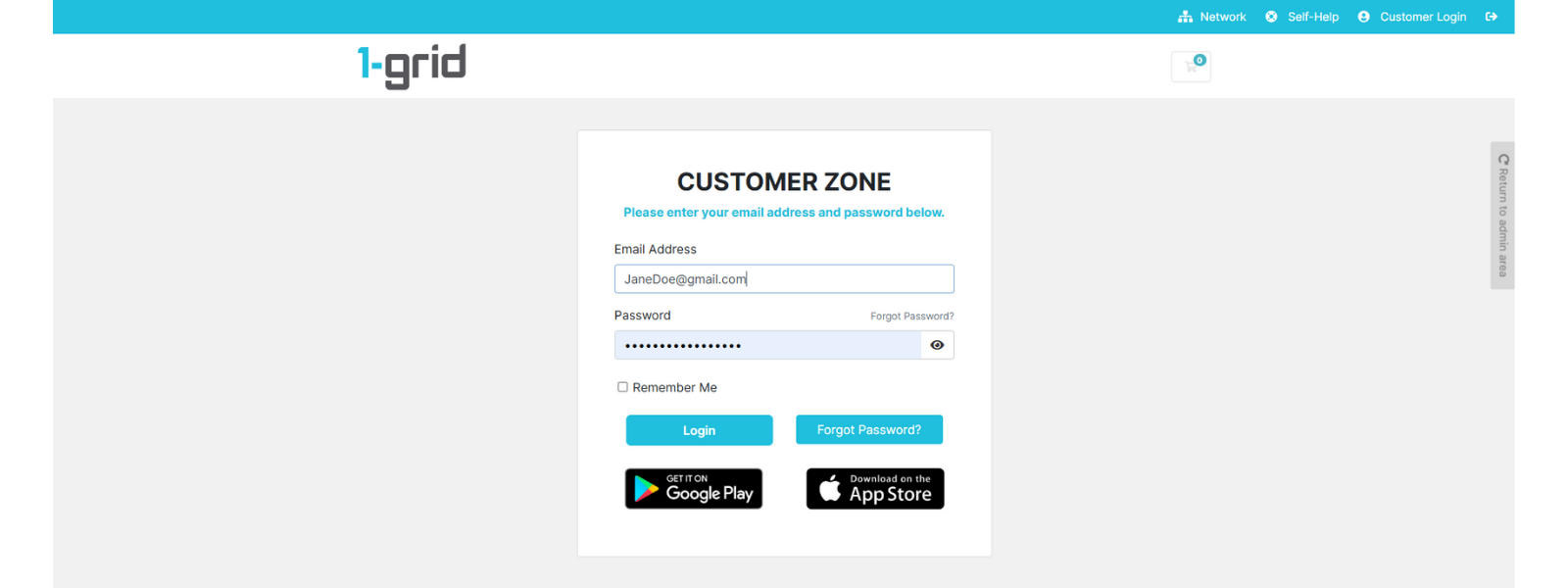
1. Log in to your 1-grid Customer Zone.
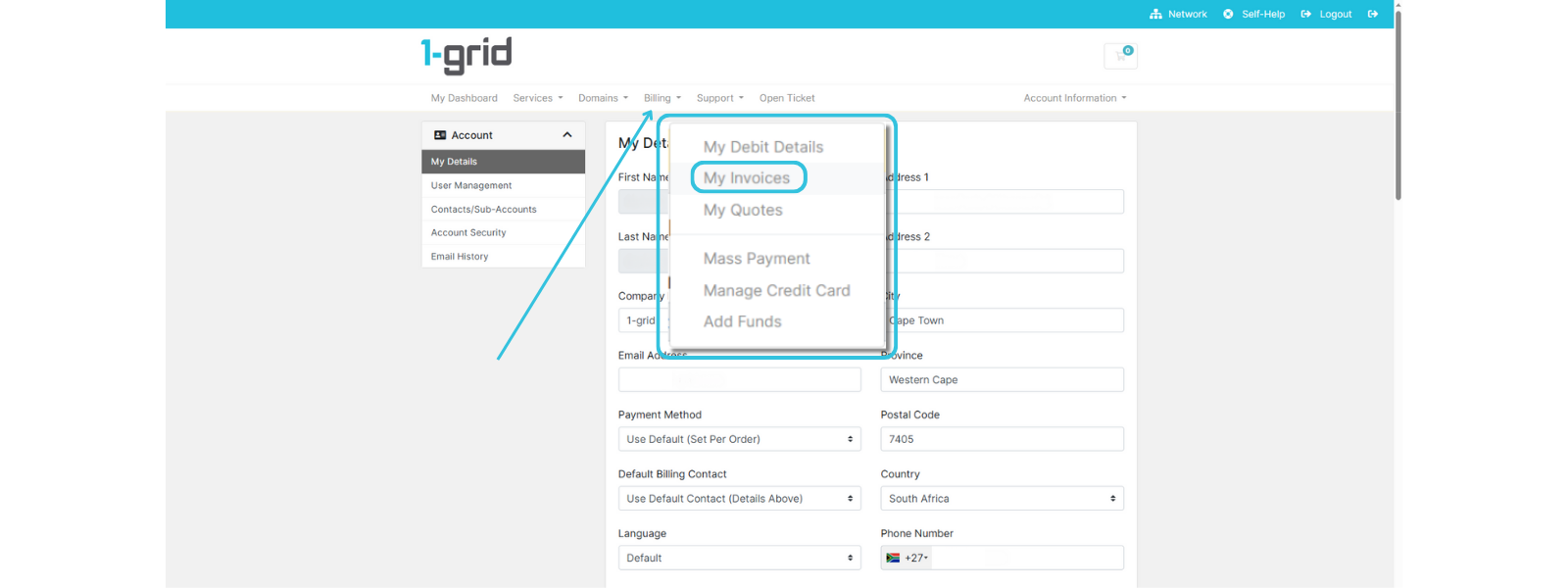
2. Click on Billing → My Invoices.
3. Locate the Service Reactivation Fee invoice (typically the total will reflect as R50.00 for standard non-payment suspensions) and click on it to open it.
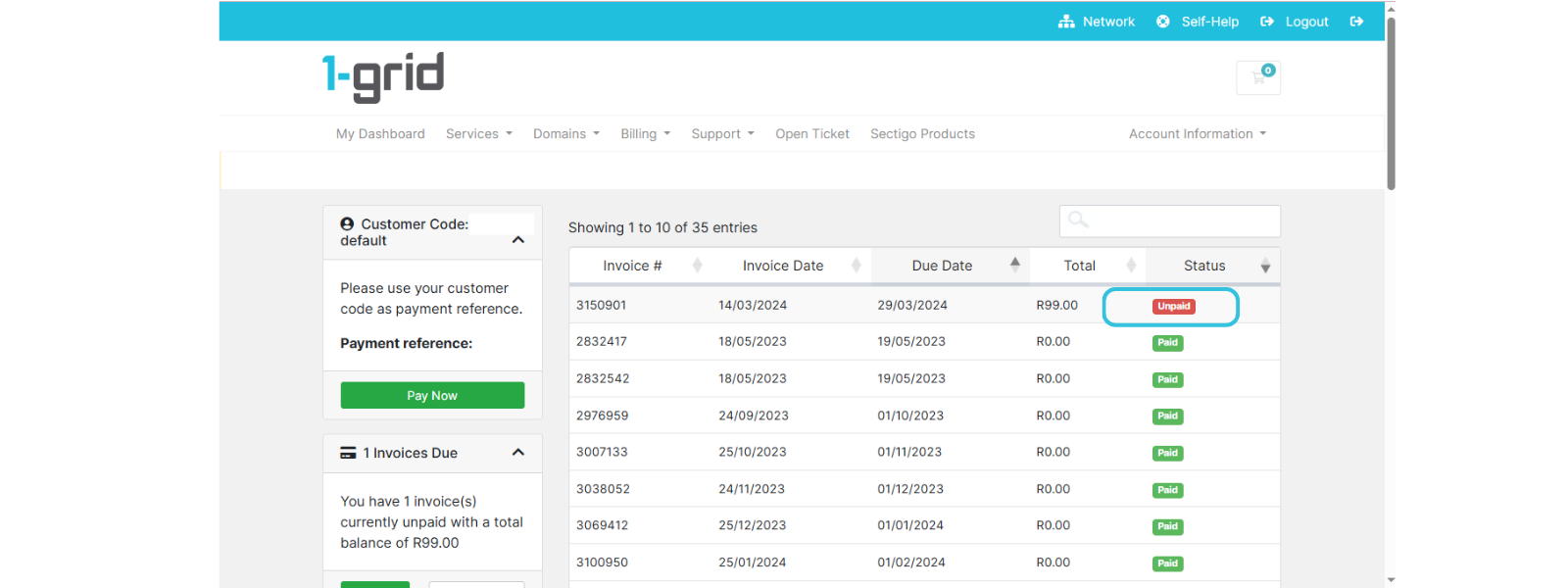
4. Select your preferred payment method and follow the prompts to Pay Now.
- Debit Order (recommended)
- Secure Credit Card via PayFast
- Instant EFT via PayFast
- SnapScan
- Direct EFT
NOTE: Reactivation takes place within a few hours once the payment has reflected.
IMPORTANT: Direct EFT payments may take up to 2 to 3 working days, depending on your bank.
When to Contact 1-grid Billing Support
Contact our Team:
- If you’ve paid but your service is not yet reactivated after 2 to 4 hours.
- If you’re unsure whether your payment has been reflected.
- If you believe your suspension or fee was applied in error.
- If you’d like to discuss reactivation fees or product upgrades.
Include the following:
- Proof of payment, clearly reflecting the date, account number, amount, and reference number (Customer Code).
- The Invoice # in question.
- Impacted product or service.
FAQs
What happens if I don’t pay the reactivation fee?
Your services will remain suspended until the outstanding amount (invoice + reactivation fee) is paid.
Can I avoid this fee in the future?
Yes, you can avoid this by enabling Debit Order or paying your invoices before the due date to prevent suspension.
Is the reactivation fee refundable?
No, the fee is non-refundable as it covers the administrative process already completed to restore your service.
Additional Resources
Updating Your Payment Method via Your Customer Zone
Benefits of Paying by Debit Order
Payment FAQs
Everything You Need to Know About Domains at 1-grid
Need Additional Support?
We’re Here to Help:
Receiving a Service Reactivation Fee invoice and understanding why you were charged one does not have to be confusing with this easy-to-reference guide. Stuck? Contact our Billing Team for clarity and guidance (https://1grid.co.za/contact-us/). We’re ready to see how we can help!