
At 1-grid, we understand how important it is to keep your hosting, email, and domain services running smoothly without any interruptions. That’s why we’ve made paying your invoices easier, faster, and more secure with SnapScan, one of South Africa’s most trusted mobile payment solutions.
With SnapScan, you can pay your invoices instantly by simply scanning a QR code from your smartphone, meaning no credit card or manual EFT is required. It’s safe, convenient, and gives you real-time confirmation, ensuring your services stay active without delay.
This guide will walk you through everything you need to know about SnapScan payments with 1-grid, including how it works, the key benefits, and step-by-step instructions to pay directly via your Customer Zone.
- What Is a SnapScan Payment?
- Benefits of Paying via SnapScan
- Why Debit Order Is the Recommended and Preferred Option
- How to Update Your Payment Method via the Customer Zone
- How to Pay Your Invoice with SnapScan via Customer Zone
- Security and Transparency
- When to Contact 1-grid Billing Support
- FAQs
- Additional Resources
What Is a SnapScan Payment?
SnapScan is a mobile payment solution that allows you to pay instantly using your smartphone. You simply scan a QR code, confirm your payment, and you’re done. It’s that easy, and there’s no need for manual EFTs or card swipes.
SnapScan integrates directly with 1-grid invoices, providing a fast, secure, and cashless way to pay for your hosting, domains, and other services in seconds.
How It Works:
- You log in to the app on your Android mobile phone or iPhone/iPad.
- You scan the QR code to make a payment and confirm the payment.
- The payment reflects in real-time, so no proof of payment is needed.
Benefits of Paying via SnapScan
Empowering you with the convenience, control, and peace of mind that SnapScan offers.
Key Benefits:
Instant Confirmation
Payments are reflected immediately, preventing service interruptions.
Secure and Trusted
SnapScan uses bank-level encryption and PIN or biometric verification.
Convenient
No need to log into your banking app or remember reference numbers.
Mobile-friendly
Make payments anywhere, anytime, directly from your smartphone.
No Hidden Fees
What you pay is what is billed, offering full transparency.
Why Debit Order Is the Recommended and Preferred Option
While paying with SnapScan is quick and reliable, debit order remains the most recommended method for recurring services like hosting, domain renewals, and business email accounts.
Paying your 1-grid services by debit order is more than just convenient; it’s a smart, secure, and stress-free way to keep your services active while simplifying your billing, building trust, reliability, and financial confidence.
How to Update Your Payment Method via the Customer Zone
Follow these simple steps to update your payment method:
1. Log in to your 1-grid Customer Zone.
2. Click on Update in the Your Info section.
3. Select Snapscan under Payment Method in your My Details section.
4. Click on Save Changes.
How to Pay Your Invoice with SnapScan via Customer Zone
To make a quick instant payment using SnapScan:
1. Log in to your 1-grid Customer Zone.
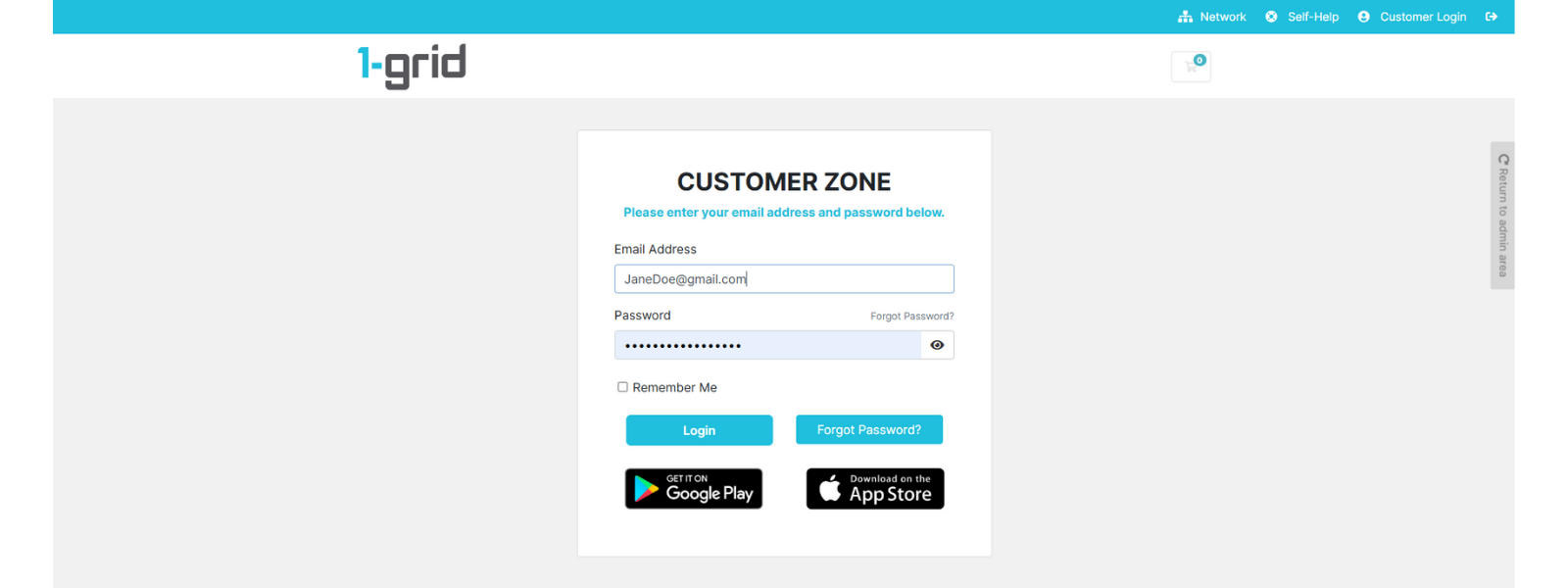
2. Click on Billing → My Invoices.
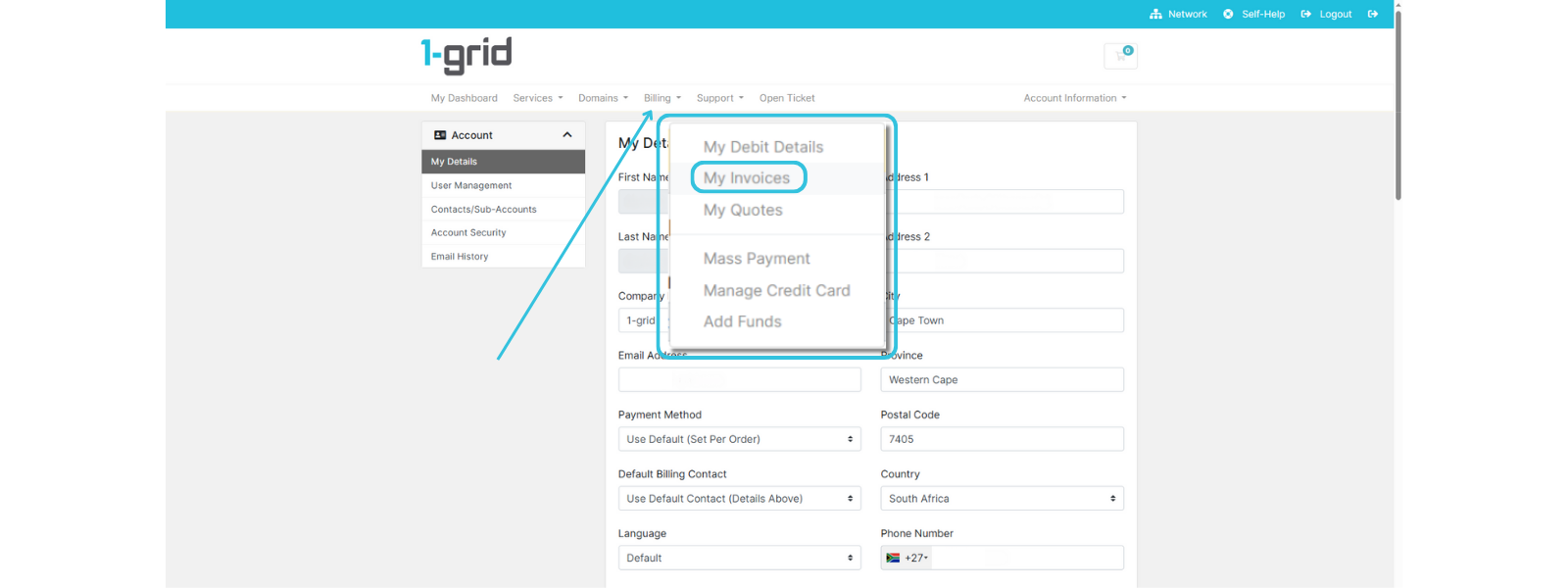
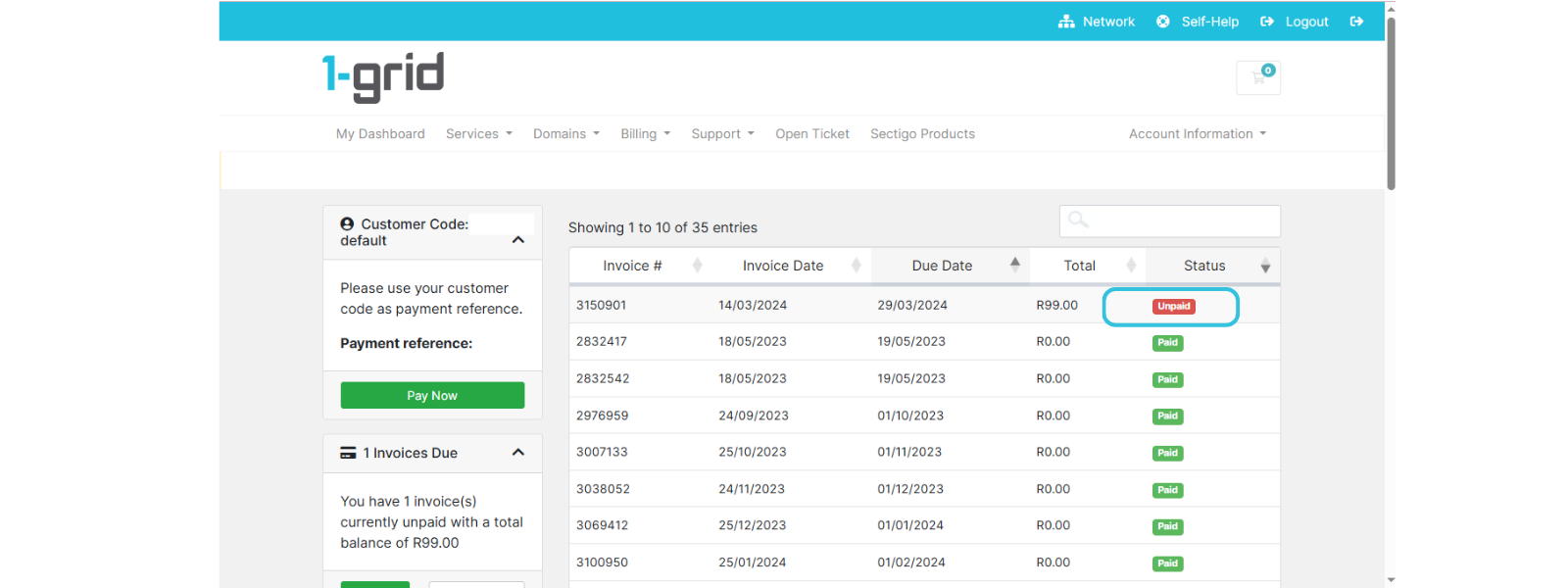
3. Locate the Unpaid invoice and click on it to open it.
4. Make sure that Snapscan is selected under Payment Method.
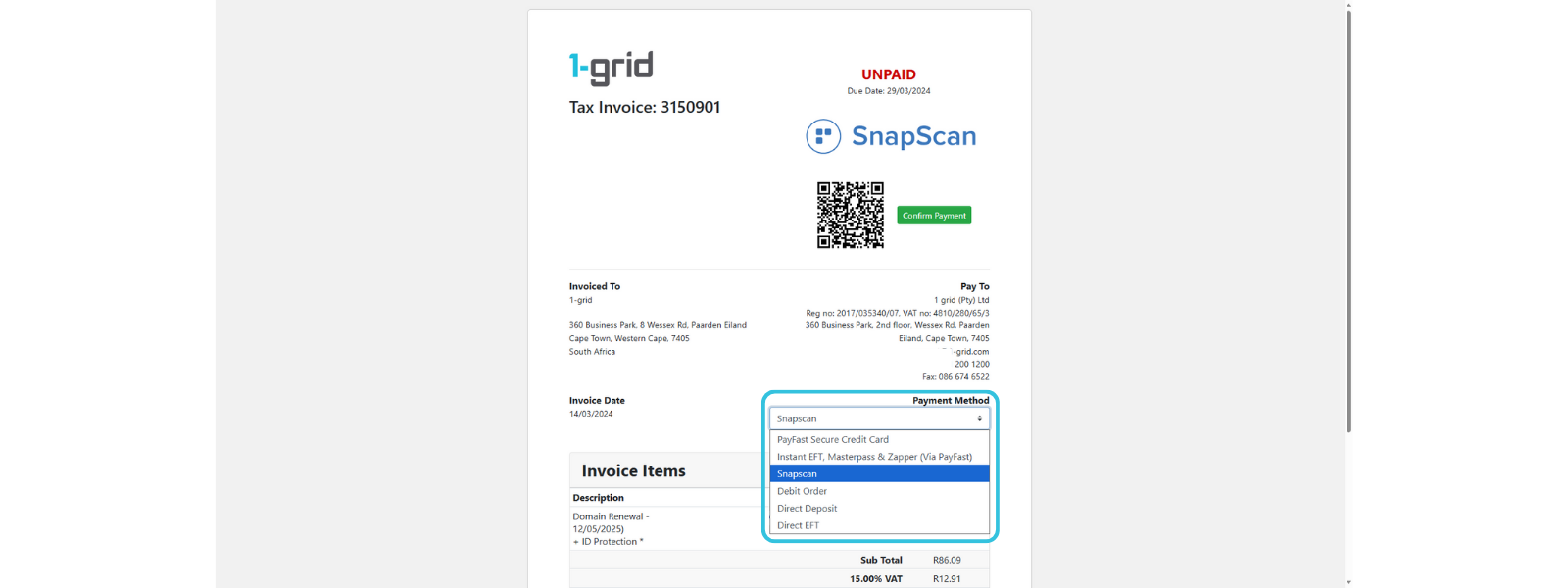
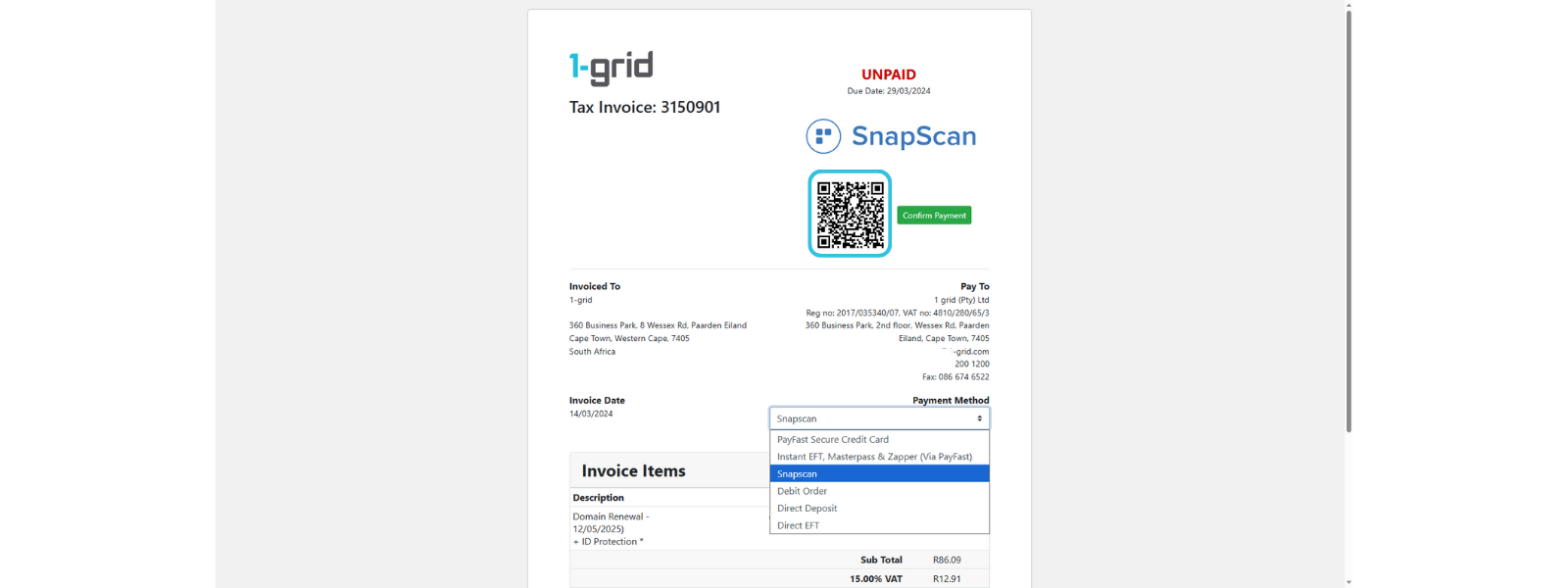
5. Open the SnapScan app on your Android or iPhone/iPad and scan the QR Code image on the invoice.
6. Complete payment on your phone, then click Confirm Payment on your invoice.
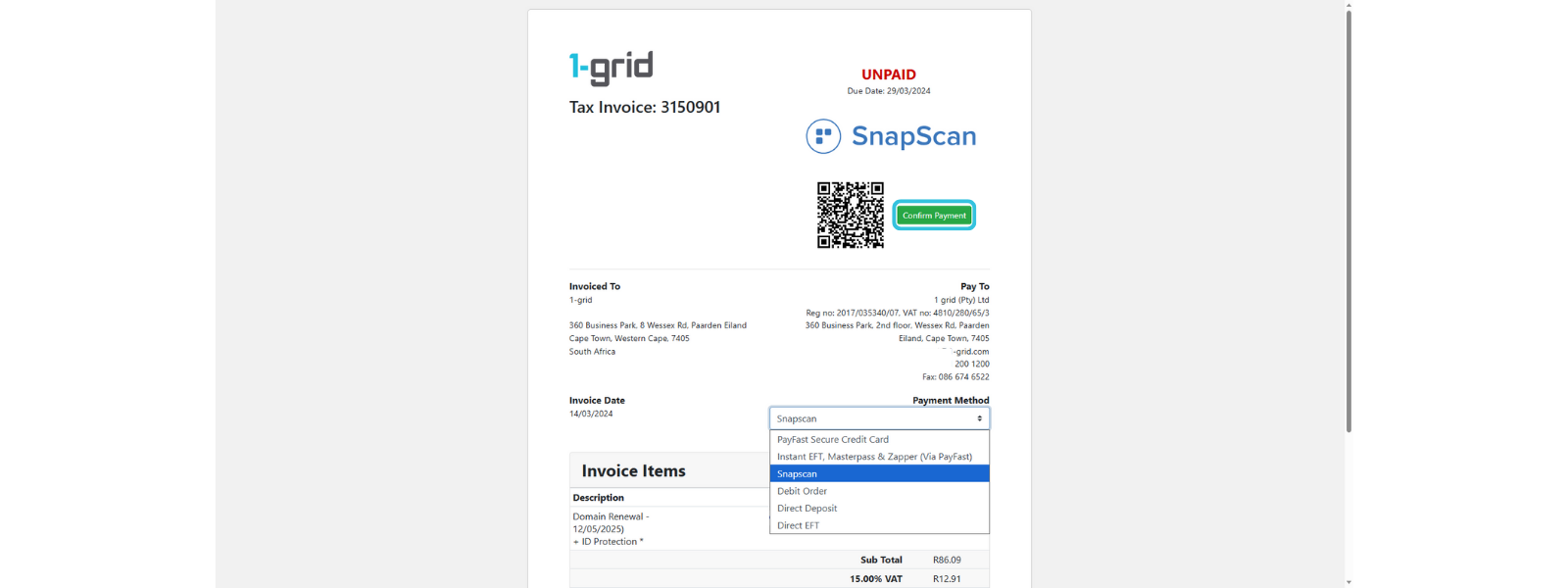
Your account will be updated immediately, and your services will remain active.
TIP: Always double-check that your account has sufficient funds to avoid failed transactions or service suspensions.
Security and Transparency
SnapScan is powered by Standard Bank and uses bank-level security, ensuring every transaction is encrypted and verified. Your card details are never shared with 1-grid or stored on our systems.
You can track your full payment history within both SnapScan and your 1-grid Customer Zone.
SECURITY TIP: Always ensure you scan a QR code directly from your 1-grid invoice, not from any third-party or email links.
When to Contact 1-grid Billing Support
Contact our Team:
- Your payment confirmation doesn’t reflect within a few minutes.
- You experience any errors while using SnapScan and have tried to troubleshoot with them.
- You need assistance updating your payment method or setting up a Debit Order.
Include the following:
- Proof of payment, clearly reflecting the date, account number, amount, and reference number (Customer Code).
- A screenshot of any error that you are receiving from Snapscan.
TIP: This helps 1-grid Billing Support get you back online faster.
FAQs
Is SnapScan safe to use for my hosting payments?
Yes, SnapScan uses bank-level encryption and requires PIN or biometric verification to complete payments.
Can I use SnapScan for recurring payments?
Currently, paying invoices with SnapScan means that payments are once-off. For recurring payments, we recommend setting up a Debit Order.
What if I accidentally scan the wrong QR code?
Always confirm that your QR code is from your 1-grid Customer Zone invoice before completing payment.
Can I still pay manually via EFT if I prefer?
Yes, direct EFT remains available, but SnapScan and Debit Orders provide faster, more reliable processing.
Additional Resources
Paying by Debit Orders at 1-grid
Our Easy-to-Use Payment Methods at 1-grid
Suspended Services Remain After Payment
Invoicing at 1-grid
The 1-grid Android Application
Need Additional Support?
We’re Here to Help:
Paying invoices with SnapScan for your services doesn’t have to cause worry with this easy-to-reference guide. Stuck? Contact our Billing Team for clarity and guidance (https://1grid.co.za/contact-us/). We’re ready to see how we can help!