

At 1-grid, we want managing your account to feel simple, seamless, and stress-free and paying your invoices on time. That’s why we give you the flexibility to choose and update your preferred payment method directly through your Customer Zone, all in just a few clicks.
Whether you’re switching from Direct EFT to Credit Card for easier billing or updating your account details for Debit Order for automatic renewals.
This guide walks you through everything you need to know, where we’ll explain what payment methods are available, and how to update your preferred payment method.
What Is a Payment Method?
A payment method is the way you choose to pay for your hosting, domains, and other 1-grid services.
Your selected payment method determines how your invoices are billed, processed, and renewed.
Payment methods help ensure that your services remain active without interruption by offering both automated and manual options for convenience and flexibility.
TIP: Our easy-to-use payment methods make staying in control of your billing one less thing to worry about!
What Payment Methods Can I Choose From?
1-grid offers easy, secure, and flexible payment methods to suit every customer’s preference.
Here’s how each option makes things simpler for you so you can take care of your business!
1. Debit Order (Highly Recommended)
Making billing reliable and hands-free! We do the admin; you do your business!
2. Secure Credit Card via PayFast
Making payments fast, one-time or recurring, while you focus on your business matters!
Making traditional bank payments simpler with instant confirmation, so you can get back to business quickly.
4. SnapScan
Making on-the-go payments convenient so your business meetings run on time.
5. Direct EFT (Manual Transfer)
Making manual control of payments better, while managing the books traditionally.
How Do I Update My Payment Method via Customer Zone?
Follow these steps to update or change your payment method securely through your 1-grid Customer Zone:
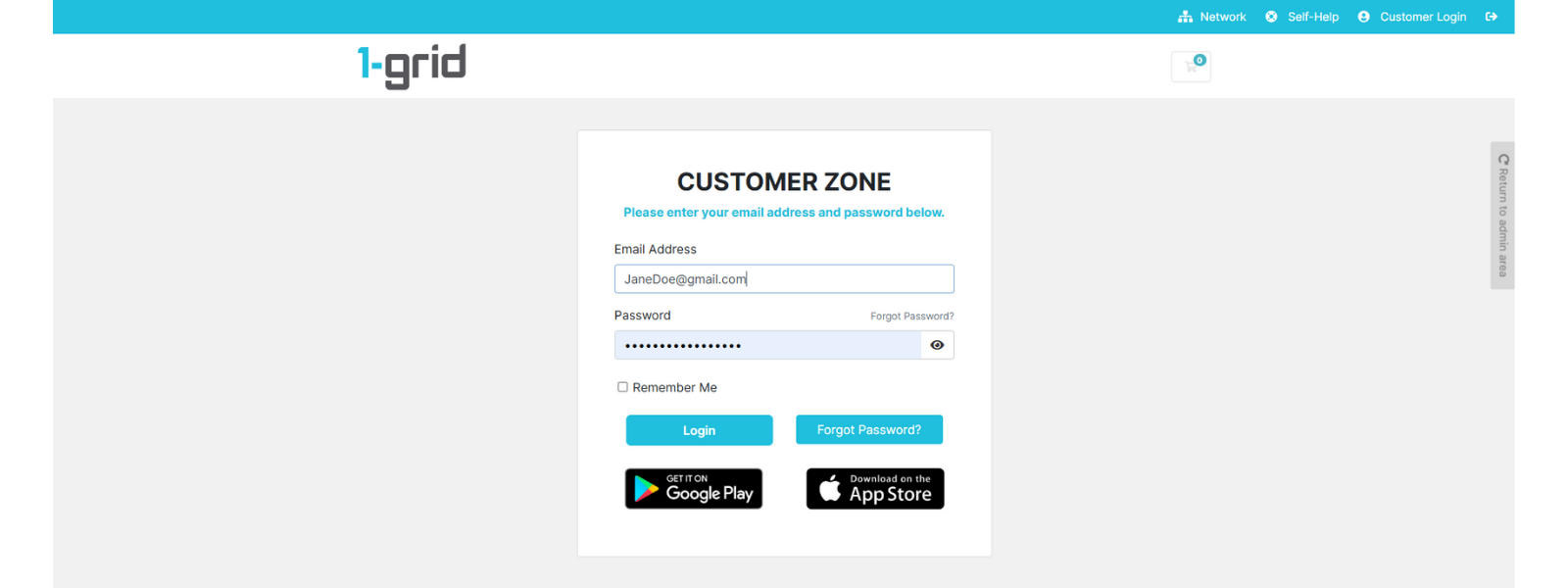
1. Log in to your 1-grid Customer Zone.
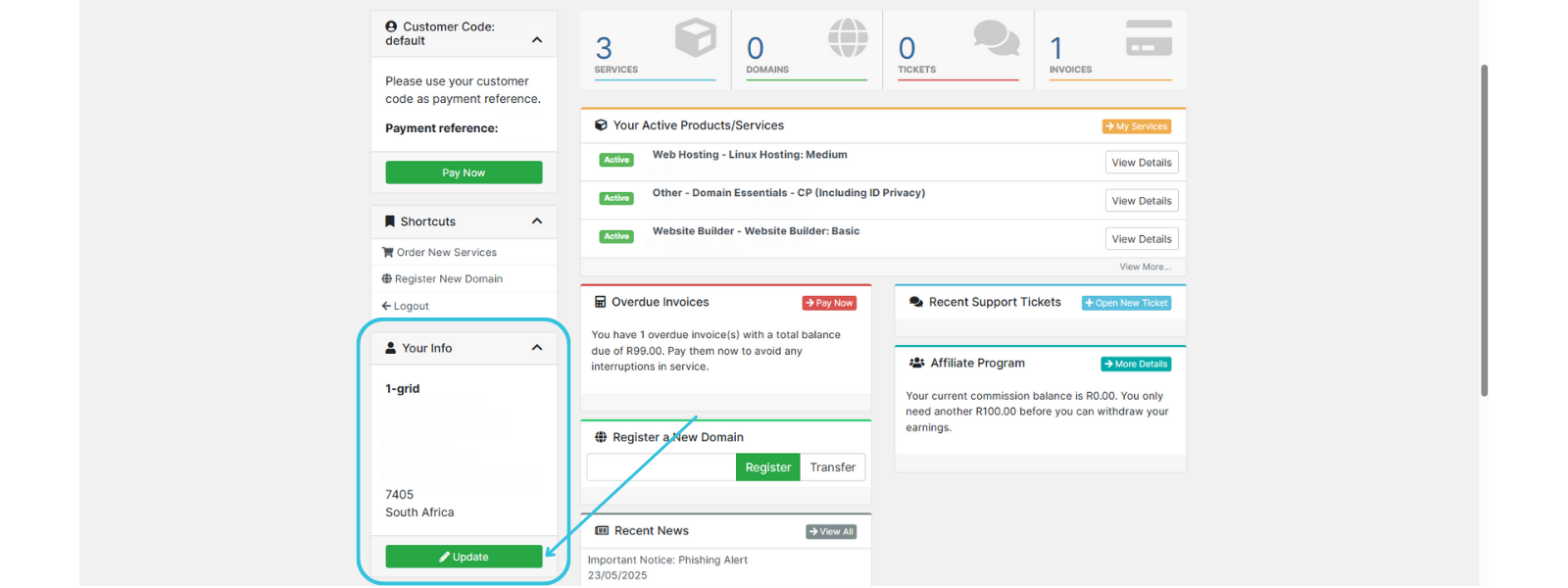
2. Click on Update in the Your Info section.
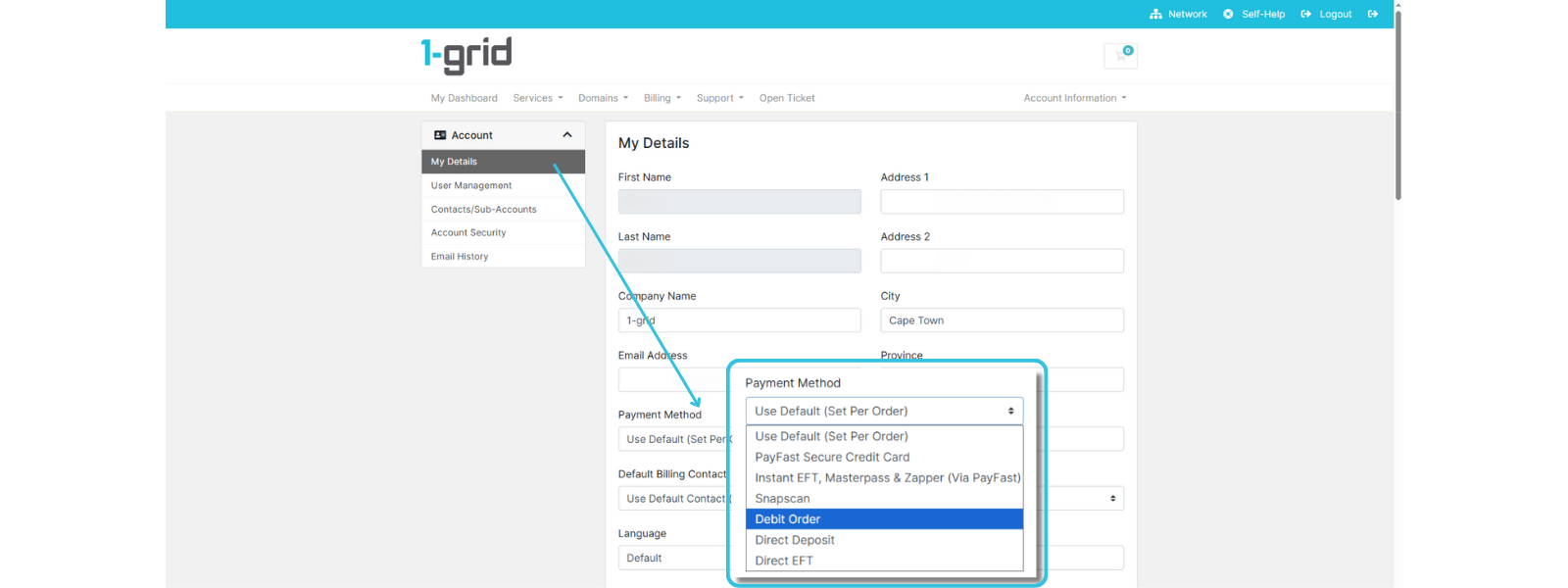
3. Select your preferred option under Payment Method in your My Details section.
4. Click on Save Changes.

TIP:
If you’re switching to Debit Order, update your details at least 7 days before your next billing date to ensure smooth processing.
If you update your payment method after an invoice has already been issued, the invoice remains valid and will be processed using the new payment method at the next cycle, except for Debit Order (if this is made later than at least 7 days before the due date).
When to Contact 1-grid Billing Support
Contact our Team if you:
- Experience issues saving or updating your payment method.
- Want to confirm if your update has taken effect.
- Have recently switched to Debit Order and want to verify your first debit date.
FAQs
If I change my payment method after an invoice is issued, will I get a new invoice?
No, the existing invoice remains valid and can still be paid with your new method before the due date.
How soon will my new payment method take effect?
Immediately, unless it’s a Debit Order, which must be updated at least 7 days before the debit date.
What happens if my saved payment method fails?
You’ll receive an automatic reminder to update your details or use an alternate method before the due date.
Is it safe to store my payment details on 1-grid?
Absolutely, al payment processing is handled through PayFast’s secure, PCI DSS-compliant gateway to ensure complete data protection.
Additional Resources
Everything You Need for 1-grid Payments
A Guide to Invoices at 1-grid, and When to Expect Yours
All You Need to Know About Suspensions at 1-grid
Need Additional Support?
We’re Here to Help:
Updating your payment method via your Customer Zone doesn’t have to feel technical with this easy-to-understand guide. Stuck? Contact our Support Team for clarity and guidance (https://1grid.co.za/contact-us/). We’re ready to see how we can help!