This Article will show you How to Change Mailbox Size in Windows Plesk
Step 1. Go to Mail, and click the email address.
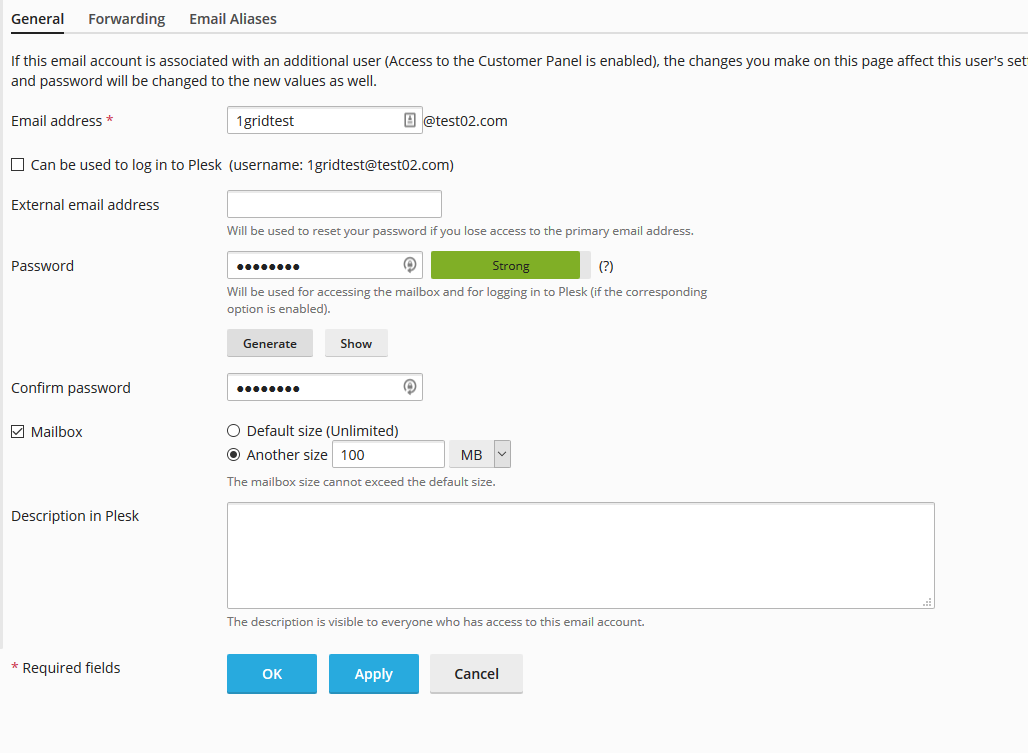
Step 2. Under Another size, type in the desired mailbox size and select the unit of measure, then click OK.

This Article will show you How to Change Mailbox Size in Windows Plesk
Step 1. Go to Mail, and click the email address.
Step 2. Under Another size, type in the desired mailbox size and select the unit of measure, then click OK.