
This guide provides you with the steps to restore or download backups using our backup tool Acronis Backups.
Step 1 – Login to Cpanel
- Please see our article on logging into cPanel here.

Step 2 – Click on the Acronis Backup
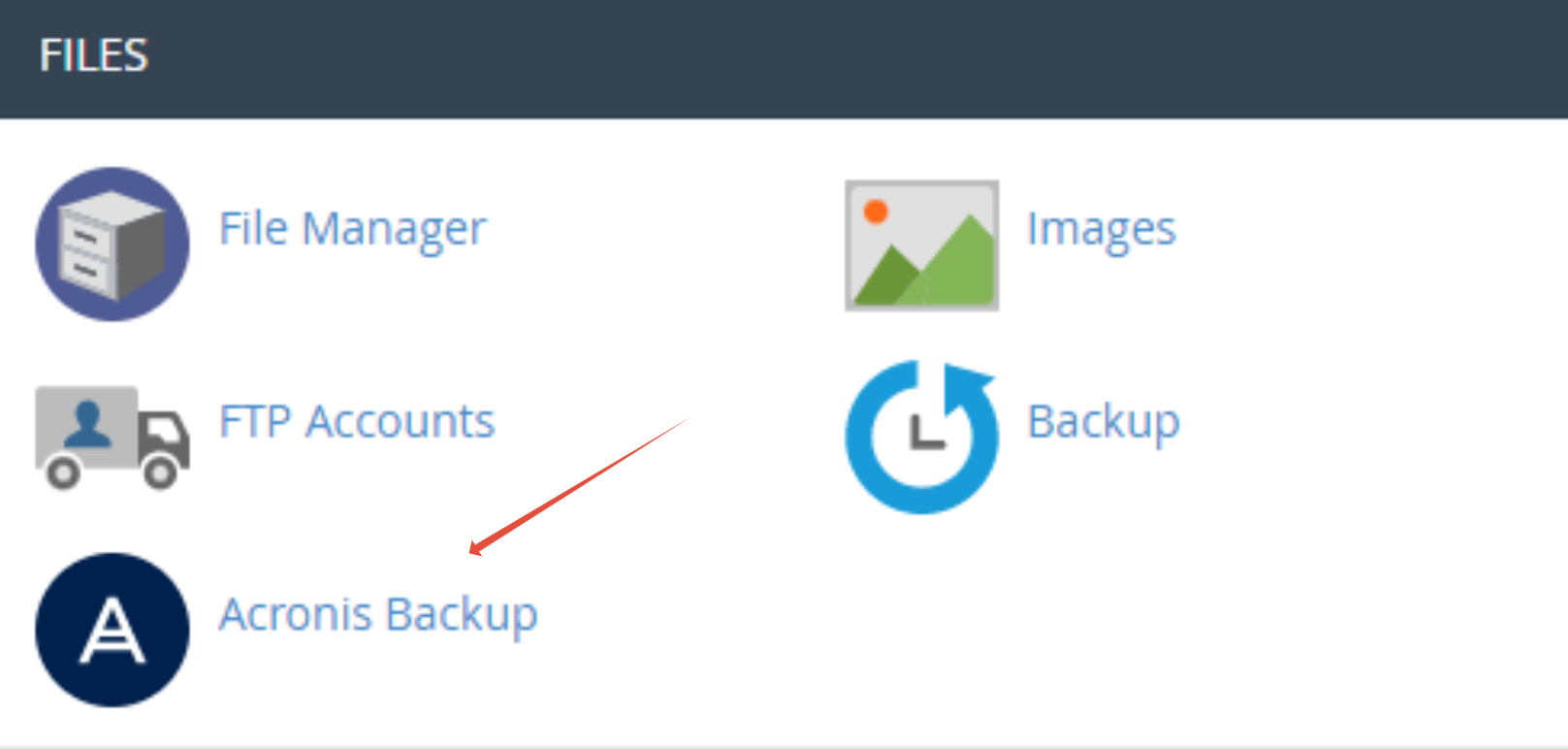
Step 2– On the backups tab click the date for of the backup you want to retrieve.

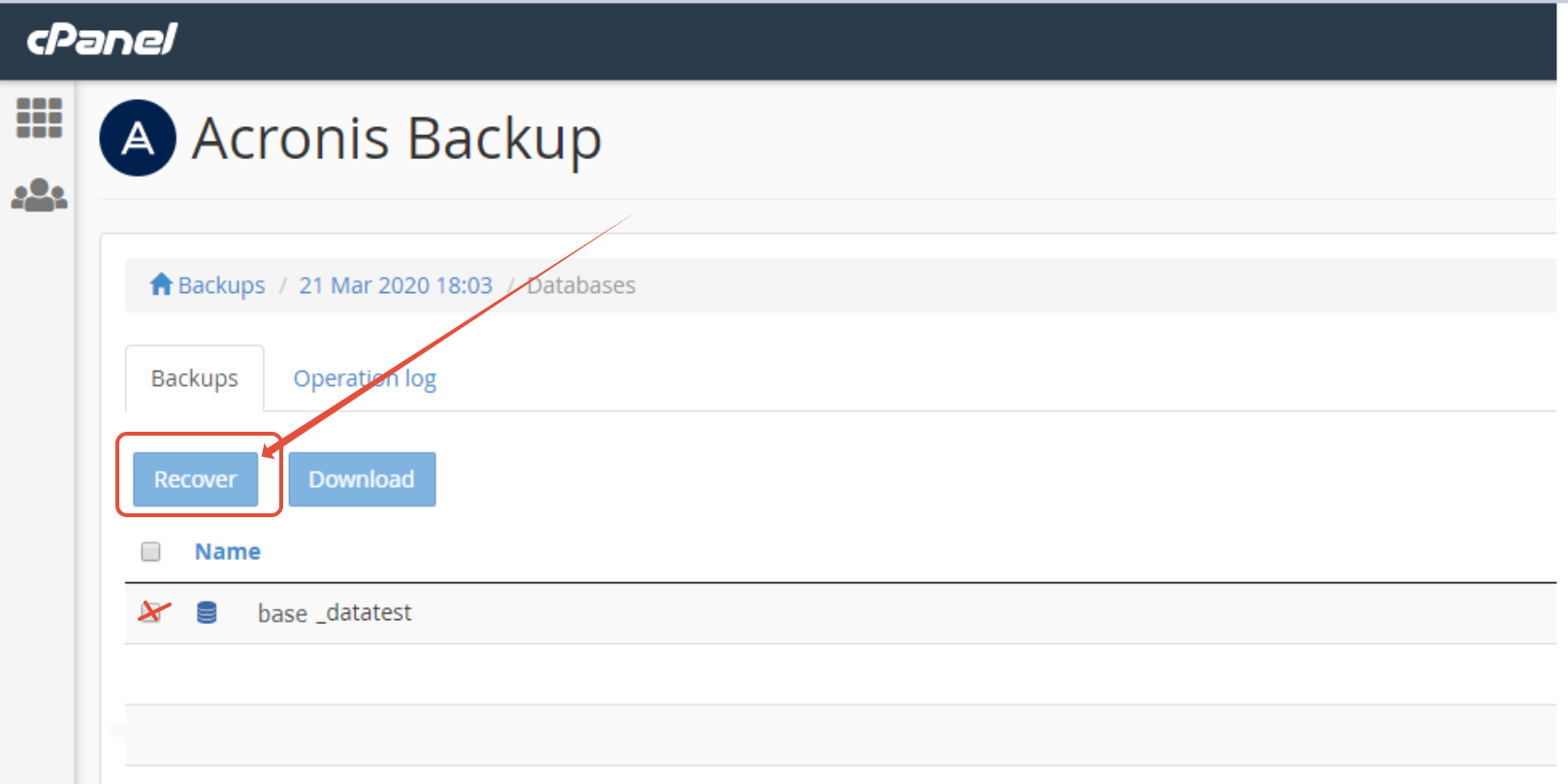
Step 3 – At this point you can click Export to download the backup or select an option to restore e.g email, Databases or Files.

Step 4 – Select relevant backup and click Recover.
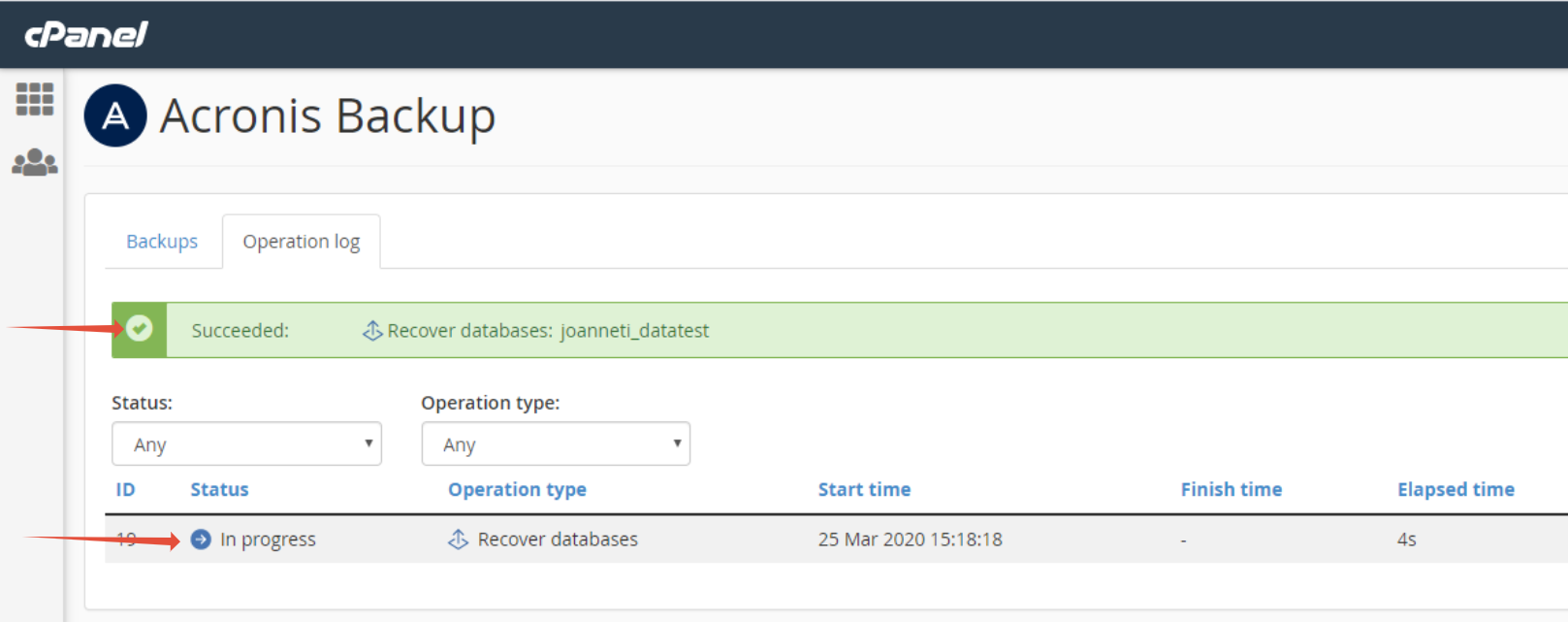
Step 5 – Click on the operations log to view status of restore.
TIP: For more articles on cPanel please see our cPanel category.