
At 1-grid, we make it simple for you to access your billing information whenever you need it and to view your invoices. Your invoice contains all the essential details about your services, from product renewals to payment dates, ensuring transparency and helping you stay on top of your account.
Through your Customer Zone, you can view, download, and pay your invoices in just a few clicks.
This guide will walk you through what an invoice is and why it matters, how to view your invoices via Customer Zone, and how to make payments quickly and securely.
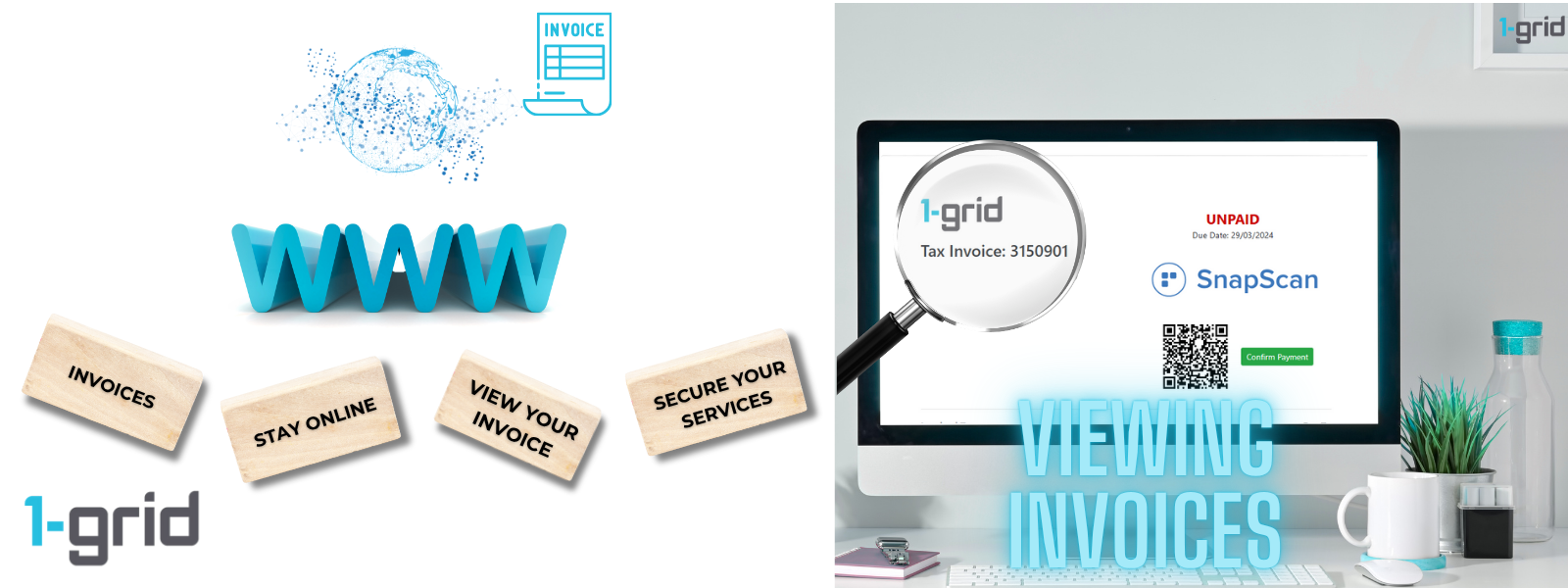
What Is an Invoice and Why Does This Matter?
An invoice is a detailed record of services you’ve purchased or renewed with 1-grid. It shows what you’re being billed for, how much you owe, and when your payment is due.
Invoices are important because they:
- Keep your billing organised and transparent.
- Help prevent service interruptions by reminding you of upcoming payments.
- Serve as official proof of purchase for accounting or business purposes.
How Do I View My Invoice via Customer Zone?
You can view and download any of your invoices directly from your 1-grid Customer Zone.
Follow these simple steps:
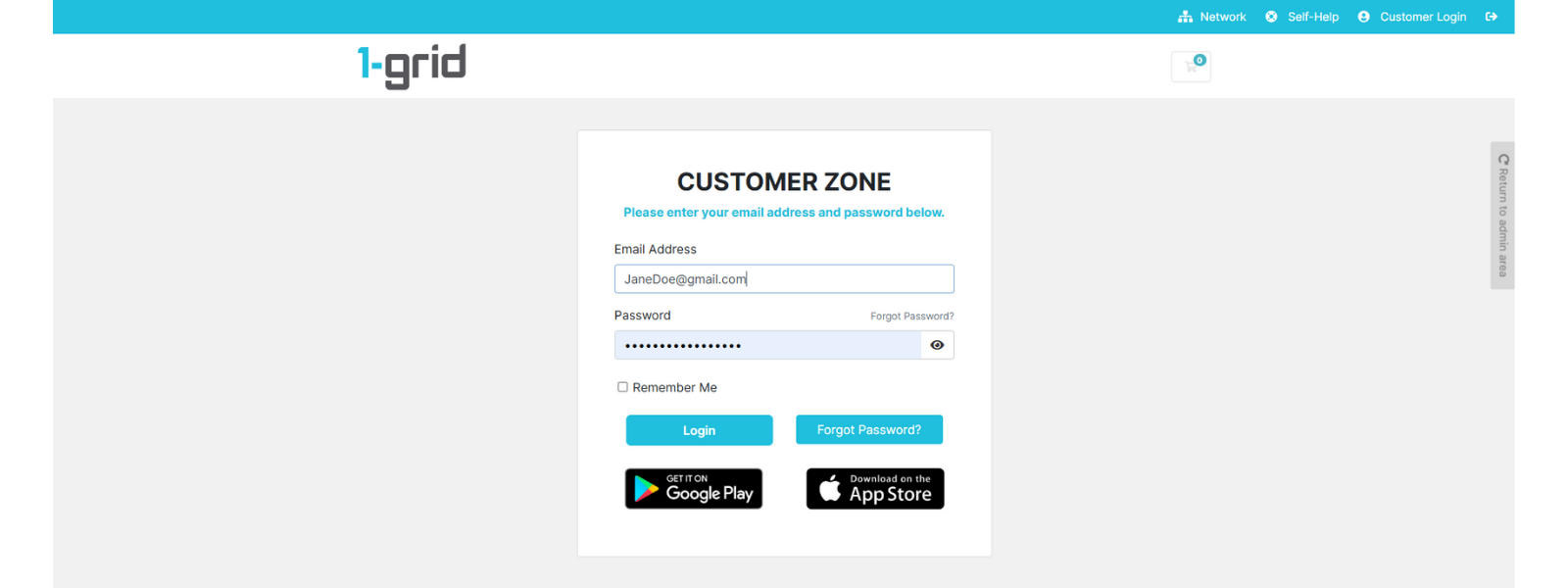
1. Log in to your 1-grid Customer Zone.
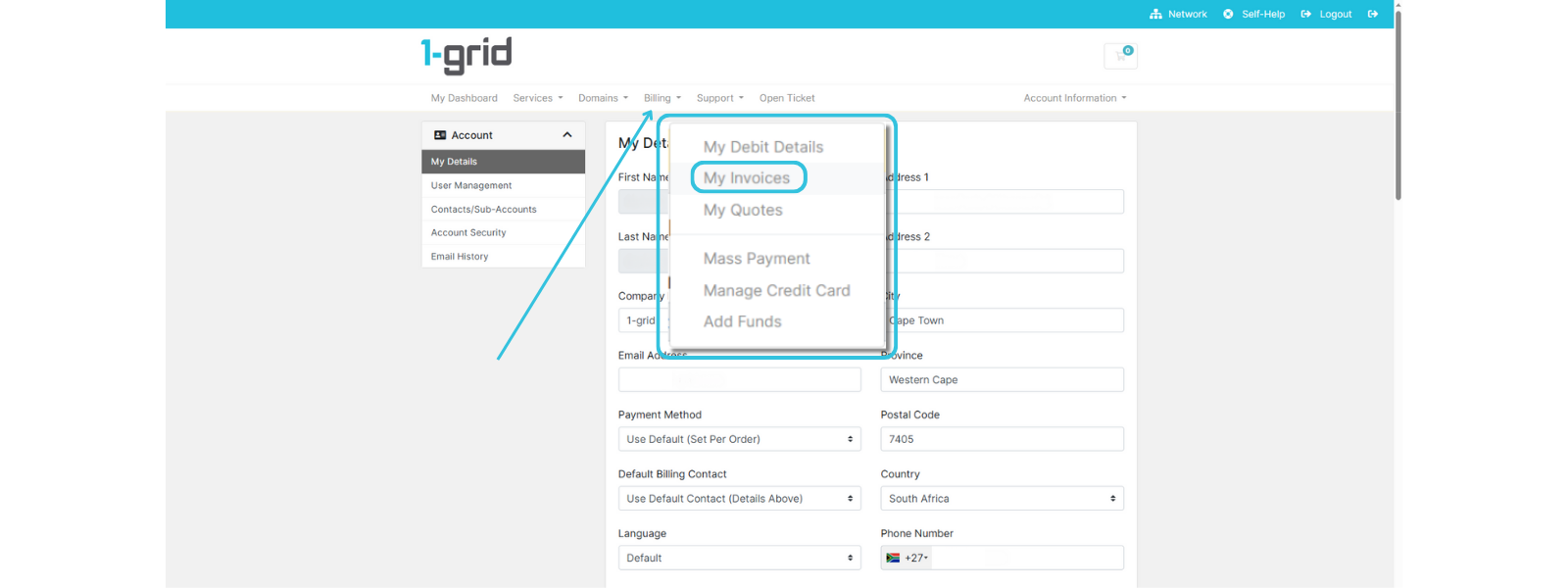
2. Click on Billing → My Invoices.
3. You’ll see a list of all your invoices, including:
- Invoice Number
- Invoice Date
- Due Date
- Total
- Status (Paid, Unpaid, Cancelled)
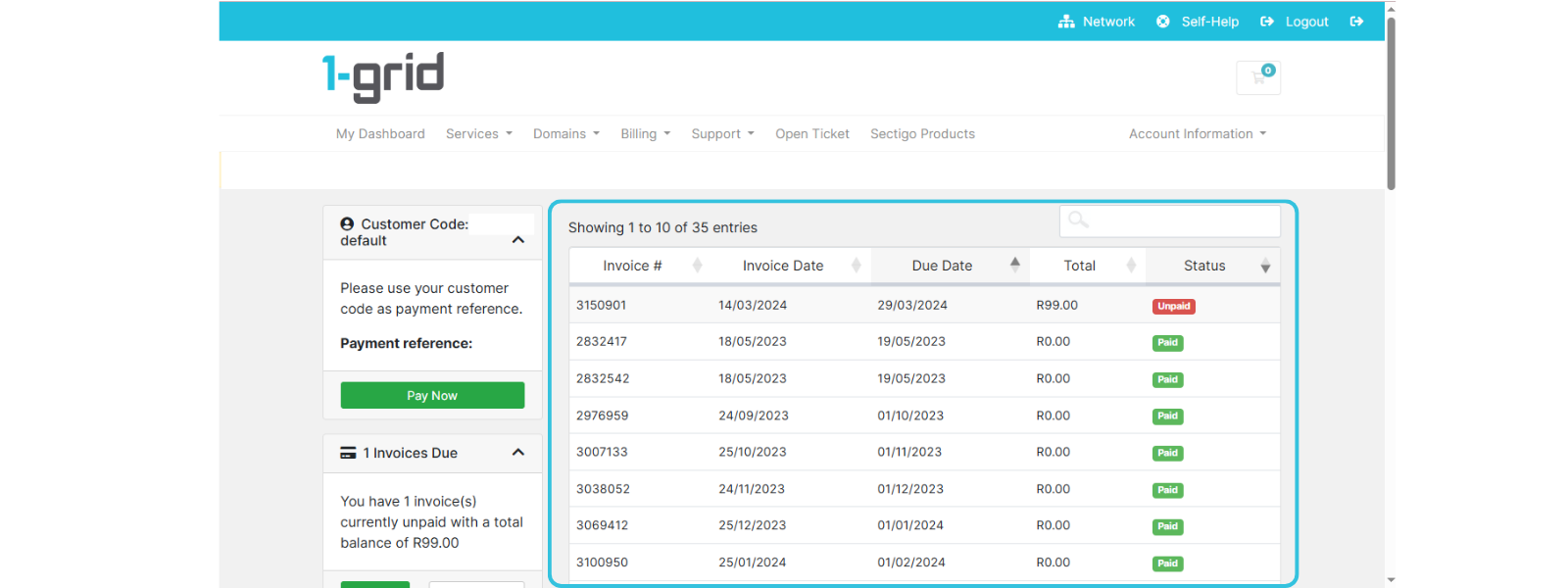
4. Click on an Invoice line to open it.
5. Once opened, you can:
- View the invoice details online.
- Download or print a copy for your records.
- Pay directly from the invoice page if payment is due.
TIP: Regularly review invoices to stay up to date with renewals and payments.
How Do I Pay My Invoice?
You can pay your invoices instantly via several secure payment options available through 1-grid’s billing system. We’ve made keeping your business online easy and stress-free so that you can focus on building your brand!
When to Contact 1-grid Billing Support
Contact our Team if you:
- Can’t find a specific invoice in your Customer Zone.
- Need help with a failed or delayed payment.
- Notice incorrect details on your invoice.
- Require an official statement or invoice copy for accounting.
FAQs
Can I view invoices for past services?
Yes, all your past and current invoices remain available under Billing → My Invoices in your Customer Zone.
Can I download my invoices for my records?
Absolutely, you can simply open your invoice and click Download PDF to save it locally.
What if my invoice status shows “Unpaid”?
It means the payment has not yet been reflected or has not yet been received. Please complete payment immediately to avoid service suspension.
My payment was made, but the invoice still shows “Unpaid.” What should I do?
Payments may take time to reflect, depending on your payment method. If it remains unpaid after 24 to 48 hours, contact [email protected] for assistance.
Can I receive my invoices via email?
Yes, invoices are automatically emailed to your registered address and are always available in your Customer Zone.
Additional Resources
Making Payments Stress-Free at 1-grid
Invoicing at 1-grid: All You Need to Know
A Guide to Avoiding Suspensions at 1-grid
Need Additional Support?
We’re Here to Help:
Viewing your 1-grid invoices via Customer Zone doesn’t have to feel like a maze with this easy-to-understand guide. Stuck? Contact our Support Team for clarity and guidance (https://1grid.co.za/contact-us/). We’re ready to see how we can help!