
Managing your hosting and domain payments shouldn’t be stressful or time-consuming. With debit orders, you can automate your billing, so your services stay active, your payments are secure, and your business never misses a beat.
This guide will walk you through everything you need to know about debit orders with 1-grid, the benefits of paying via debit order, and a step-by-step guide on how to set this up via your Customer Zone.
What is a Debit Order?
A debit order is an authorised agreement that allows 1-grid to automatically collect your payments directly from your bank account on your billing date.
It’s a safe and secure payment method, widely used across South Africa, that ensures your hosting, domain, or email services remain active without manual intervention.
TIP: You stay focused on your business, while your payments take care of themselves.
Benefits of Payment via Debit Order
Paying for your 1-grid services by debit order is more than just convenient; it’s a smart, secure, and stress-free way to keep your services active. By automating your payments, you save time, reduce administrative effort, and gain peace of mind knowing that your hosting, email, and domains stay up and running without interruptions.
With debit orders, your payments are processed automatically on the due date, helping you maintain financial consistency and a clear record of all transactions. Over time, this reliability can even strengthen your credit standing by showing consistent, on-time payments.
No Missed Payments = Avoid Service Interruptions
Your hosting, email, and domain renew automatically without worry. Because payments happen automatically, your services stay active without the risk of suspension or disconnection due to missed payments.
Secure and Authorised
All debit orders are processed safely via trusted South African payment channels.
Saves Time and Reduces Stress
Instead of remembering billing dates or logging in to pay manually, your debit order runs in the background, freeing up your time to focus on your business or personal projects.
Improves Financial Management
A set, automated payment schedule helps you plan your budget more effectively. You’ll always know when payments are due and can easily track your hosting expenses.
Maintain a Clear Payment History
Every debit order transaction is recorded, giving you a simple, transparent way to view your complete payment history whenever needed. This makes tracking and auditing effortless.
Build a Stronger Credit Profile
Consistent, on-time debit order payments can positively impact your credit score over time, helping you establish reliability with financial institutions.
Avoid Late Fees and Penalties
When your account has sufficient funds, debit orders eliminate the risk of late payments and unnecessary bank charges, keeping your finances predictable and penalty-free.
Ideal for Businesses
Keeps company accounts consistent and reduces administrative tasks.
TIP: Setting up or switching to debit order payments not only simplifies your billing; it builds trust, reliability, and financial confidence. With 1-grid’s secure, automated system, you’re always in control, ensuring your online presence stays uninterrupted so you can focus on what truly matters: growing your brand, while we take care of the admin behind the scenes.
How to Set Up or Update Your Debit Orders via Customer Zone
Follow these simple steps to add or update your debit order details:
1. Log in to your 1-grid Customer Zone.
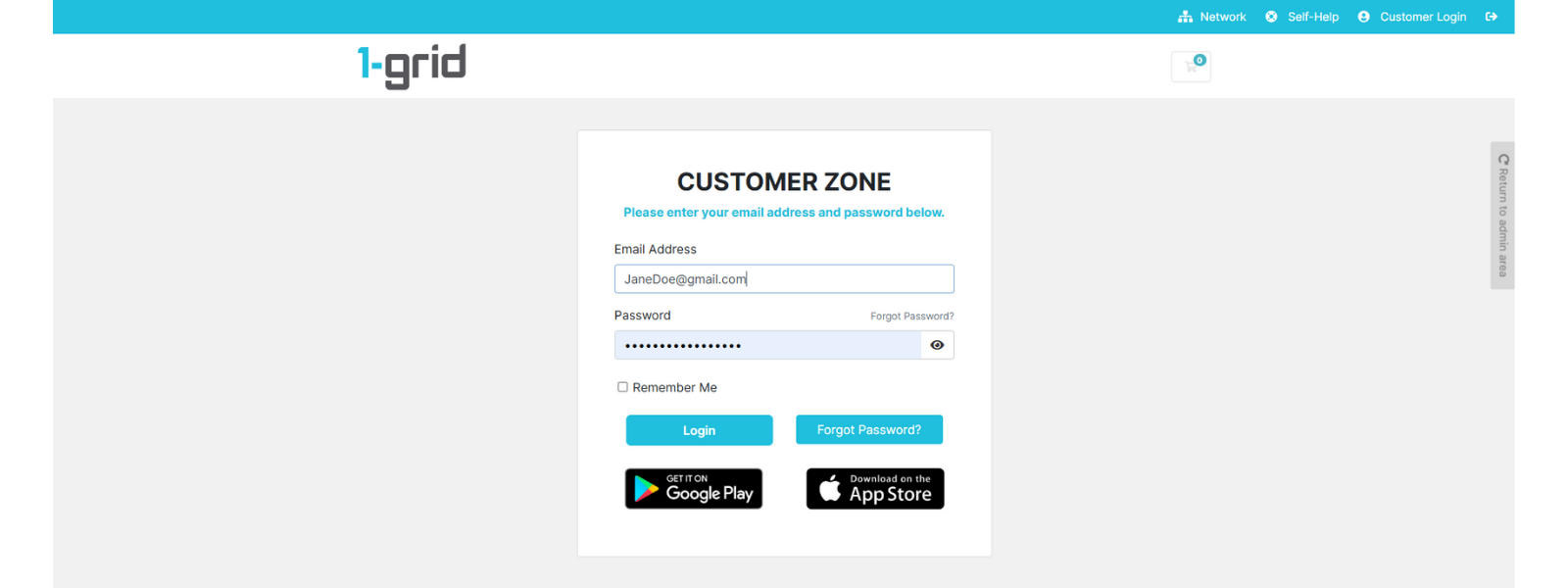
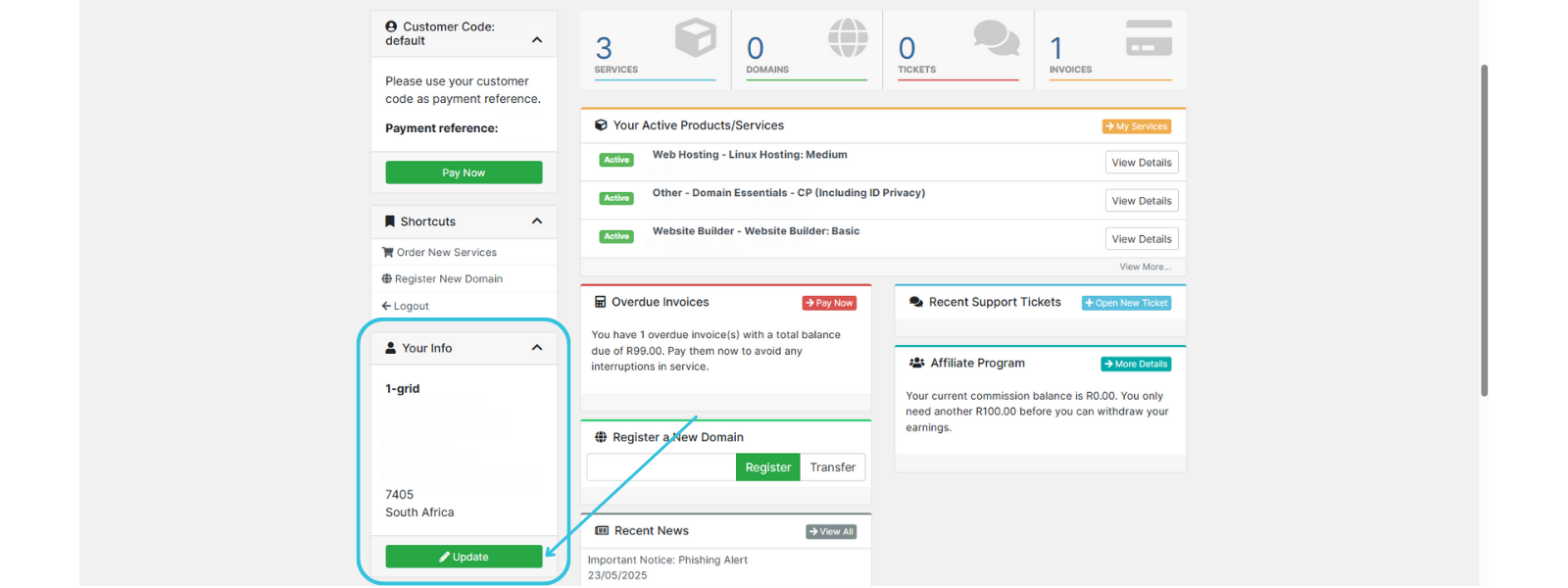
2. Click on Update in the Your Info section.
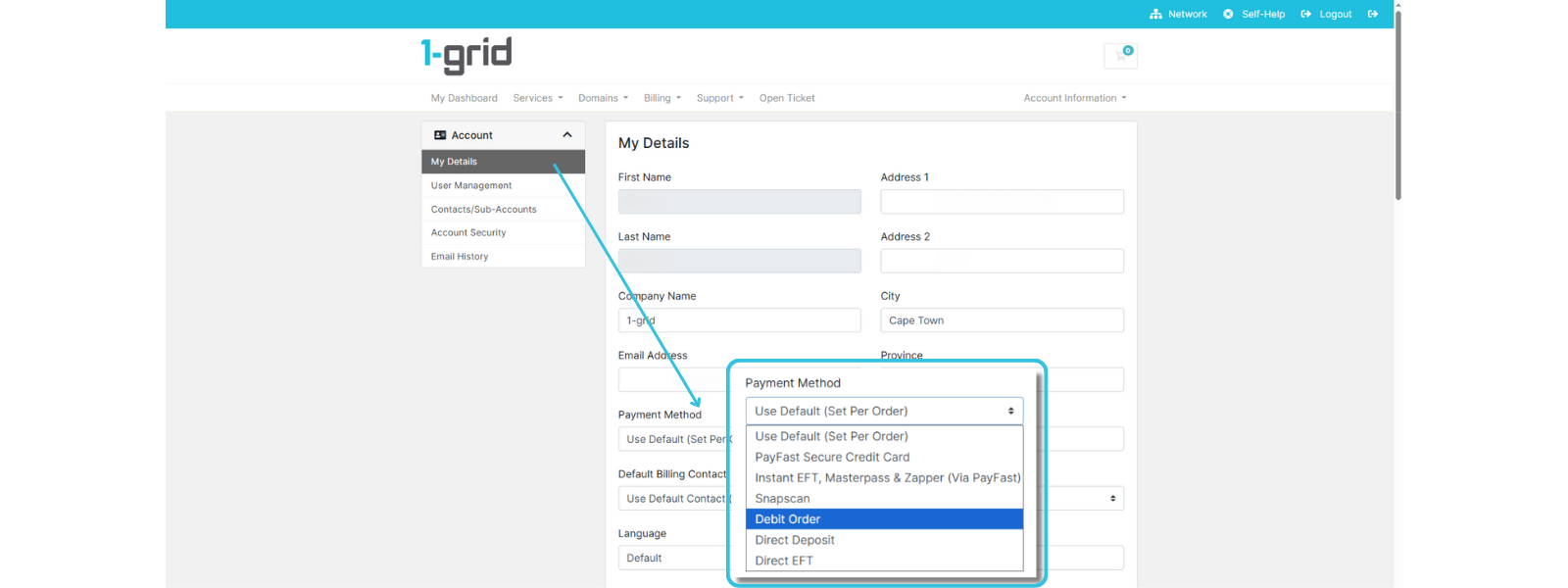
3. Select Debit Order under Payment Method in your My Details section.
4. Click on Save Changes.

5. Navigate to the Billing section.
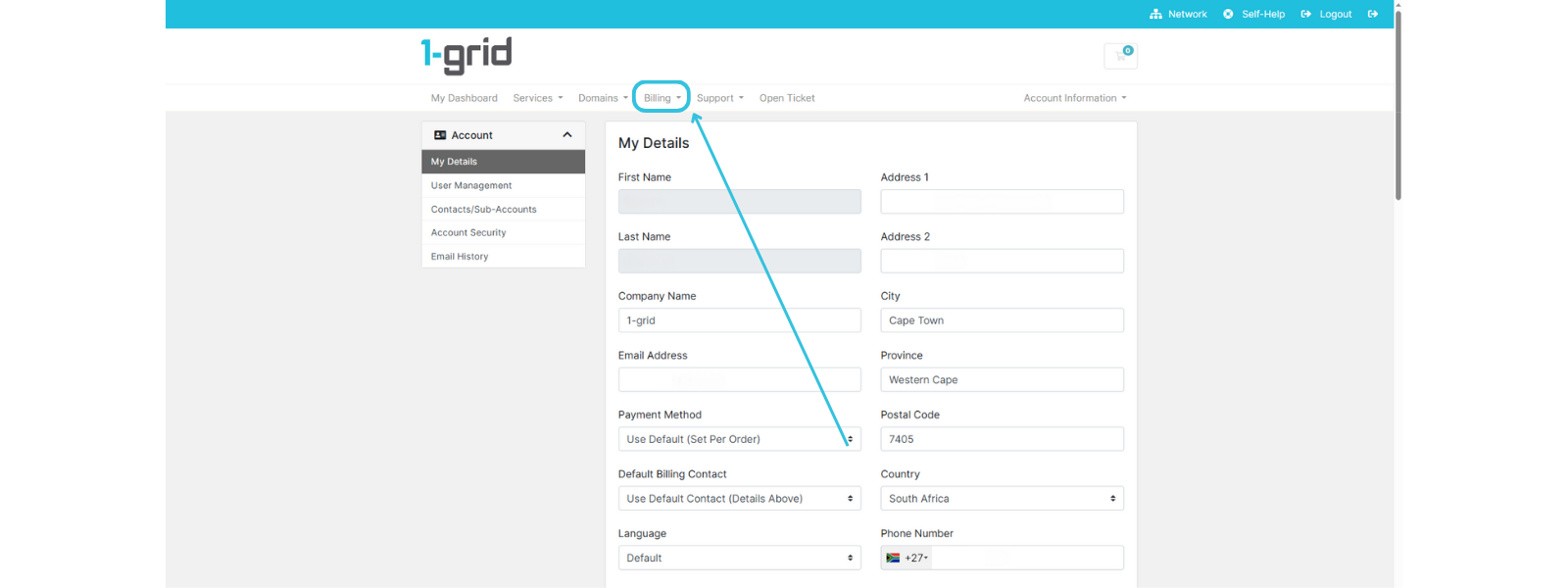
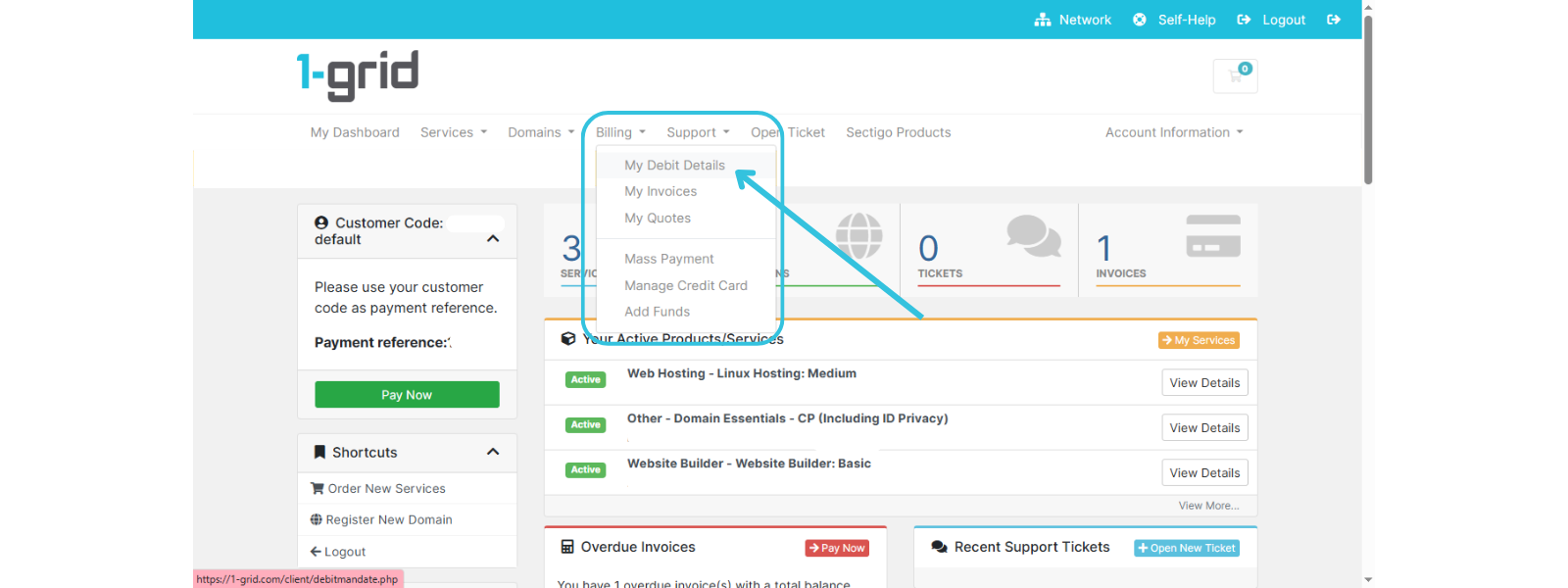
6. Select My Debit Details.
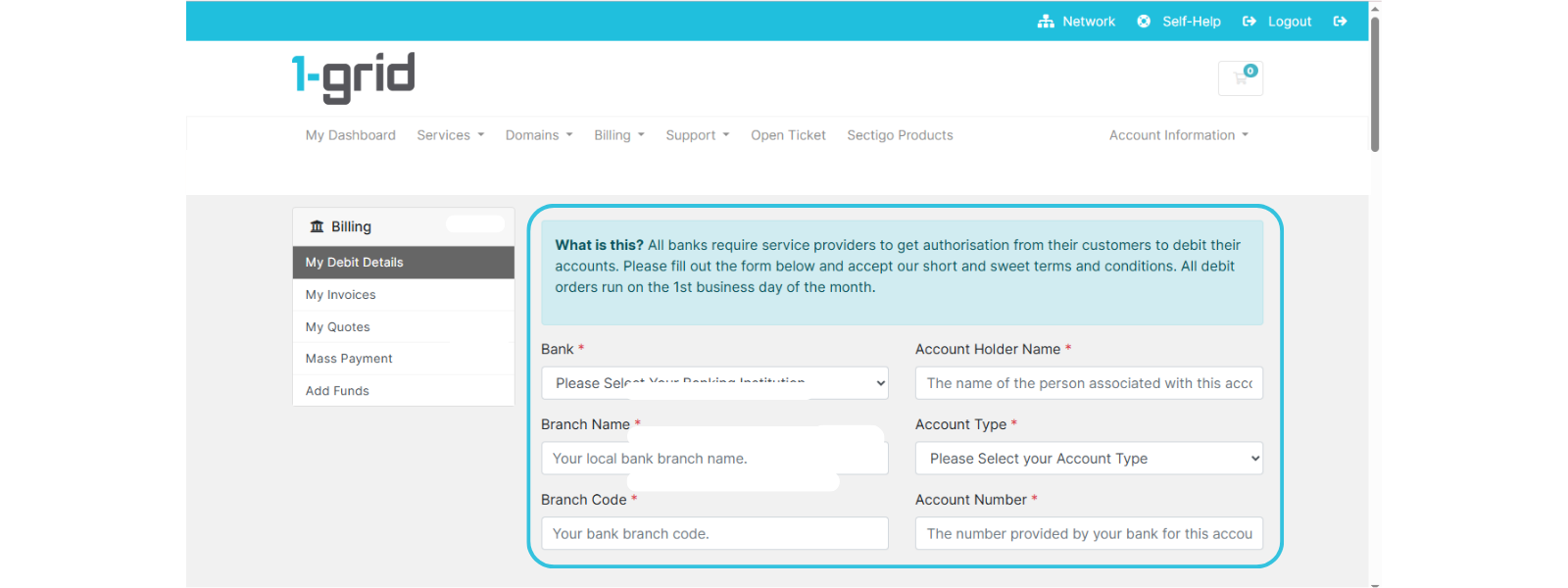
7. Enter your Bank name, Account holder, and Account number, etc.
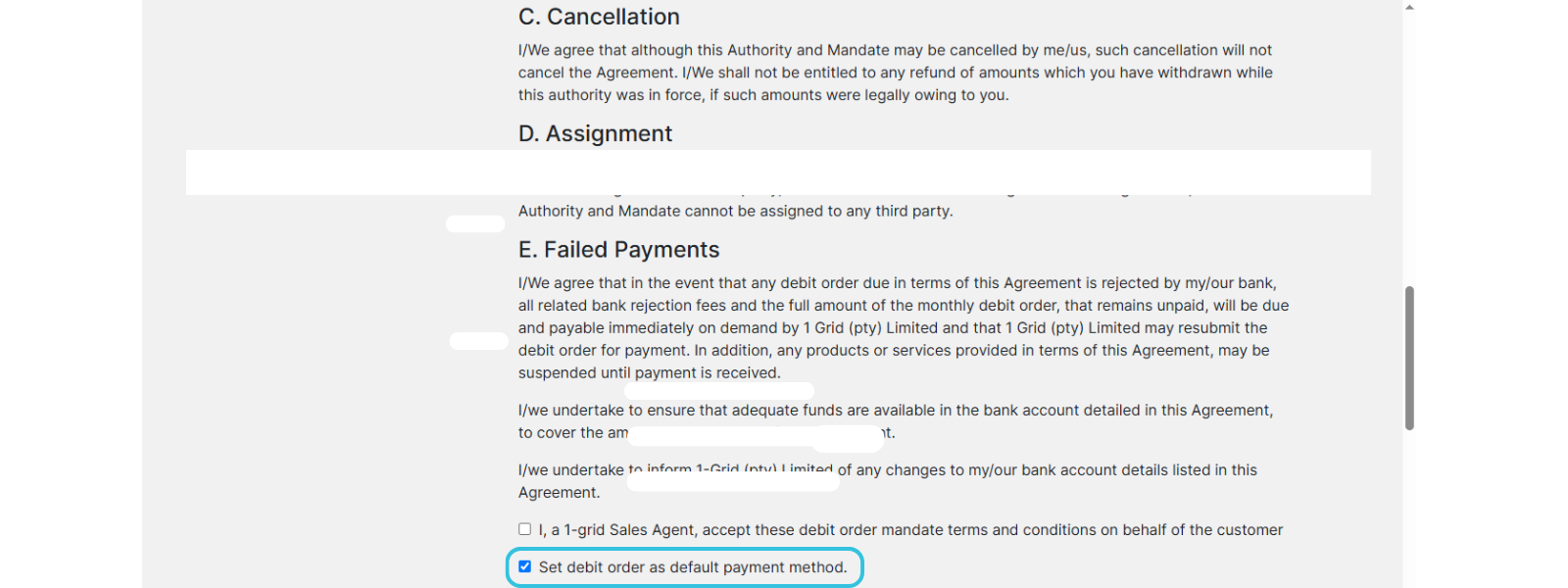
8. Read through the Mandate thoroughly, and tick “Set debit order as default payment method” to confirm your authorisation.
9. Click Submit Bank Details.

TIP: Always double-check that your account has sufficient funds before your debit date (usually the 1st of a month) to avoid failed transactions or service suspensions.
IMPORTANT: If, for any reason, your services have been suspended and our Billing Team is required to reinstate your Debit Order upon reactivation of your services, they will select “I, a 1-grid Sales Agent, accept these debit order mandate terms and conditions on behalf of the customer” to reinstate the mandate on your behalf.
What Happens After You Set Up Your Debit Order
Once you’ve set up or updated your debit order:
- Your future invoices will be automatically settled on your due date.
- You can view and manage your payment method:
- In Customer Zone → Your Info → Update → My Details → Payment Method
- In Customer Zone → Billing → My Debit Details
- In Customer Zone → Billing → My Invoices
IMPORTANT: If your debit order fails, you’ll be notified immediately via email so you can retry or update your details. You will be charged a R50.00 debit order failed fee if this happens, so it is important to plan for fund availability.
Security and Transparency
We know financial information is sensitive, and your trust matters. That’s why all debit order transactions with 1-grid are processed securely through PCI DSS-compliant payment gateways, ensuring your data remains safe and encrypted.
When to Contact 1-grid Billing Support
Contact our Team:
- If your services have been suspended.
- You’ve made payment of the outstanding amounts (allow 2-3 business days for direct EFT payments to reflect).
- Need your services reactivated via Debit Order.
Include the following:
- Proof of payment, clearly reflecting the date, account number, amount, and reference number (Customer Code).
- Written or verbal consent to reinstate the Debit Order mandate on your behalf.
TIP: This helps 1-grid Billing Support get you back online faster.
FAQs
What if my bank details change?
You can log into your Customer Zone at least 7 days before your due date to make changes to your details.
What if my debit order fails?
If your debit fails due to insufficient funds, you’ll receive an email alert. You can retry payment manually or wait for the next debit run. It is important to remember that you will be charged a R50.00 debit order failed fee if this happens.
Can I cancel my debit order?
Yes, you can cancel anytime through your Customer Zone or by contacting 1-grid Billing Support. Be sure to select an alternative payment method to keep your payments up to date.
Is my banking information safe?
Absolutely, all payment details are securely encrypted and handled via trusted South African banking channels.
Can I switch from EFT or credit card payment to debit order?
Yes, you can easily switch payment methods, at least 7 days before your due date, in your Customer Zone under Your Info → Update → My Details → Payment Method.
Additional Resources
How Do I Update My Payment Method?
Checking Your Billing Cycle via Your Customer Zone
Services Still Suspended After Payment
Viewing Your Invoices via Your Customer Zone
Where to View and Download Your Latest Statement
Everything You Need to Know About Invoicing at 1-grid
Everything You Need to Know About Reactivating Suspended or Cancelled Services
Introducing the 1-grid Android Application
Need Additional Support?
We’re Here to Help:
Choosing and setting up debit orders for your services doesn’t have to cause worry with this easy-to-reference guide. Stuck? Contact our Billing Team for clarity and guidance (https://1grid.co.za/contact-us/). We’re ready to see how we can help!