
At 1-grid, we know how important it is to keep your hosting, email, and domain services active without disruption. That’s why we offer the option of paying your invoices with credit on your 1-grid account, making it a simple, secure, and proactive way to stay on top of your payments.
By keeping funds in your 1-grid account, you can automatically pay invoices when they’re due, meaning no manual payments, no delays, and no risk of service suspension. It’s ideal for customers who prefer full control over their billing while enjoying the convenience of automatic renewals and faster processing.
This guide will walk you through everything you need to know about using account credit at 1-grid, including what credit is, how to add funds, how to check your balance, and how to pay invoices using available credit directly through your Customer Zone.
- What Is Credit on Your 1-Grid Account?
- Benefits of Paying with Credit
- Adding Credit to Your 1-grid Account (via Customer Zone)
- Checking Your Credit Balance on Your 1-grid Account (via Customer Zone)
- How to Pay Invoices with Credit on Your 1-grid Account (via Customer Zone)
- When to Contact 1-grid Billing Support
- FAQs
- Additional Resources
What Is Credit on Your 1-Grid Account?
Credit on your 1-grid account means funds are preloaded onto your 1-grid account that can be used to pay future invoices for domains, hosting, and other services.
This means that you can top up your credit balance at any time using Debit Order, Credit Card via PayFast, Instant EFT via PayFast, or Direct EFT.
Once received, funds are automatically allocated to your account and can be used to pay any future invoices as they become due.
Benefits of Paying with Credit
Instant Payments
- No waiting period, as future invoices are settled immediately.
Automatic Renewal Protection
- Prevents downtime or missed renewals.
Budget-friendly
- Manage expenses proactively by pre-funding your account.
Convenient
- Avoid repeated manual payments for every invoice.
Flexible
- Use it for any 1-grid service whenever needed.
Secure
- Payments are handled through trusted gateways and your 1-grid Customer Zone.
Adding Credit to Your 1-grid Account (via Customer Zone)
Adding funds to your account is made simple with our quick guide, so that you can secure payment by paying future invoices with credit, so you can focus on your business as a priority!
TIP: Funds added to your account are automatically available to pay future invoices or to pay for any new orders.
Checking Your Credit Balance on Your 1-grid Account (via Customer Zone)
If you have added funds to your 1-grid account or have an existing credit balance, it’s easy to keep an eye on this to stay ahead of upcoming invoices for your domains, hosting, and other services. When time is of the essence, we’ve made it simple to stay ahead of the game with our easy-to-follow guide.
IMPORTANT: A R0.00 balance means paying with credit will not appear as an option to pay an invoice.
How to Pay Invoices with Credit on Your 1-grid Account (via Customer Zone)
To pay any existing invoices using your credit:
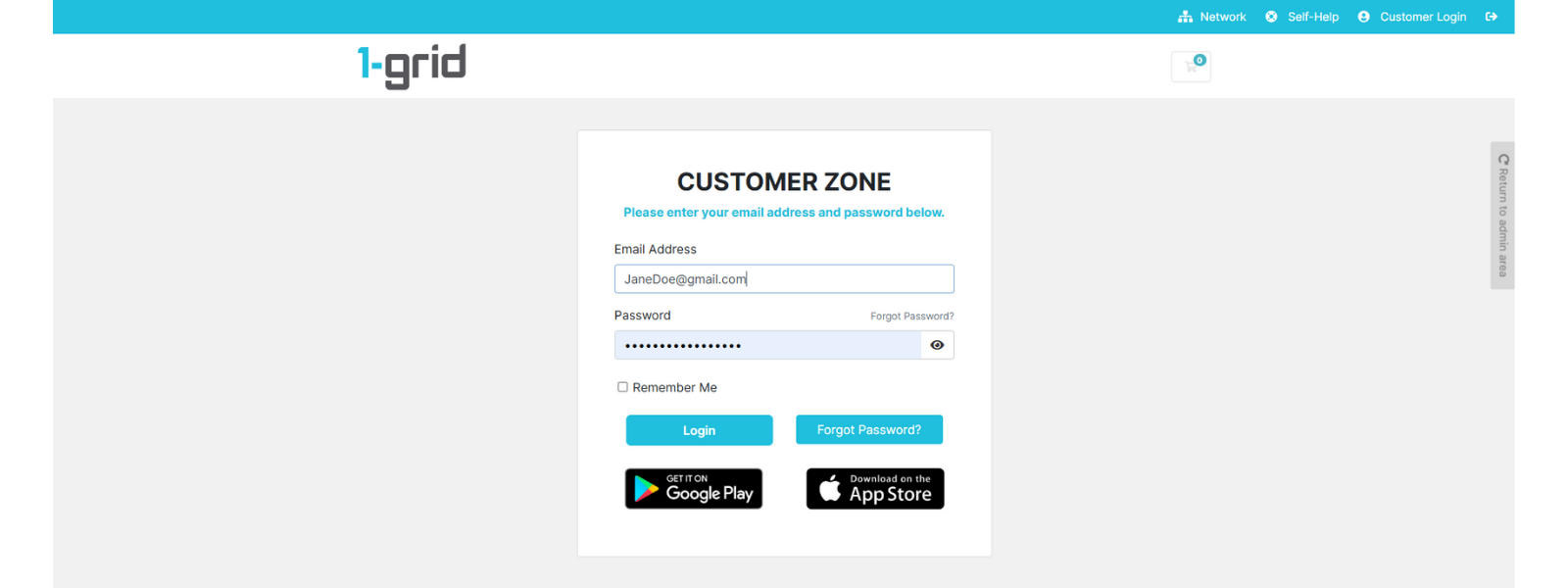
1. Log in to your 1-grid Customer Zone.
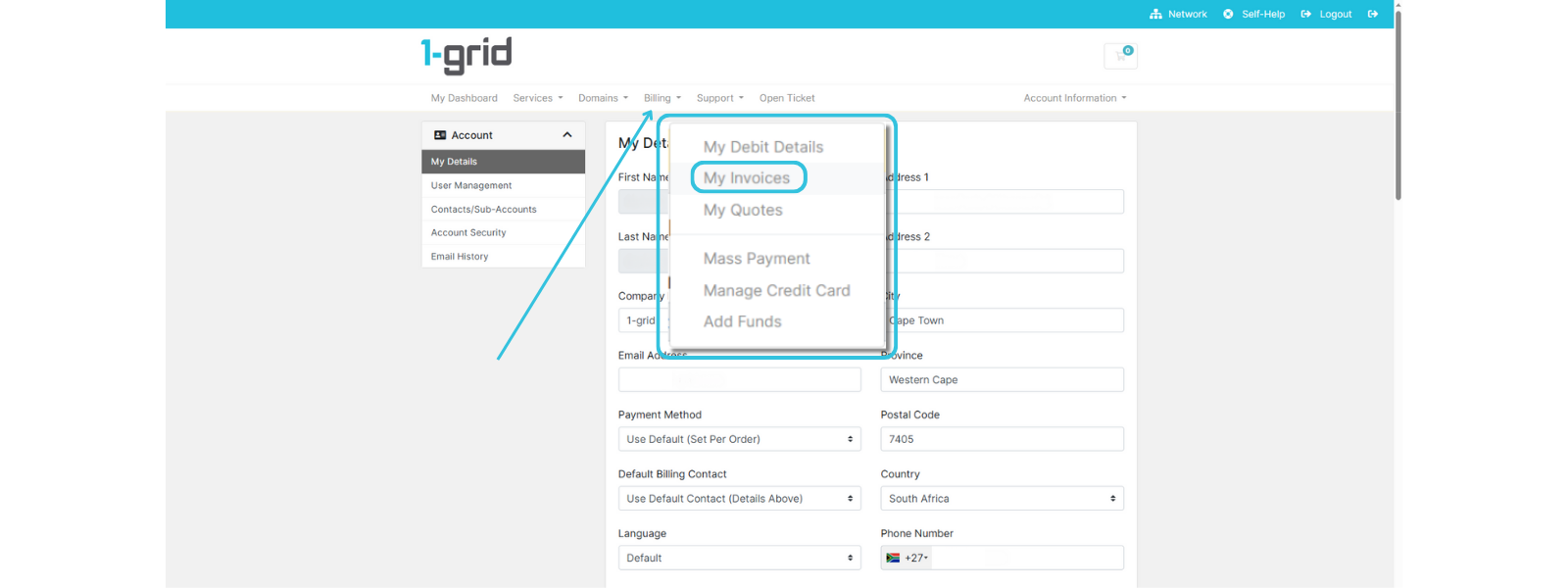
2. Click on Billing → My Invoices.
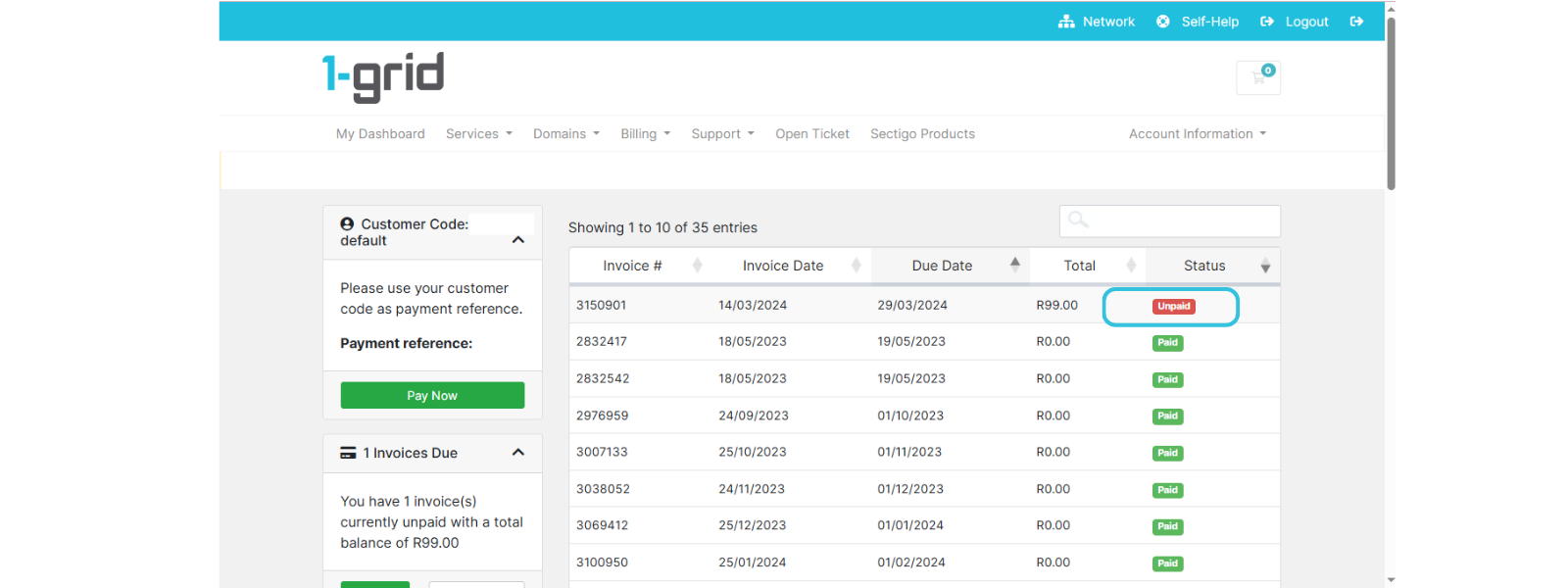
3. Locate the Unpaid invoice, then click on it to open it.
4. Check the Amount of Credit needed, type in the amount, then click on Apply Credit to pay.
TIP: Invoices are marked as paid immediately, and remaining credit is automatically applied to any future invoices.
When to Contact 1-grid Billing Support
Contact our Team:
- The credit doesn’t reflect a successful payment.
- Allocation or deduction of the incorrect amount.
- You need assistance with large pre-payments or *refunds.
Include the following:
- Proof of payment, clearly reflecting the date, account number, amount, and reference number (Customer Code).
TIP: This helps 1-grid Billing Support get you back online faster.
*IMPORTANT: For refunds, our Team discusses your options further with you and provides details on the process if a refund request is required.
FAQs
Can I use credit to pay for any service?
Yes, account credit can be used for all active services such as domains, hosting, and email, and even for payment of any new orders.
How long does it take for credit to reflect?
Payments via Debit Order, PayFast, or Credit Card are instant. Manual EFT payments can take 2 to 3 working days to reflect.
What happens if my credit balance isn’t enough?
You can top up your credit or pay the outstanding amount using another method.
Can I get a refund for unused credit?
Refunds may be processed under specific circumstances; please contact Billing Support for assistance.
Additional Resources
Our Easy-to-Use Payment Methods at 1-grid
How Do I Update My Payment Method?
Viewing Your Invoices via Your Customer Zone
Everything You Need to Know About Invoicing at 1-grid
Need Additional Support?
We’re Here to Help:
Paying your invoices with credit for your services doesn’t have to feel like a challenge with this easy-to-reference guide. Stuck? Contact our Billing Team for clarity and guidance (https://1grid.co.za/contact-us/). We’re ready to see how we can help!