This article will show you how to purchase an Acronis backup
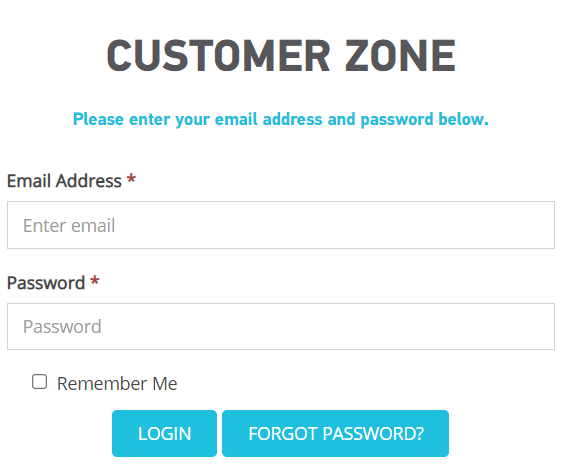
Step 1. Log into Customer zone
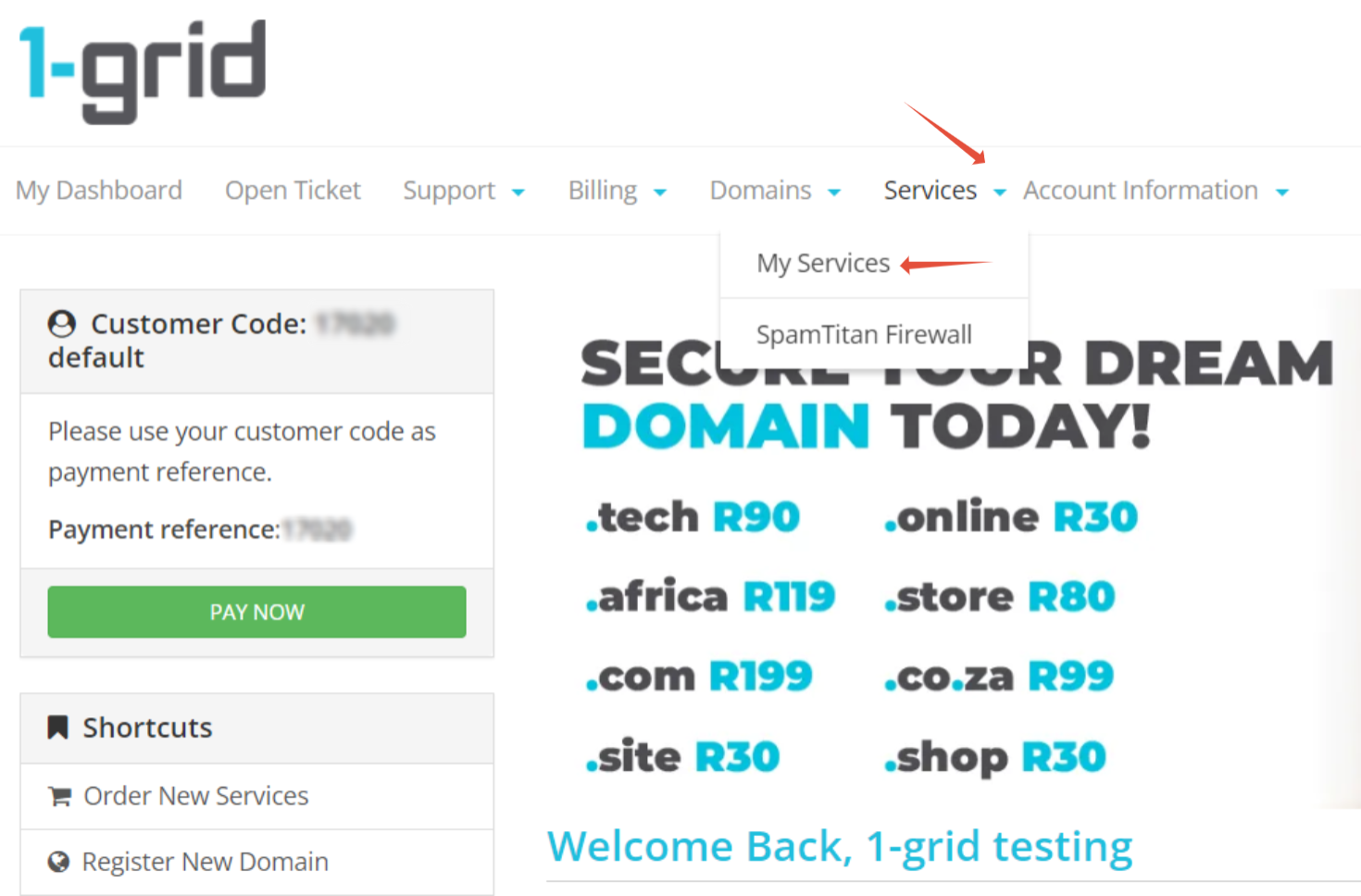
Step 2. Click on Services > My services
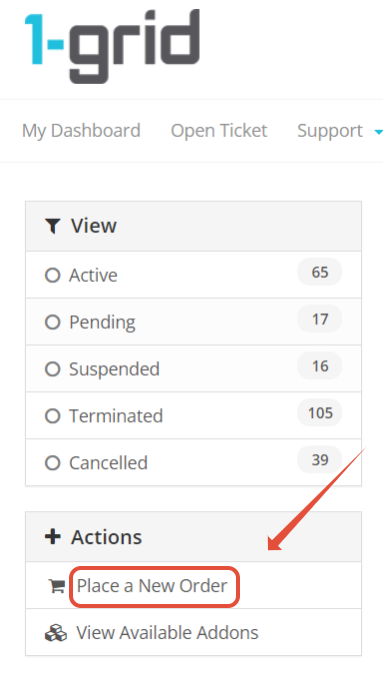
Step 3. Click on Place a new Order
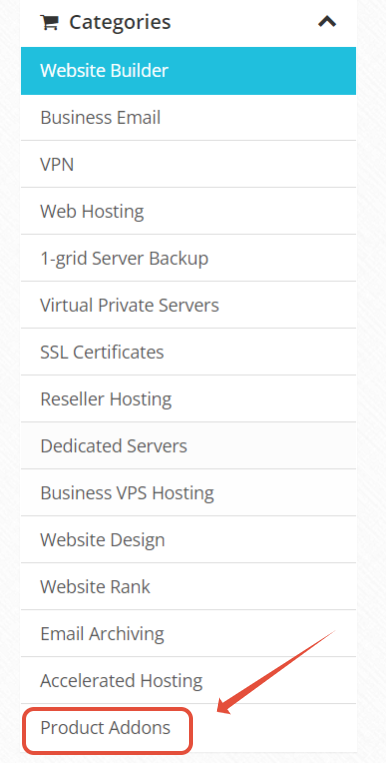
Step 4. Click on Product Addons
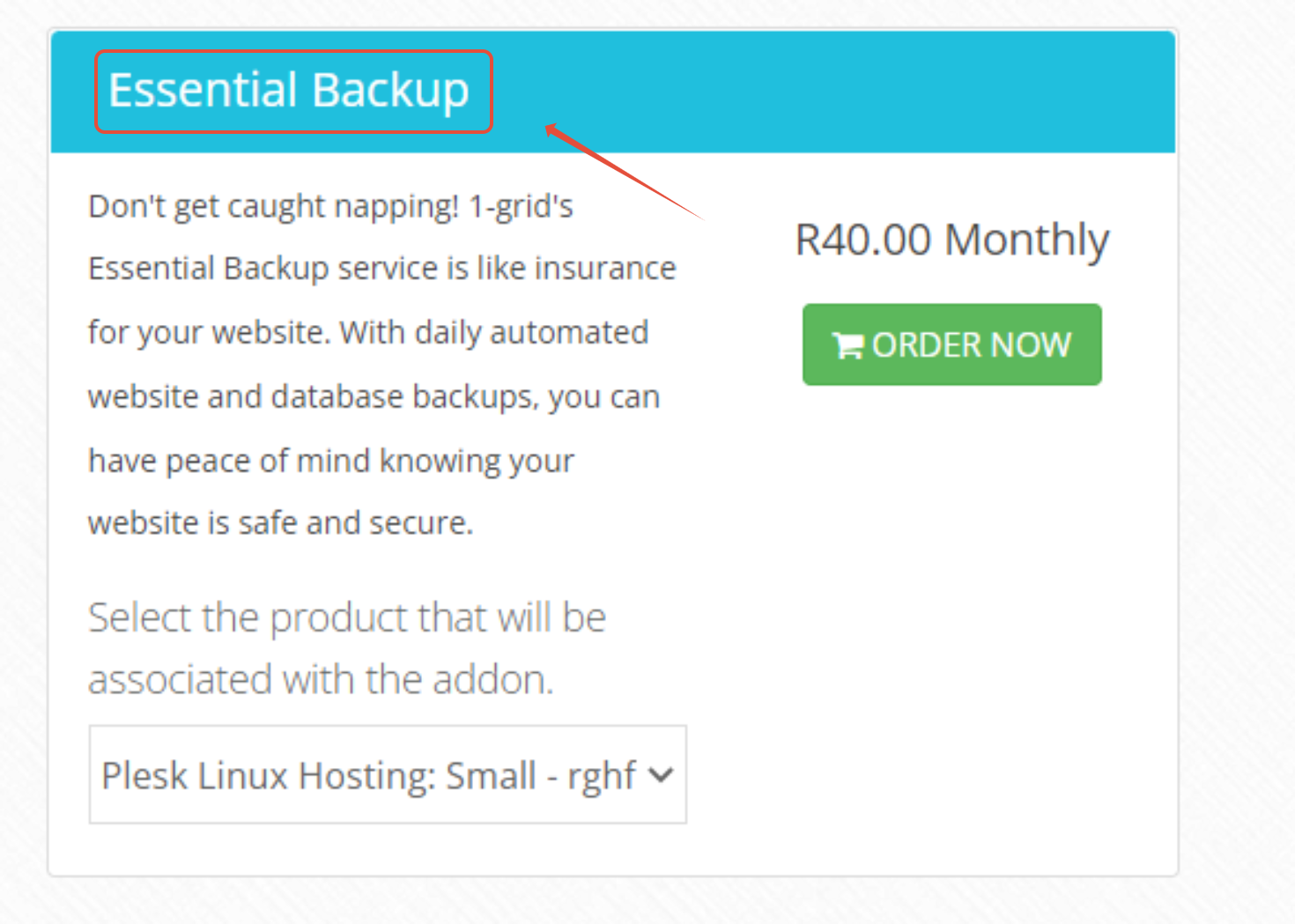
Step 5. Choose Essential Backup

Step 1. Log into Customer zone
Step 2. Click on Services > My services
Step 3. Click on Place a new Order
Step 4. Click on Product Addons
Step 5. Choose Essential Backup