

At 1-grid, we understand that keeping your services active and running smoothly is essential to your business and online presence. Sometimes, finding your services still suspended after making payment can be both confusing and frustrating, and we want to make sure you get clarity and have confidence that this can be resolved quickly.
This guide explains why suspensions occur, what might delay automatic reactivation, and what you can do to get your services back online quickly.
What Is Suspension Due to Non-Payment?
A service suspension occurs when an account or service (such as hosting, domain, or email) remains unpaid after the due date.
When invoices go unpaid for a certain period, the system automatically suspends the service to prevent continued usage without payment.
Suspension temporarily restricts access but does not delete your data, as long as payment is made for the full outstanding balance within 60 to 90 days of the latest outstanding invoice due date. Once payment is made and verified, services can be reinstated.
Possible Reasons Why Your Service Is Still Suspended After Making a Payment
Even after payment, there can be several reasons why your service still shows as suspended.
Here’s what could be happening, and what you can do:
The Payment Hasn’t Cleared Yet
- Payments made via Direct EFT can take 2 to 3 working days to reflect, depending on your bank’s processing time.
- During this time, your service remains suspended until payment is fully allocated.
TIP: If you paid via PayFast, SnapScan, or Instant EFT, reactivation should happen almost immediately after confirmation.
The Payment Was Made AfterSuspension Took Effect
If the suspension has already taken place before your payment cleared, your service will need to be manually reactivated by our Billing Team.
This helps us confirm that the payment has been allocated correctly and that your account is in good standing.
NOTE: This process is quick once confirmation is received.
The Payment Was Not Linked to the Correct Invoice or Account
If the payment reference used was incorrect or missing, it may not have been automatically matched to your account.
This can delay reactivation because the system cannot identify which service the payment applies to.
TIP: Always use your Customer ID as the payment reference.
The Payment Was Made from an International Account
Cross-border or foreign currency payments may take longer to clear and verify.
If you made an international EFT, it may take up to 10 business days for your service to reflect as paid and to be reactivated.
Reactivation Requires Manual Approval
Certain suspended services (like hosting accounts or domain renewals) require manual verification by our Technical or Domains teams.
This ensures that the system reactivates your services safely without data loss.
Outstanding Balances or Partial Payments
If there are older unpaid invoices, the system automatically allocates your payment to the oldest balance first, especially when making payment via Direct EFT.
Your most recent invoice will remain unpaid until all older amounts are settled, or the full balance (where a partial payment is made to an invoice) is made, keeping the suspension active.
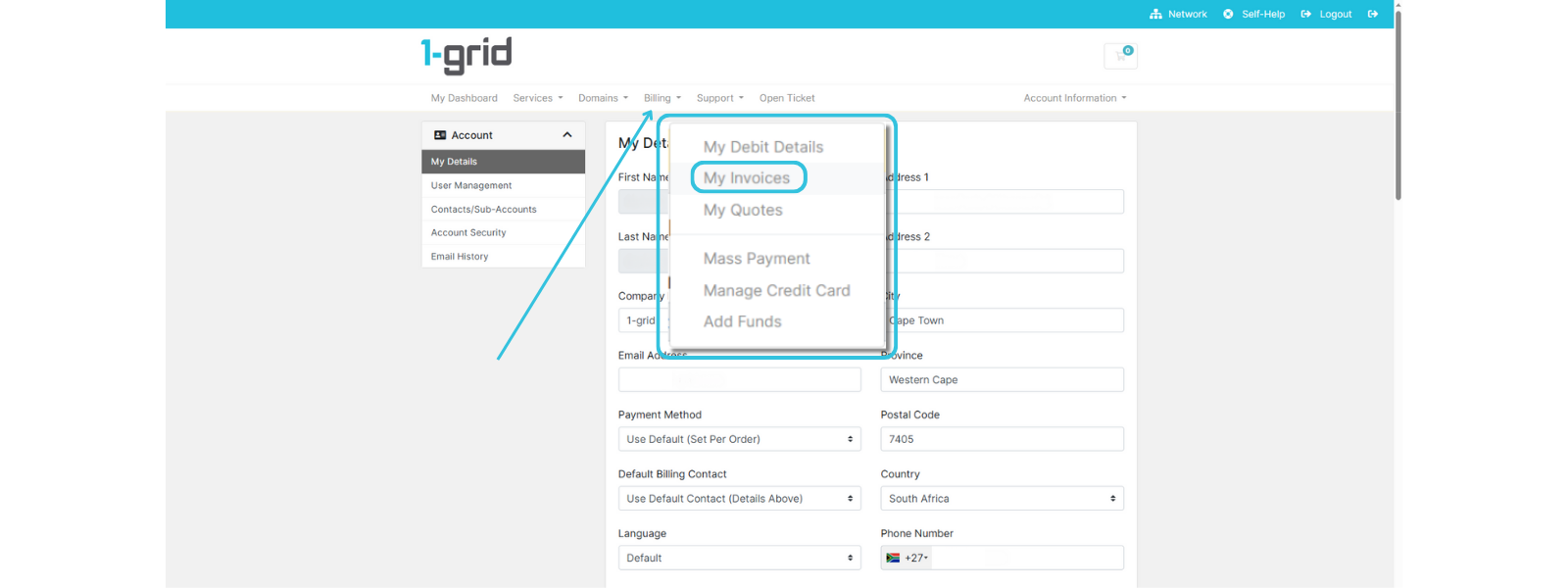
IMPORTANT: Review your full invoice list in the Customer Zone → Billing → My Invoices section to ensure all outstanding amounts are cleared.
How Reactivation Works at 1-grid
Once payment has been made, you can confirm the status via your invoice:
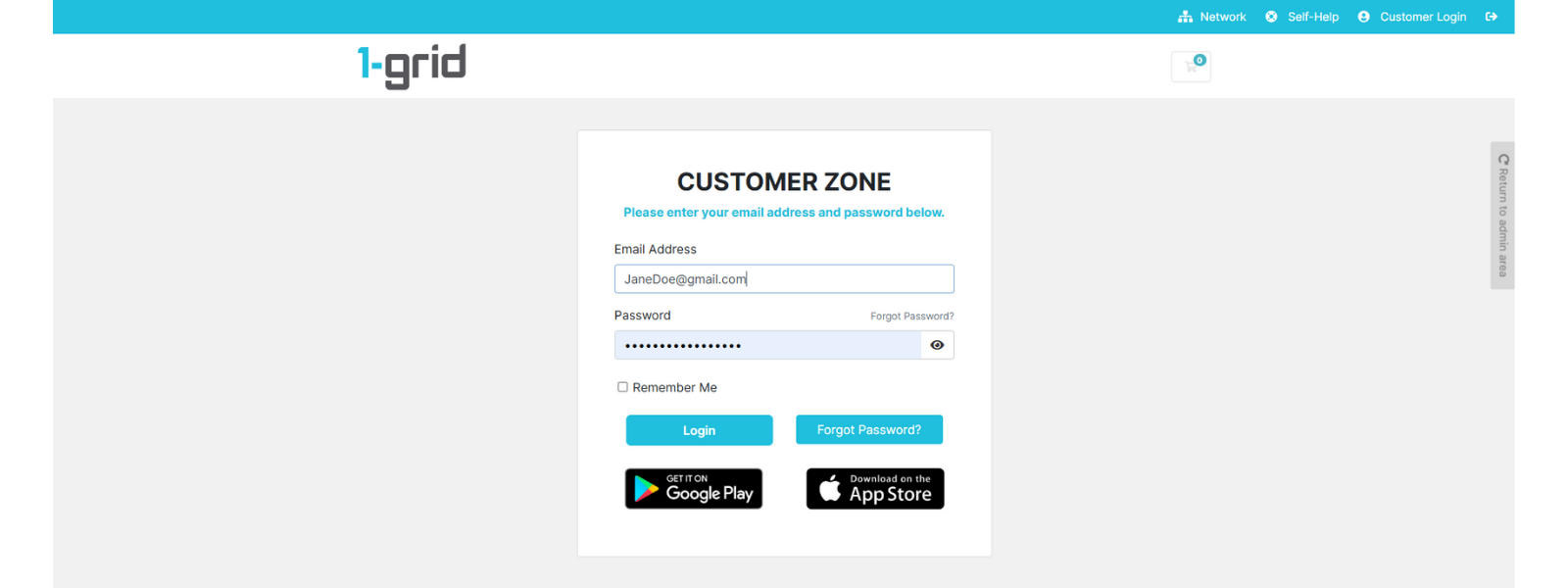
1. Log in to your 1-grid Customer Zone.
2. Click on Billing → My Invoices.
3. Confirm that the invoice shows as Paid.
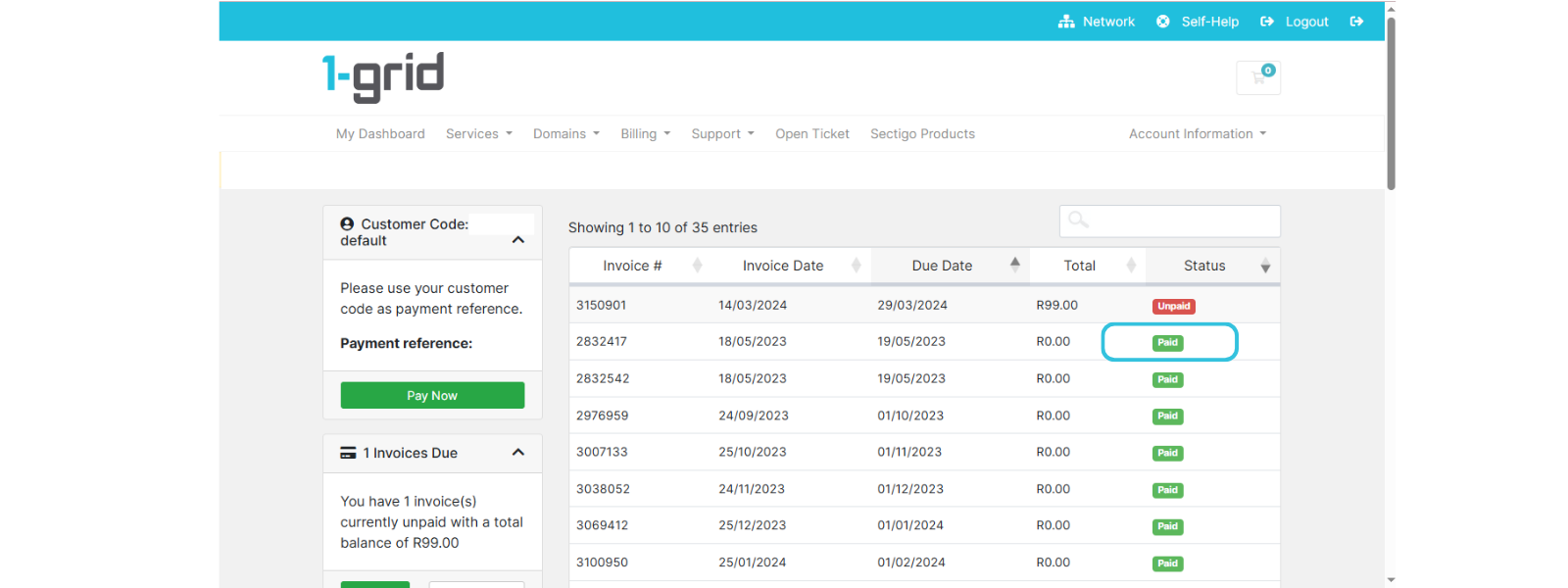
4. If it does, wait 15 to 30 minutes and then check your service again.
5. If the issue persists, contact the Billing Team with proof of payment.
Proof of Payment details:
Include your invoice number, amount, date, and payment reference used to help us locate your payment quickly.
Paying on Time and Its Benefits
Paying your invoices before the due date ensures:
- Your services stay active and uninterrupted.
- You avoid suspension fees or reactivation delays.
- You maintain a strong account standing with faster renewals and billing processes.
- You don’t risk data loss or domain expiry.
TIP: Proactive payment supports business continuity and peace of mind.
Why Debit Order Is the Recommended and Preferred Option
We understand that your business is a priority, which is why we offer debit order as the most recommended method for recurring services like hosting, domain renewals, and business email accounts, so that you don’t have to worry about the small things!
It’s more than just convenient; it’s a smart, secure, and stress-free way to keep your services active while simplifying your billing, building trust, reliability, and financial confidence.
When to Contact 1-grid Billing Support
Contact our Team if:
- Your payment has reflected on your bank statement, but your service remains suspended.
- You’ve made a payment via EFT more than 3 working days ago.
- You accidentally used the wrong payment reference or transferred from a different account.
- You’ve settled all invoices, but your hosting or domain is still suspended.
TIP: Submit a Support Ticket or email us at [email protected].
FAQs
I used the wrong reference when making a payment. How can I fix it?
Send your proof of payment to [email protected], and our team will manually allocate it to the correct account.
Will my service be deleted during suspension?
No, suspended services are inactive but not deleted as long as reactivation is done within 60to 90 days of the outstanding invoice due date, so until then, your data remains safe.
Do I need to pay a reactivation fee?
Yes, a R50.00 reactivation fee will apply for reactivation before your service is restored.
Can I avoid this from happening again?
Yes, this can definitely be avoided. We recommend that you set up a debit order, credit card, or use PayFast Instant EFT for automatic and instant payments to prevent future suspensions.
Additional Resources
Invoicing at 1-grid and What Makes This Important for You
Everything You Need for 1-grid Payments
All You Need to Know About Suspensions at 1-grid
Need Additional Support?
We’re Here to Help:
Wondering why your services are still suspended after making payments doesn’t have to cause you further worry with this easy-to-understand guide. Stuck? Contact our Support Team for clarity and guidance (https://1grid.co.za/contact-us/). We’re ready to see how we can help!