
This article provides you with steps to point your Domain via IP address update.
Step 1– Login to cPanel
- Please see our article on logging into cPanel here.
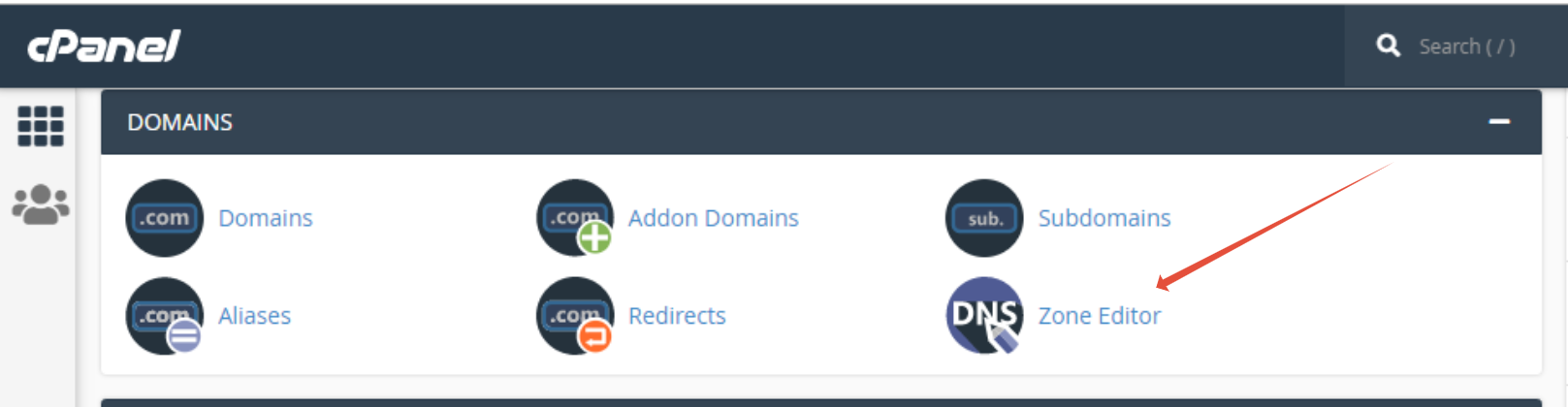
Step 2 – Click on Zone Editor
Step 3 – Click on Manage

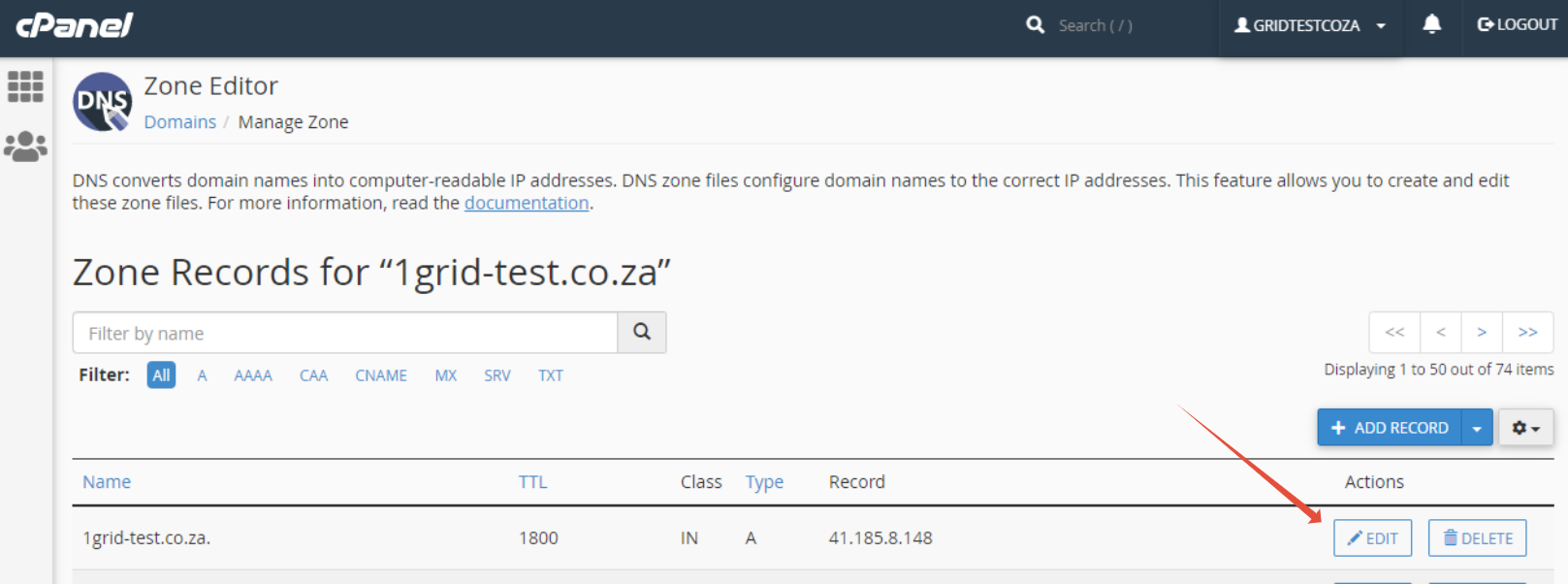
Step 4 – Click on Edit next to the A record
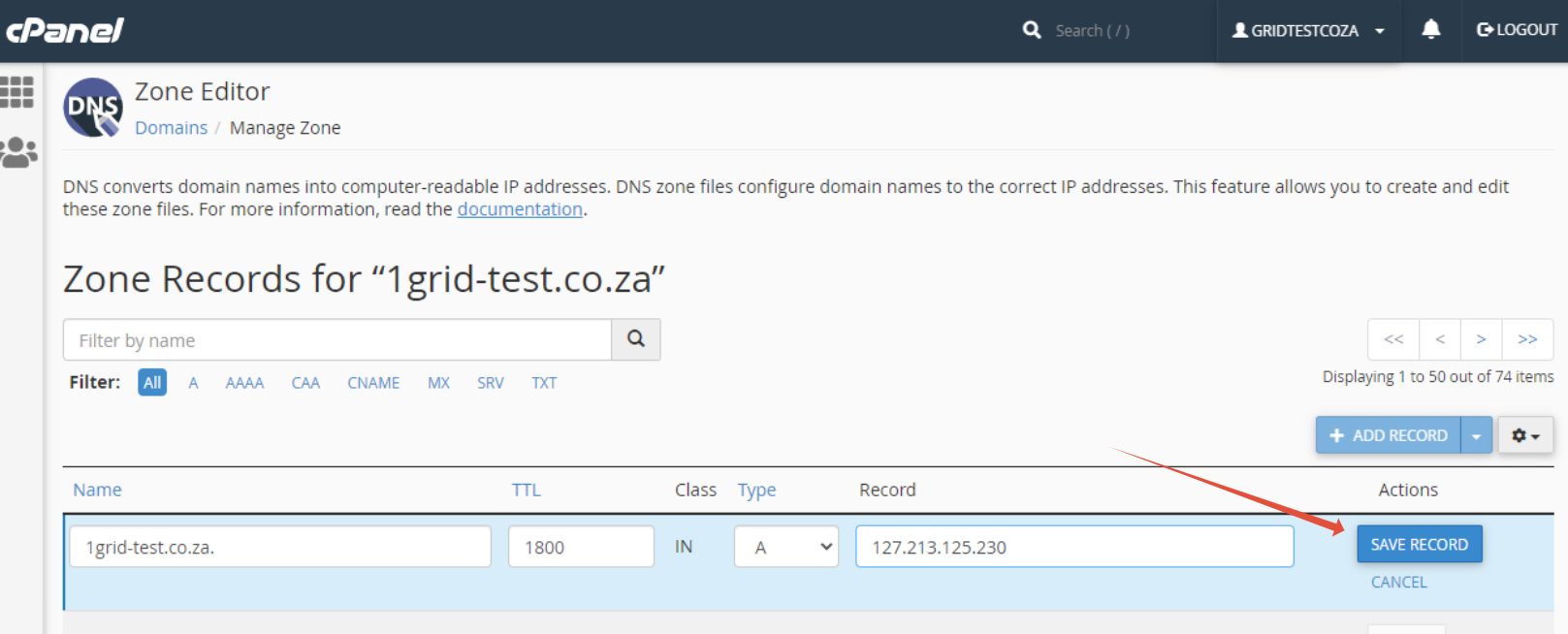
Step 5 – Update IP address
- Click Save record
NOTE: DNS changes can take between 4 to 24 hours to propagate. Please allow relevant time before checking for whether your update has been successful.