This article will show you How to Create Additional FTP Accounts in Cpanel
Step 1. Log into Cpanel

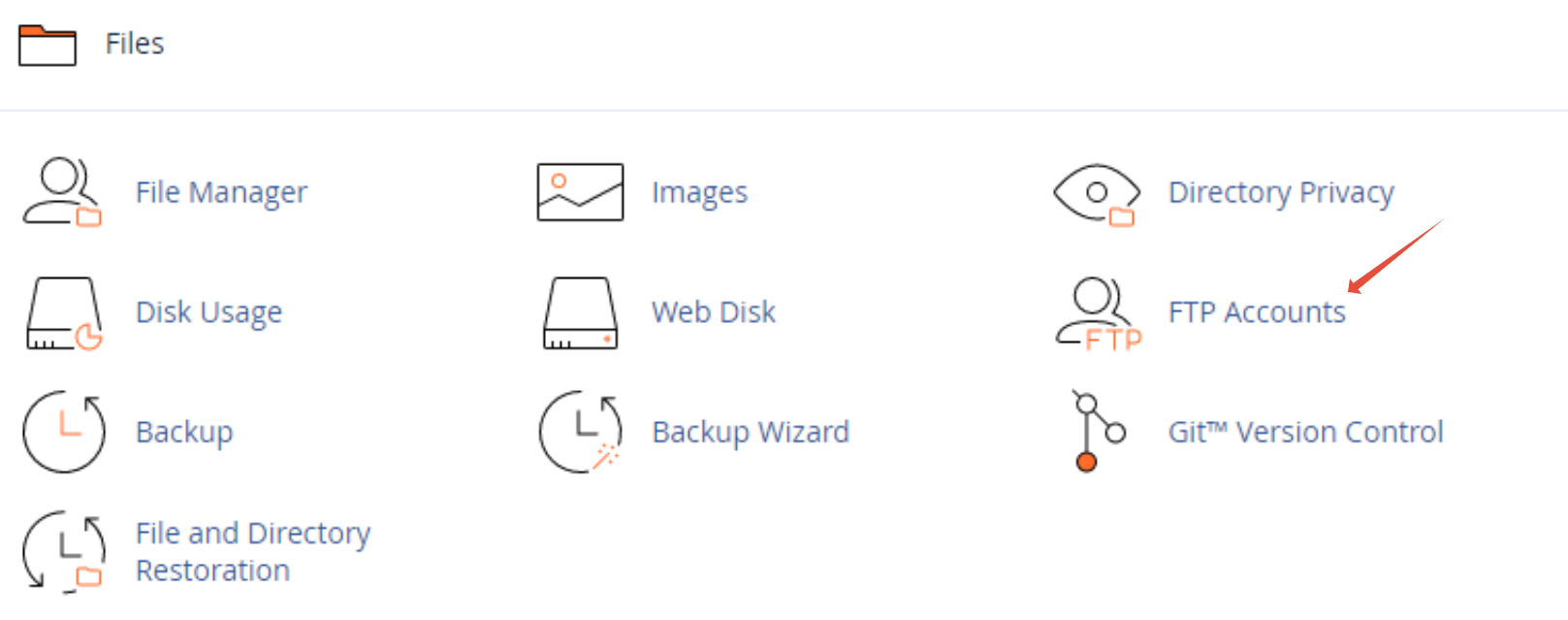
Step 2. Click on FTP Accounts
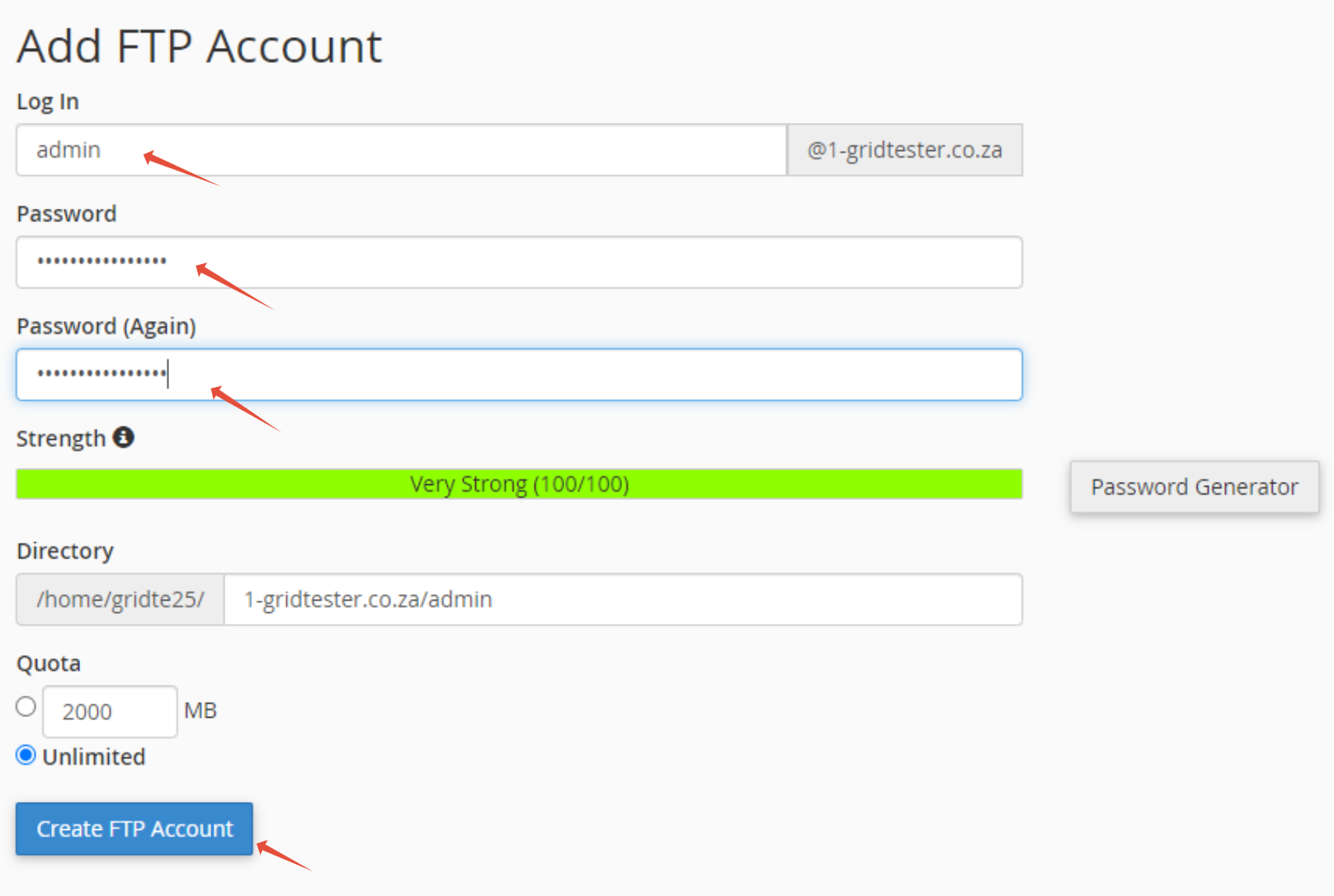
Step 3. Enter a Username and Password then click on Create FTP Account


This article will show you How to Create Additional FTP Accounts in Cpanel
Step 1. Log into Cpanel
Step 2. Click on FTP Accounts
Step 3. Enter a Username and Password then click on Create FTP Account