
Activating your affiliate account is quick, secure, and puts you in control of sharing your referral link whenever you’re ready. We’ve kept the steps simple and explained what to expect next so that you can move forward without uncertainty to activate your 1-grid Affiliate Account with us.
Start earning commission from qualifying referrals with full visibility and no setup complexity.
This guide will walk you through how to activate your 1-grid affiliate account from your Customer Zone so you can start earning commission with clarity and confidence.
What Is the 1-grid Affiliate Programme?
The 1-grid Affiliate Programme (Refer and Earn) allows you to earn commission when someone purchases and pays for a qualifying 1-grid service using your unique referral link.
Once activated:
- Your referral link becomes available immediately.
- Affiliate tracking starts automatically.
- No manual setup or approval delays are required.
Important:
- The Affiliate must have an active 1-grid account.
- Commission is recurring for as long as the referred service remains active.
- Affiliates may refer an unlimited number of customers.
- 1-grid reserves the right to apply a 2% transaction fee to all cash outs.
If you don’t activate it, nothing changes, as activation simply unlocks the earning feature.
What You Earn Commission On (Important to Know)
You earn commission on 1-grid services which are purchased and fully paid for when using your referral link.
Exclusions
Commission does not apply to:
How to Activate Your Affiliate Account (Step-by-Step)
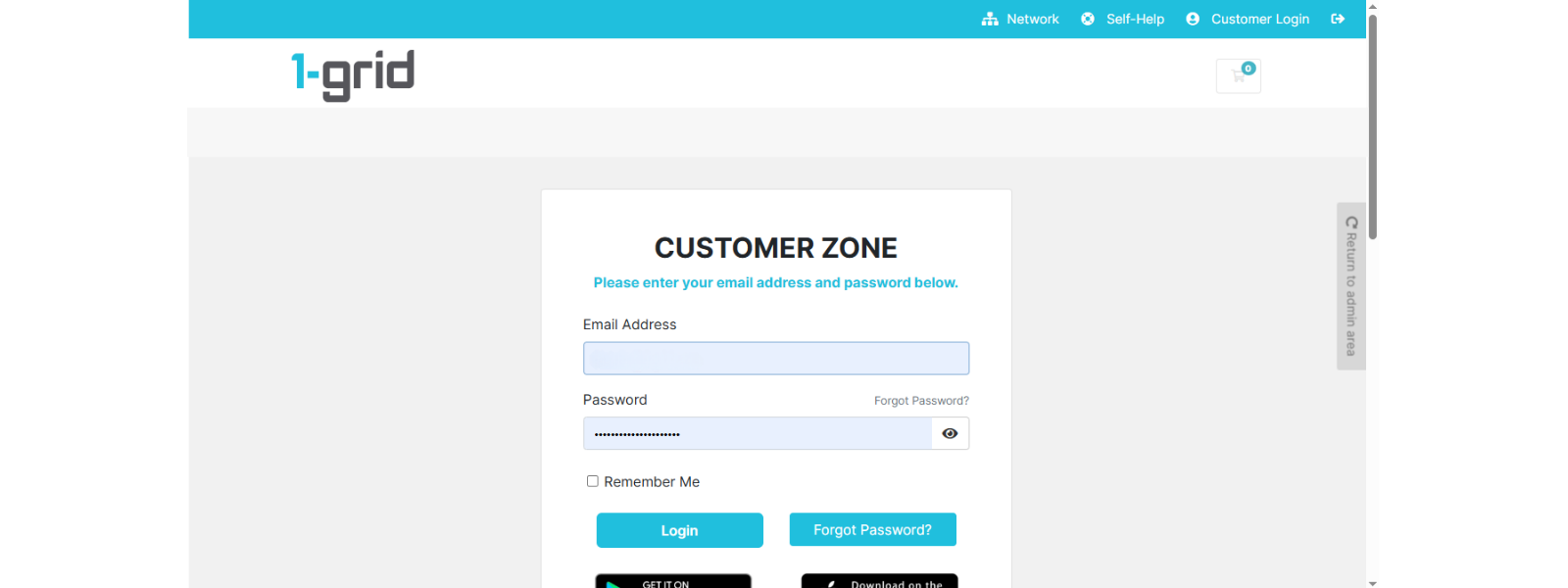
1: Log In to Your Customer Zone
- Go to: https://1-grid.com/client/clientarea.php
- Enter your registered email address and password created during your application.
2: Access Affiliates
- Click Affiliates under Account Information in your dashboard.
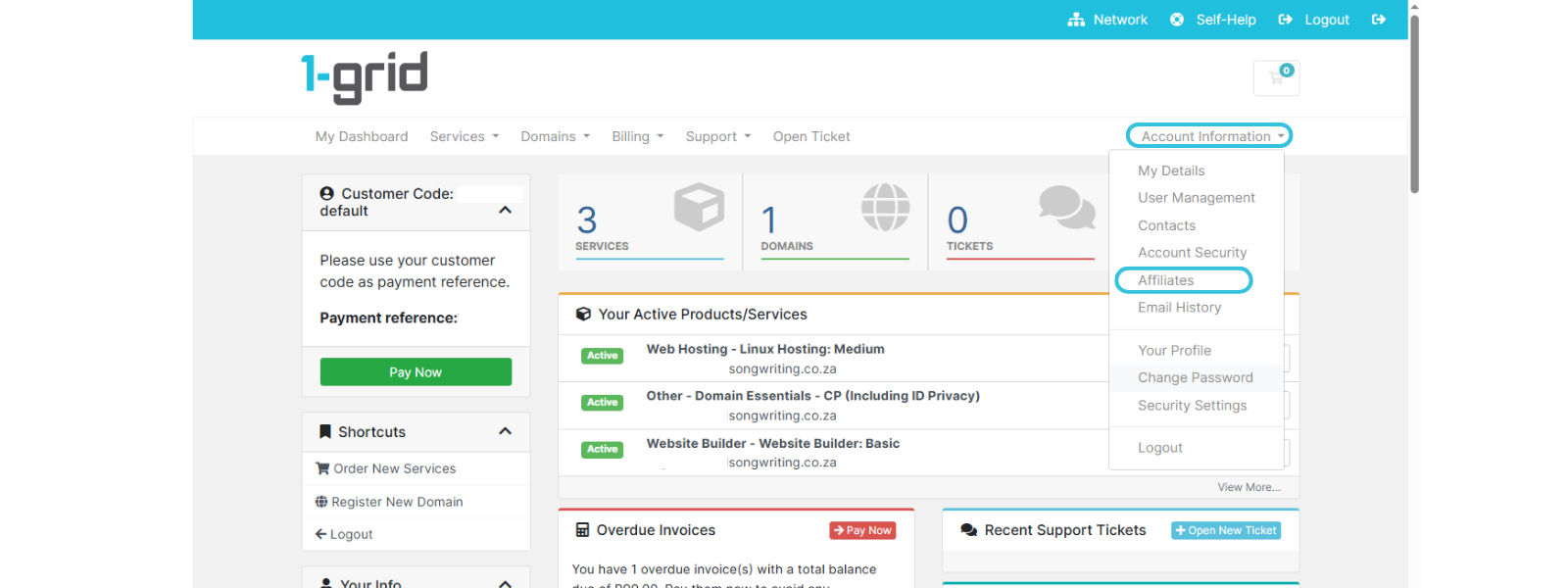
TIP: This section controls all affiliate-related activities, including links and earnings.
3: Activate Your Affiliate Account
- Click Activate Affiliate Account.
- If the “green button” is not available, it means that you have already activated your account.
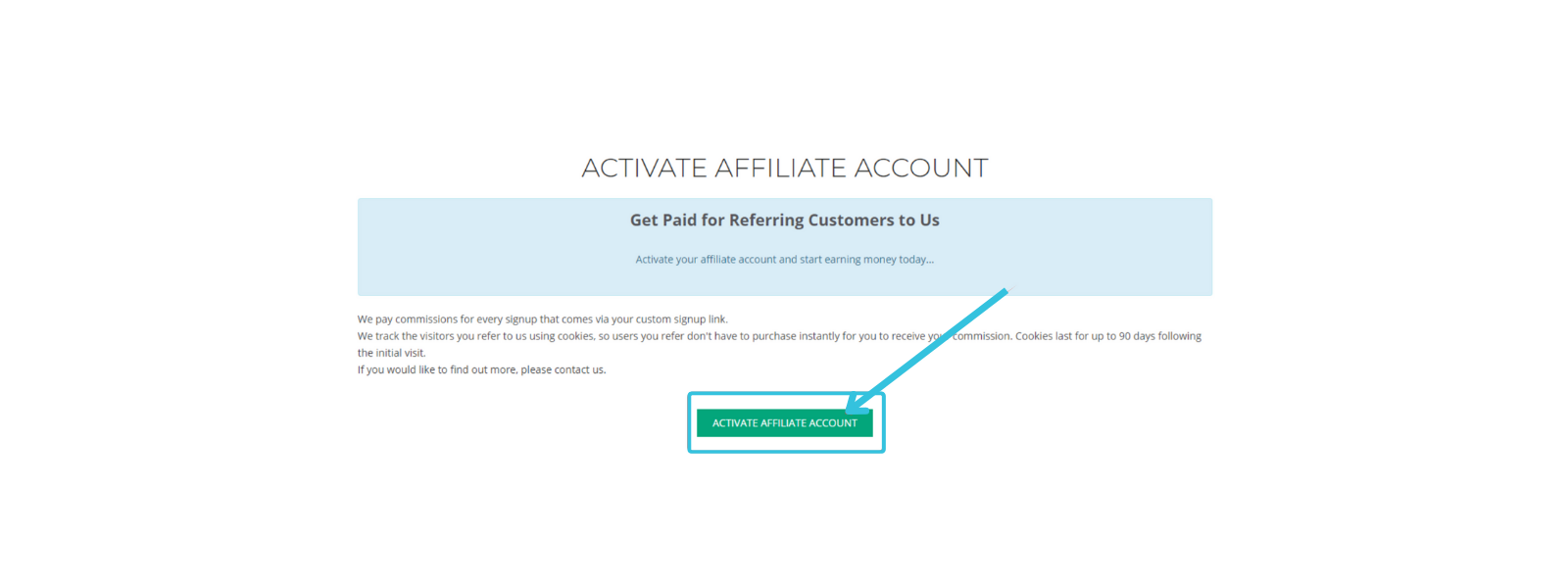
That’s it! Activation is instant.
4: View Your Affiliate Dashboard
Once activated, you can refer back to your Affiliates Dashboard at any time to:
- Access your unique referral link
- Track clicks, sign-ups, and conversions
- Monitor commission earnings in real time
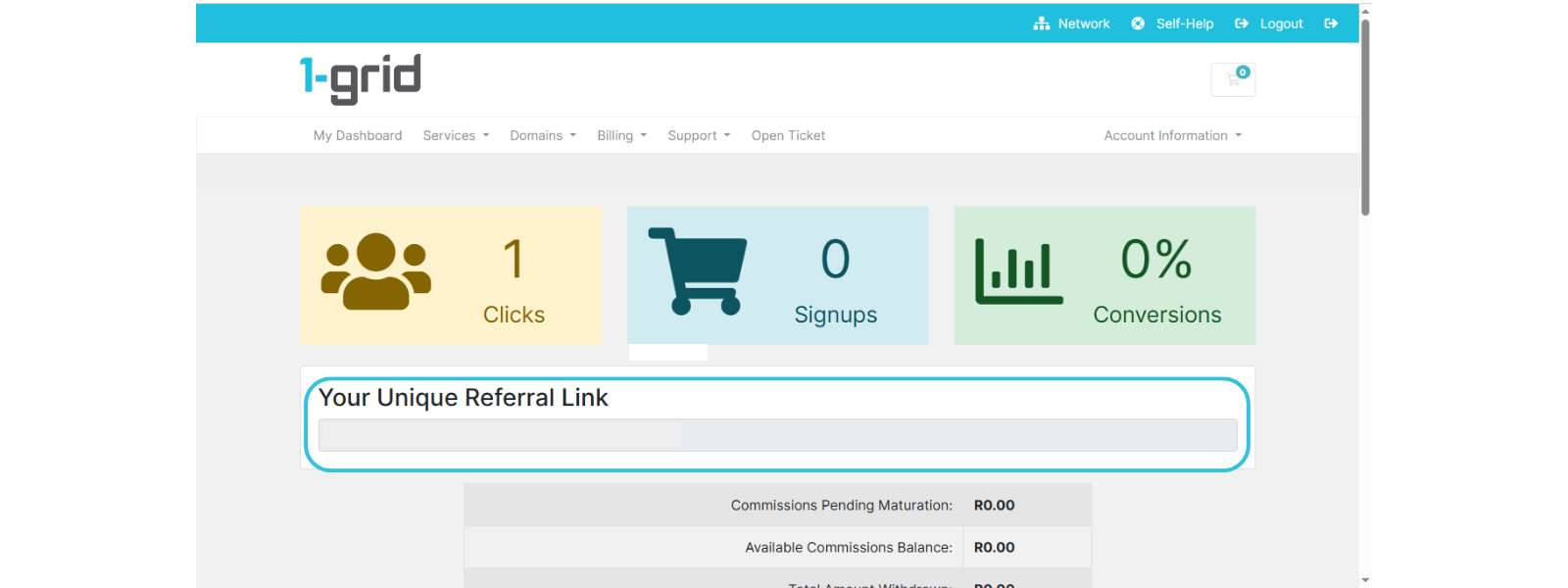
Congratulations! You’re now ready to earn commission from qualifying referrals.
FAQs
Q. Do I need approval to activate my affiliate account?
No, as activation is immediate and is actioned through self-service.
Q. When does commission tracking start?
Immediately after activation.
Q. Can I deactivate my affiliate account later?
Yes, you remain in control of your account settings.
Q. Why don’t company registrations, domain registrations and renewals earn commission?
Company Registrations are a single, once-off purchase, so there are no ongoing payments expected, and domains are excluded due to fixed registry pricing structures.
Additional Resources
How to Earn Affiliate Commission with 1-grid
Tips for Choosing a Strong Password
Retrieving a Lost 1-grid Customer Zone Password (if you’re logged out)
Keep Your 1-grid Account Details Up to Date
How to Prevent Unauthorised Access to Your Account
Verifying Your 1-grid Support Account
Need Additional Support?
We’re Here to Help:
Activating your Affiliate Account with us is simple with this easy-to-reference guide. Stuck? Check out our Scope of Support, and then contact our Support Team for further clarity and guidance (https://1grid.co.za/contact-us/). We’re ready to see how we can help!