This article will show you How to Create Additional FTP Accounts in Windows Plesk
Step 1. Log into Plesk

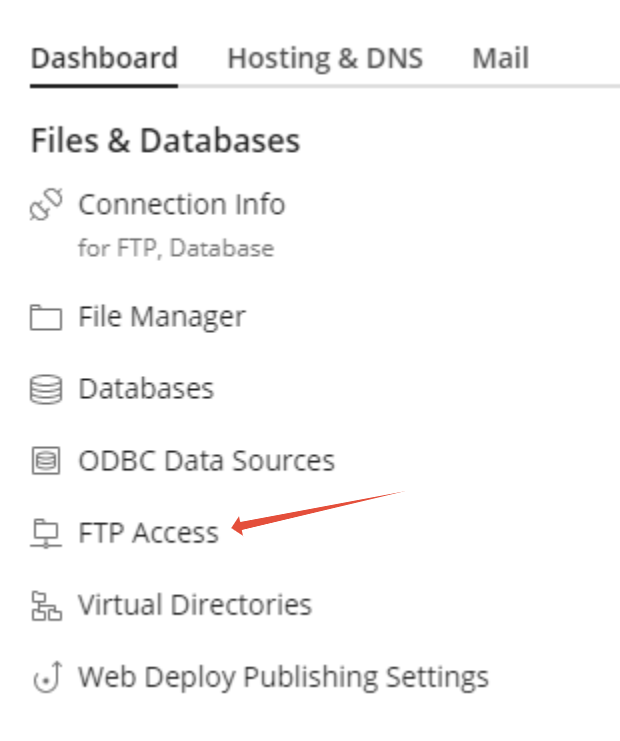
Step 2. Click on FTP Access
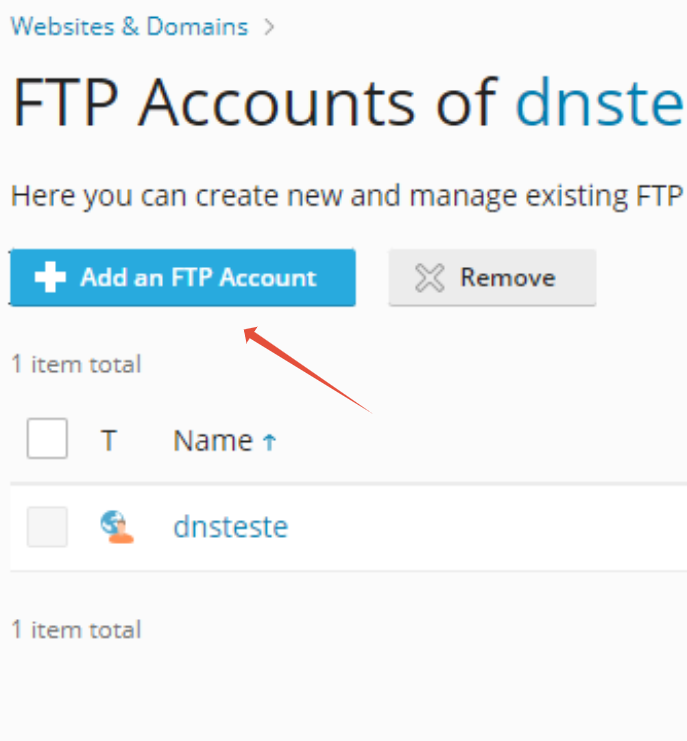
Step 3. Click on Add an FTP Account
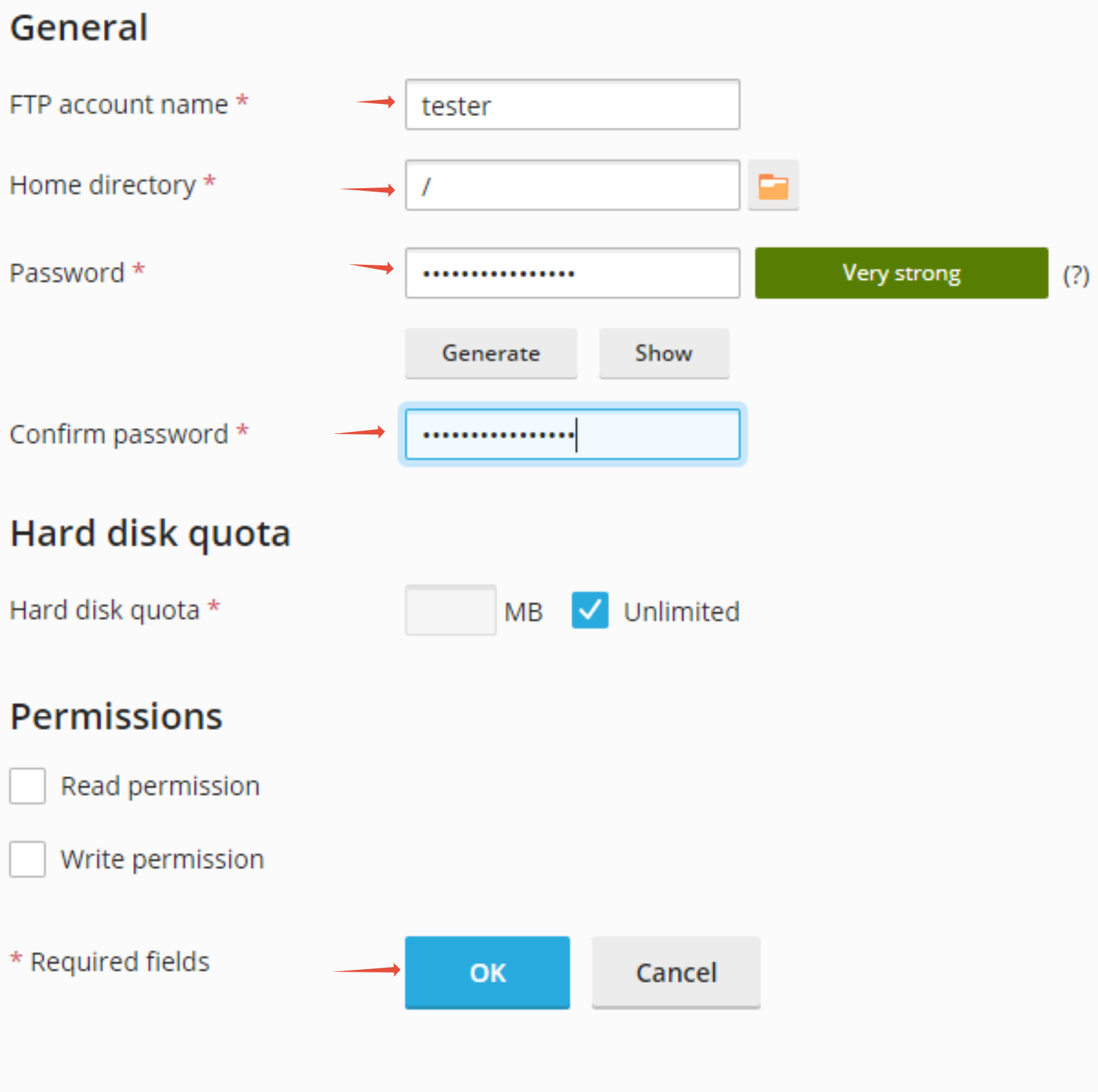
Step 4. Enter the necessary details for the FTP account then click Ok

This article will show you How to Create Additional FTP Accounts in Windows Plesk
Step 1. Log into Plesk
Step 2. Click on FTP Access
Step 3. Click on Add an FTP Account
Step 4. Enter the necessary details for the FTP account then click Ok