

This article will show you how to prevent emails repeatedly being sent to recipients with an attachment in it
Try and increase the server time-out limit
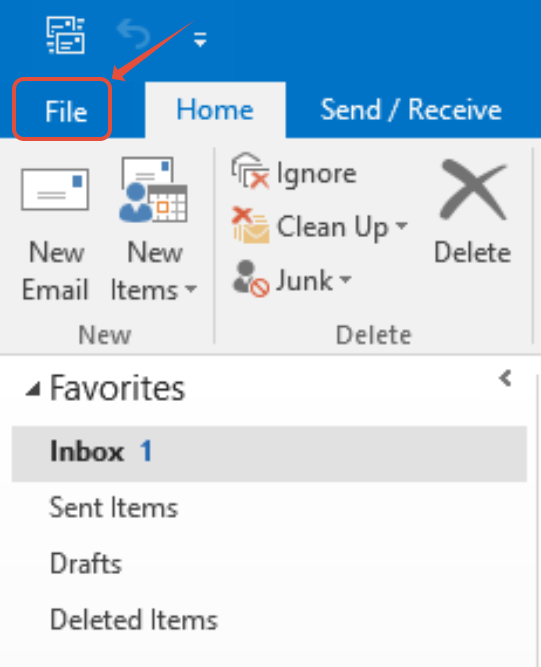
Step 1. Click on Files
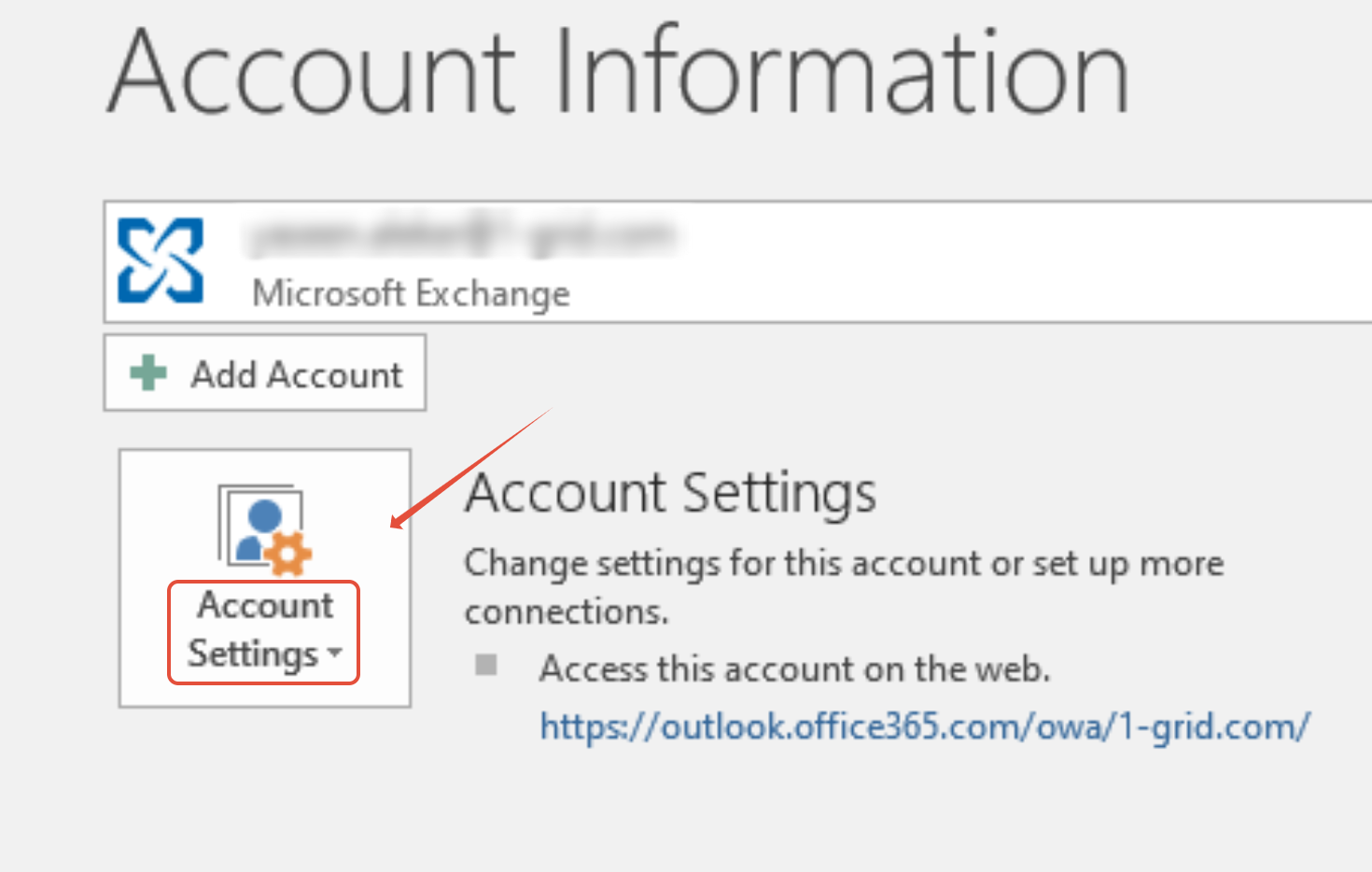
Step 2. Click on Account settings > Account settings
Step 3. Double Click on the account

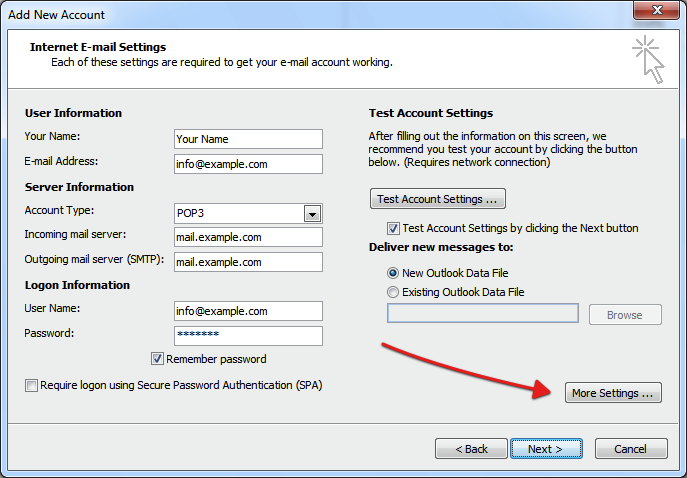
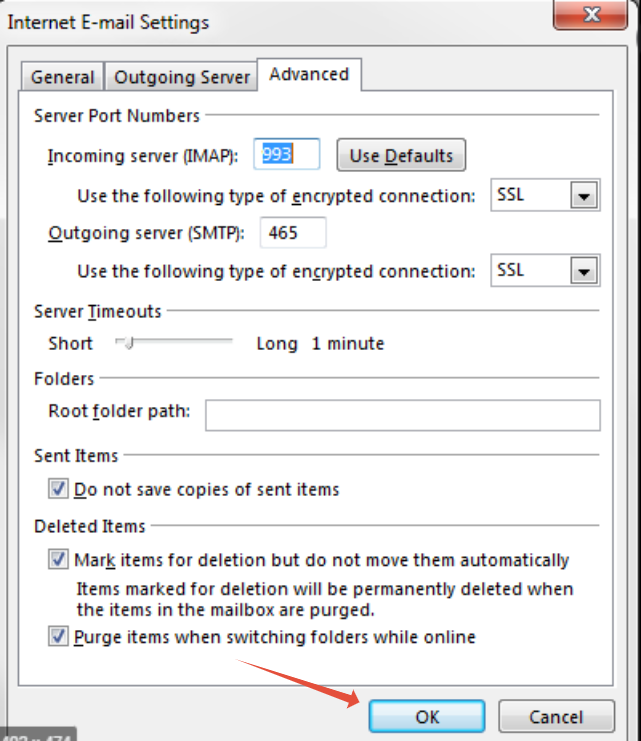
Step 4. Click on More Settings
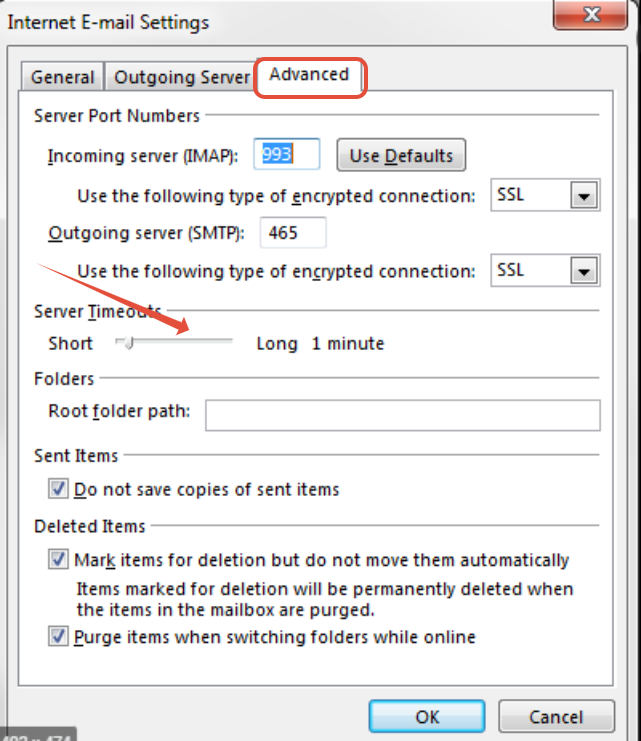
Step 5. Click on the Advanced tab then To increase the Server Timeout, Under Server Timeout drag the Slider the way to your Right
Step 6. Click Ok
If you are still sitting with an issue after, Compress the File, File types that are reduced the most after zipping are text-oriented file types such as .doc, .txt, and .xls