This article will show you how to create a folder in Roundcube
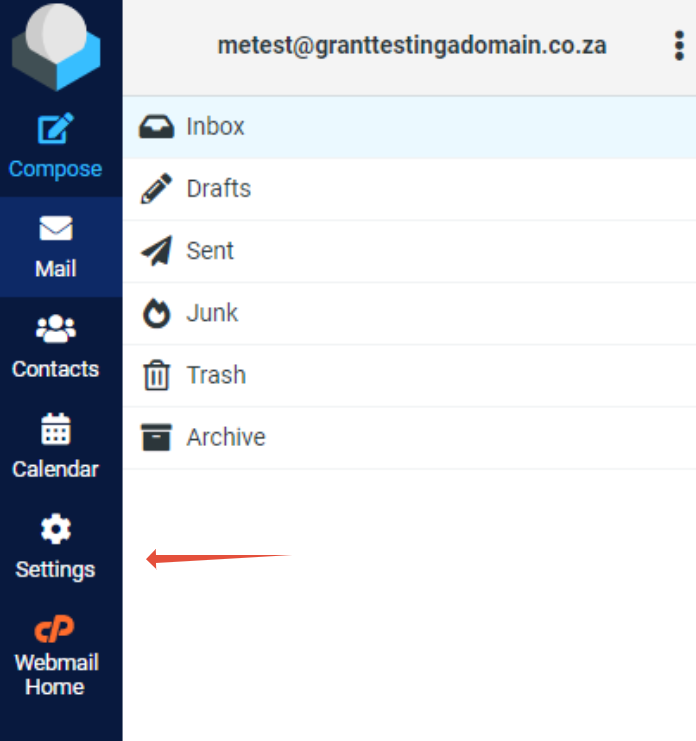
Step 1. Log into RoundCube and click on Settings.
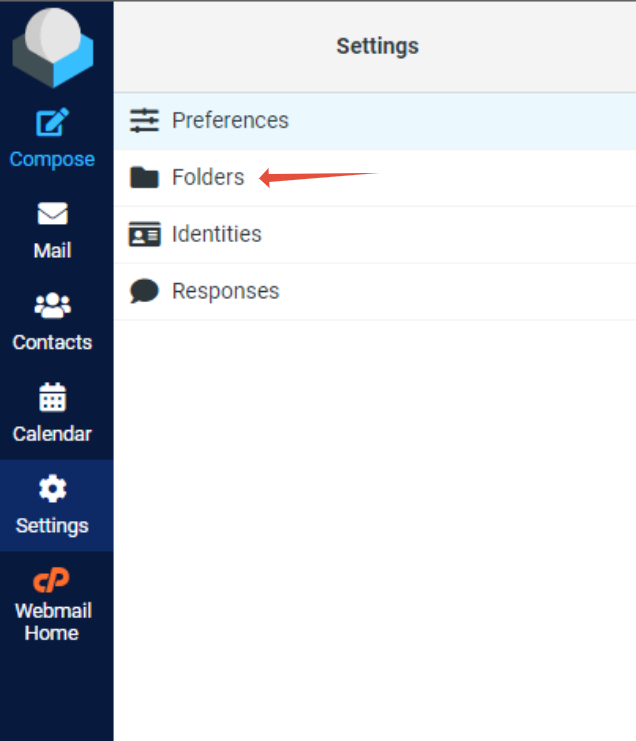
Step 2. Click the Folders.
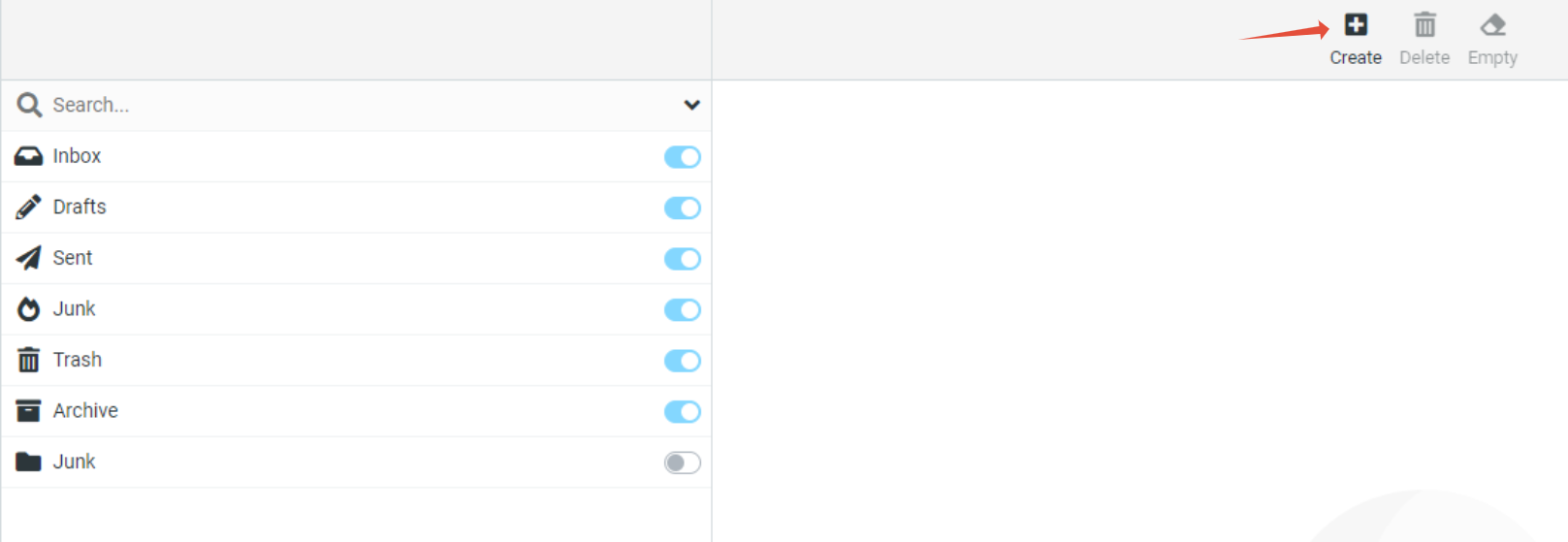
Step 3. Click on Create
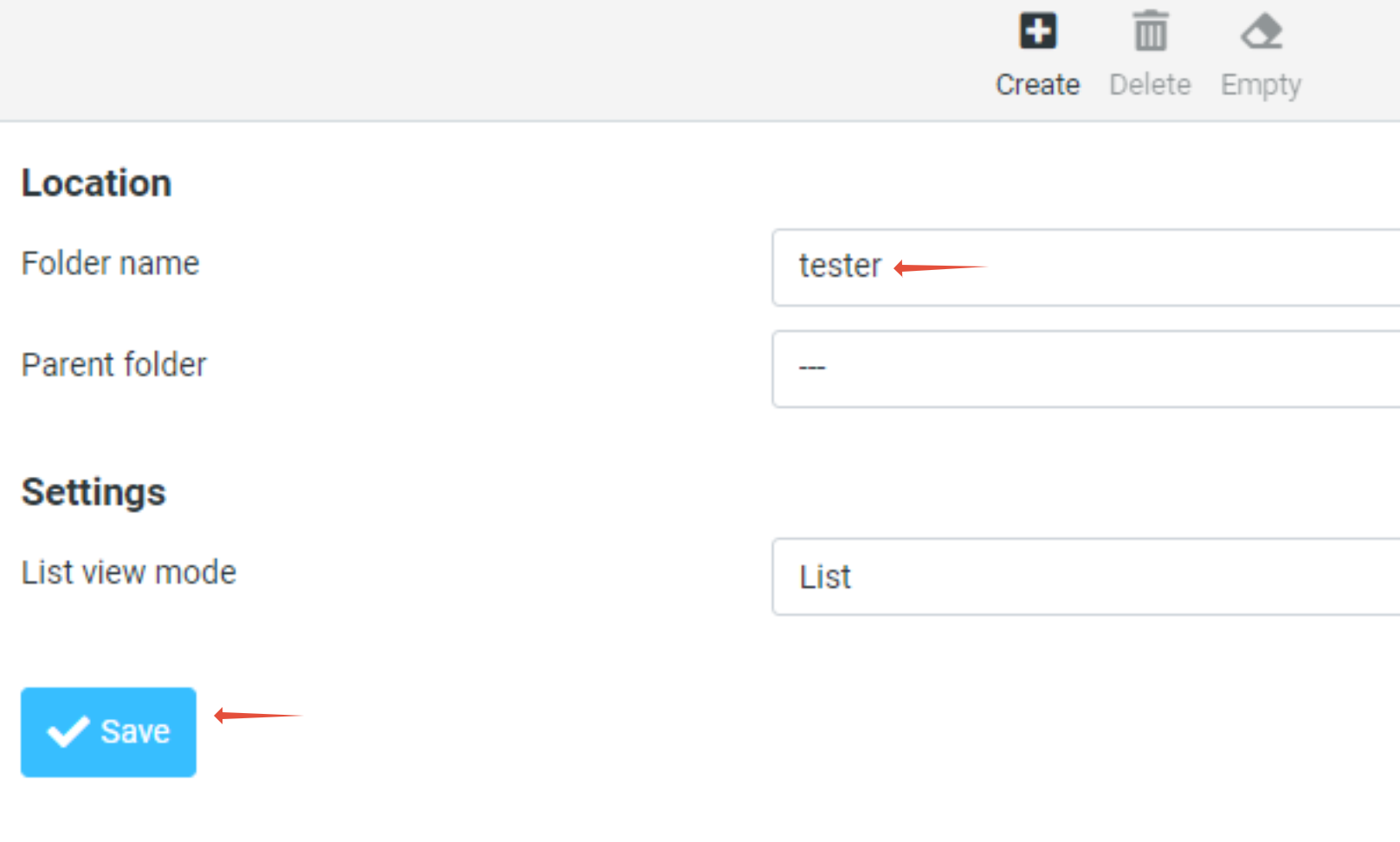
Step 4. Enter a Folder name in the available field and click on Save

This article will show you how to create a folder in Roundcube
Step 1. Log into RoundCube and click on Settings.
Step 2. Click the Folders.
Step 3. Click on Create
Step 4. Enter a Folder name in the available field and click on Save