
This quick guide will take you through the steps to forward emails from one email address to another via cPanel.
Step 1 – Login to your cPanel.
- Please see our article on logging into cPanel here.

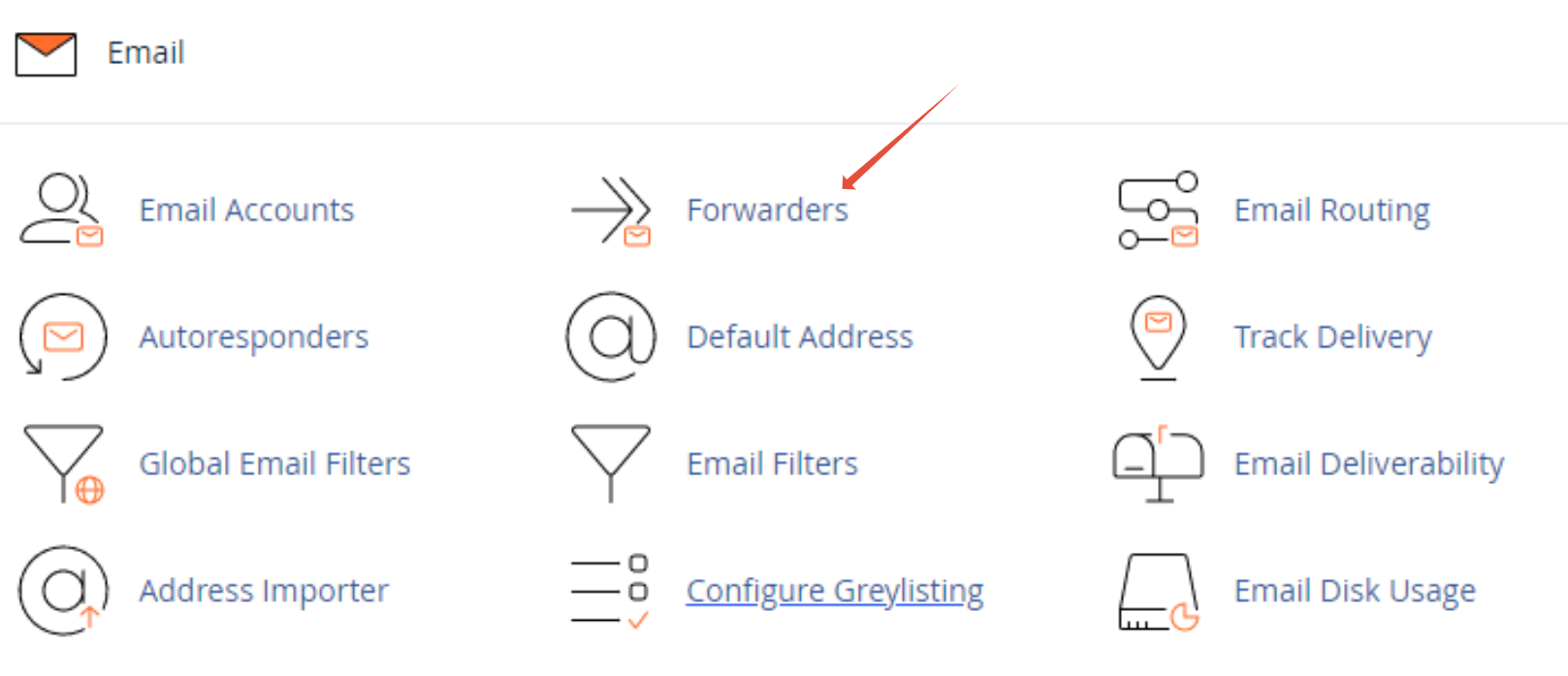
Step 2 – Click on Forwarders in your Email section
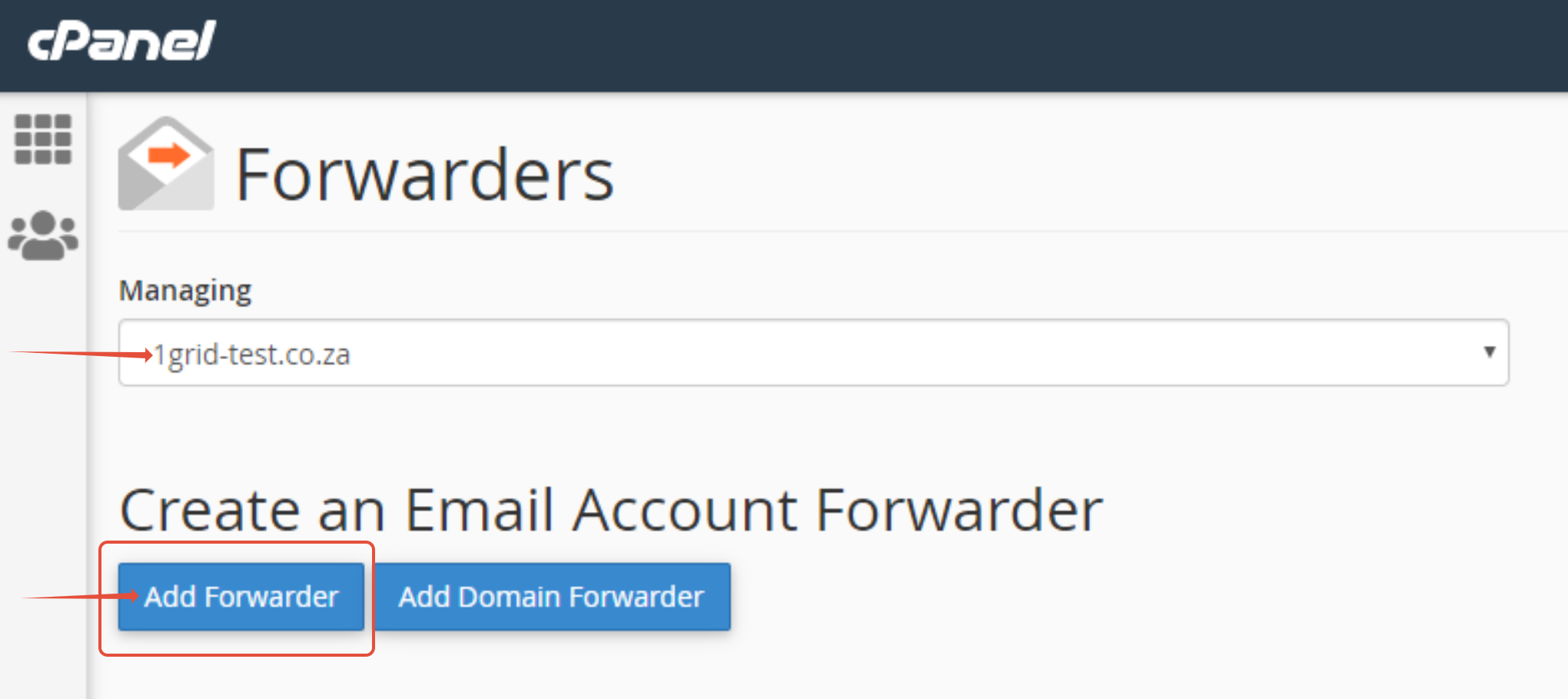
Step 3 – Select the domain and click Add Forwarder.
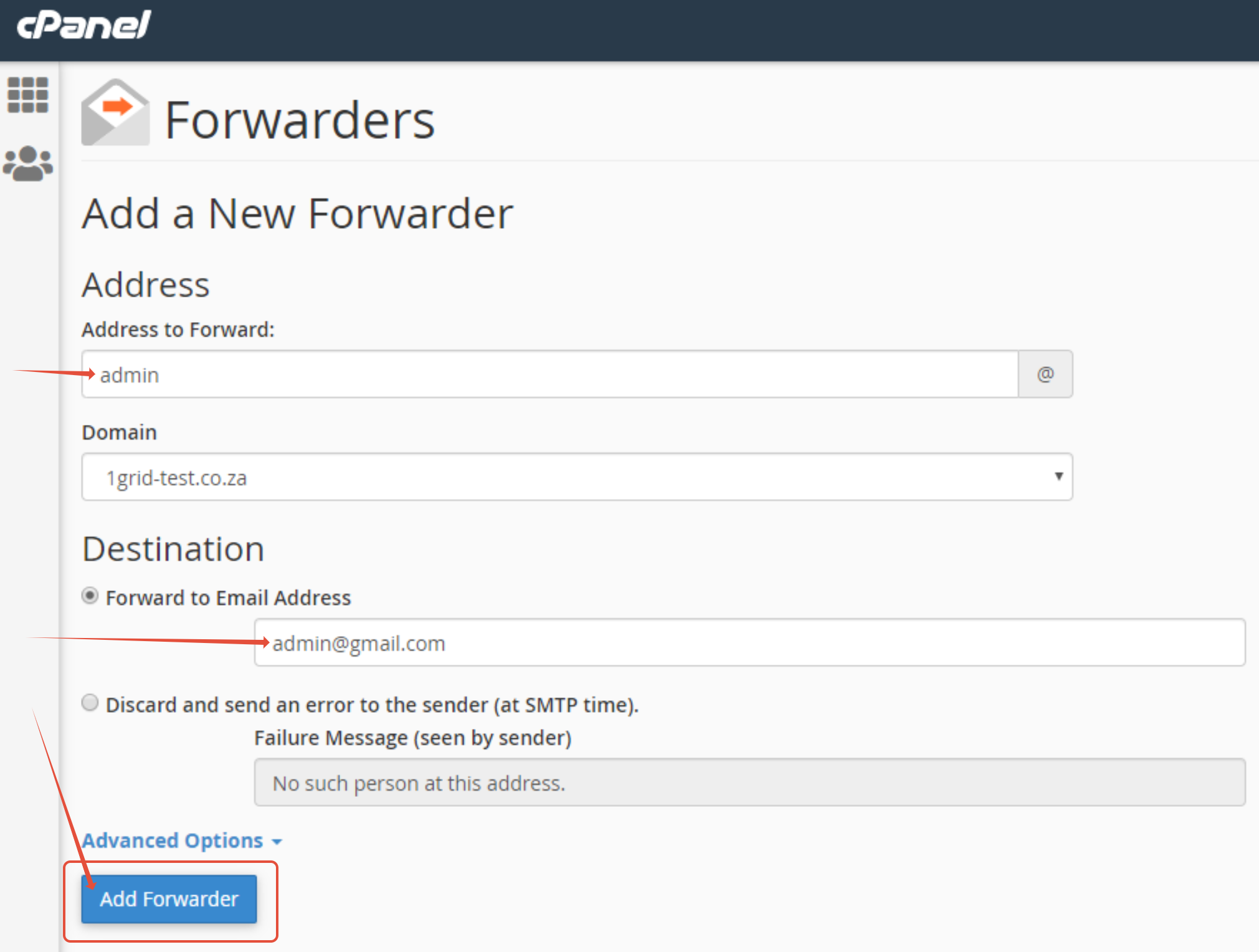
Step 4 – Configure your forwarding rule.
- Select the email address you want to froward.
- Type in the address you are forwarding to e.g [email protected]
TIP: Should you require more information regarding these logs please contact our Support Center by clicking here.