
This article provides you with steps to add reCaptcha to your contact from to verify users and prevent spamming.
Step 1– Login to your Joomla Admin
- Your admin dashboard by default is accessed via https://yourdomain.co.za/administrator unless you configured it differently.
Step 2– Go to Extensions and click on Plugins
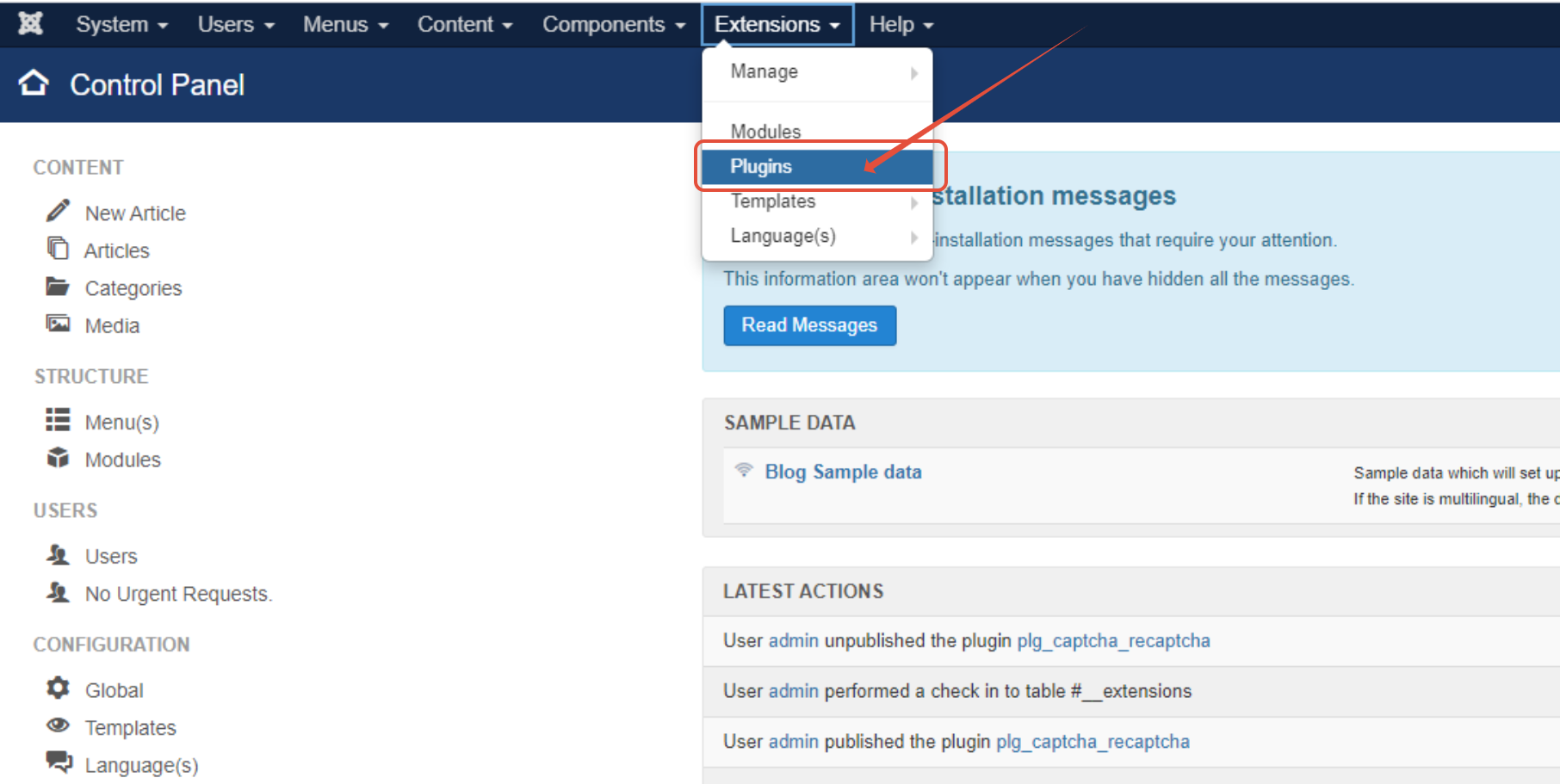
Step 3– Go to Extensions and click on Plugins

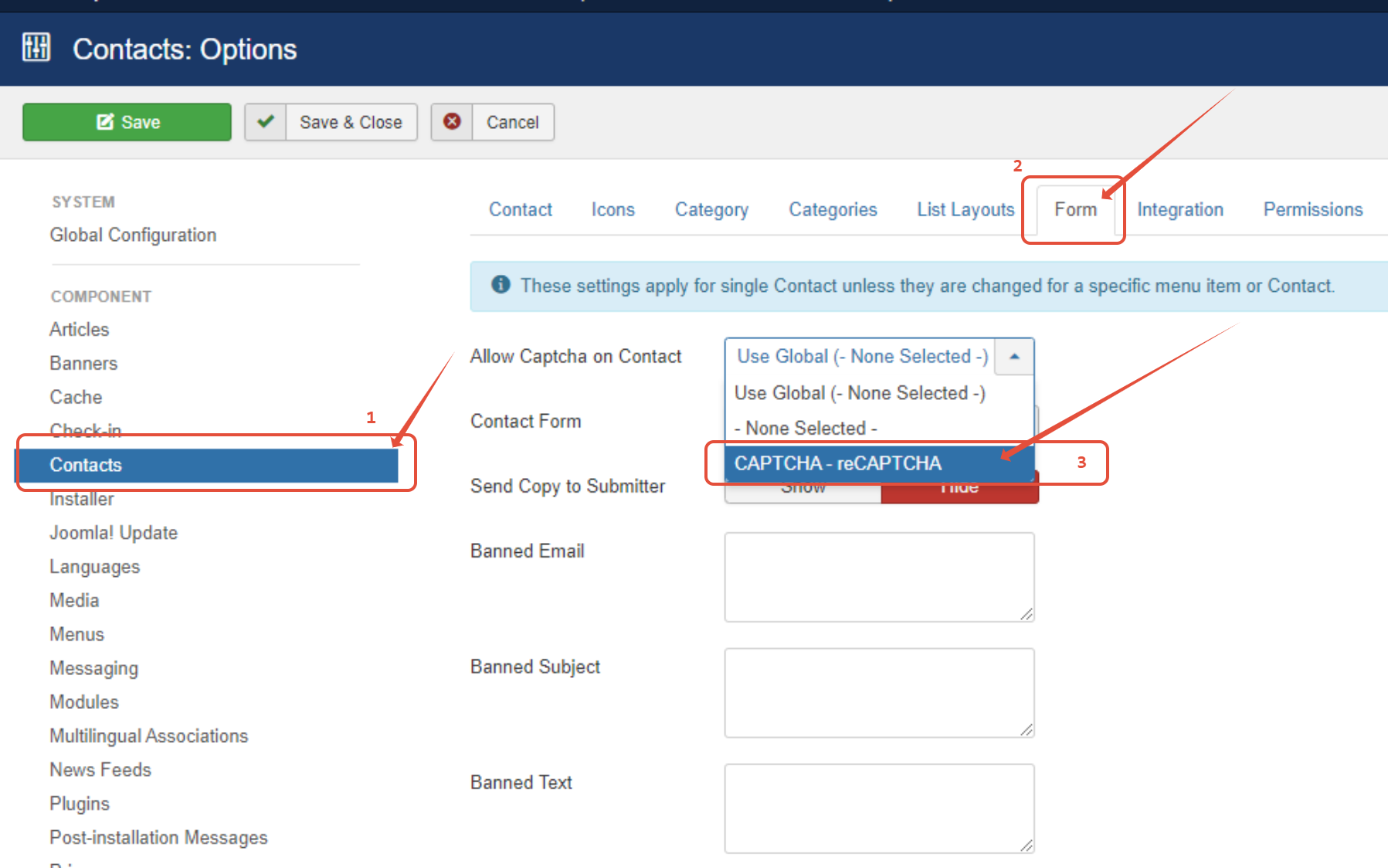
Step 4– Set your contact form to use reCaptcha
- You will got System -> Global Configuration.
- Click on Contacts and -> Form then enable CAPTHA-reCaptcha .
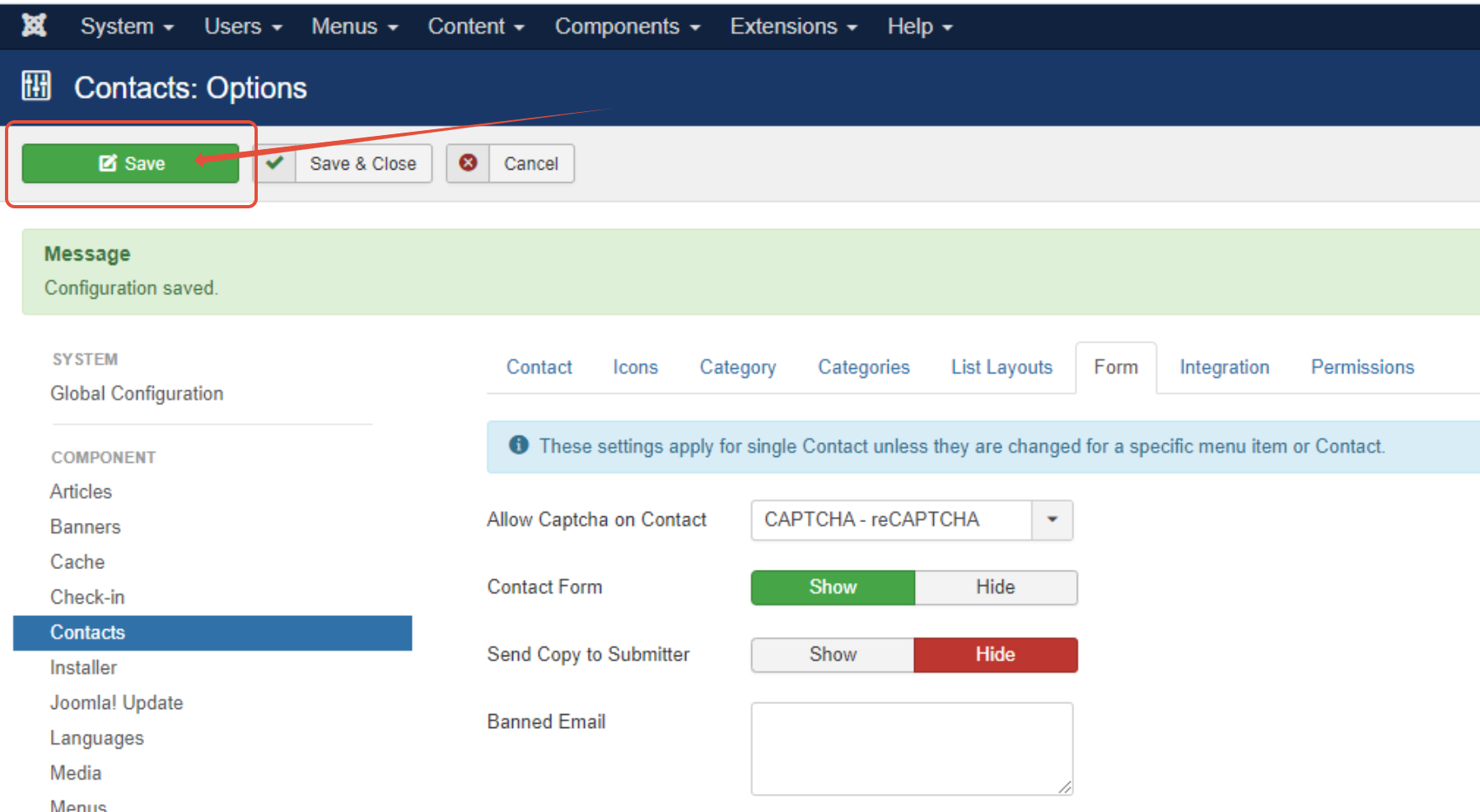
Step 5 – Click save
TIP: More articles regarding Joomla can be found here