This article will show you How to Rename files in Plesk File Manager
Step 1. Log into Plesk

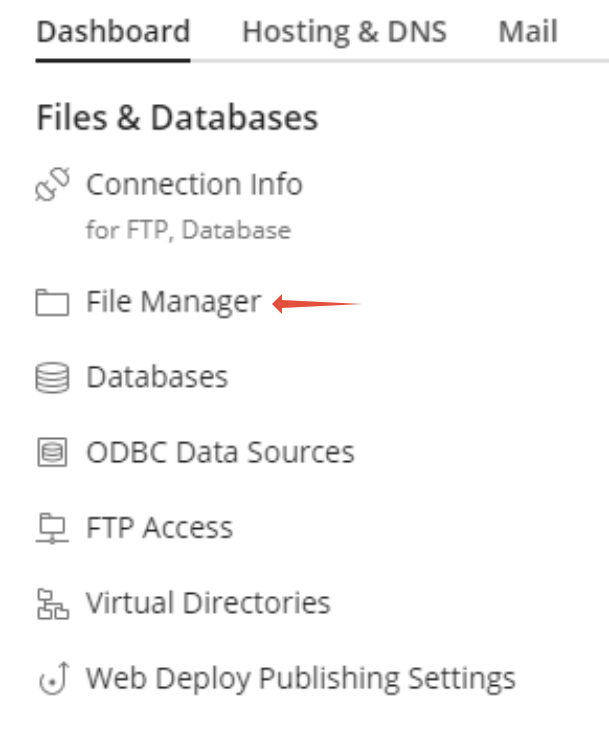
Step 2. Click on File Manager
Step 3. Navigate to the folder where the file exists that you want to rename
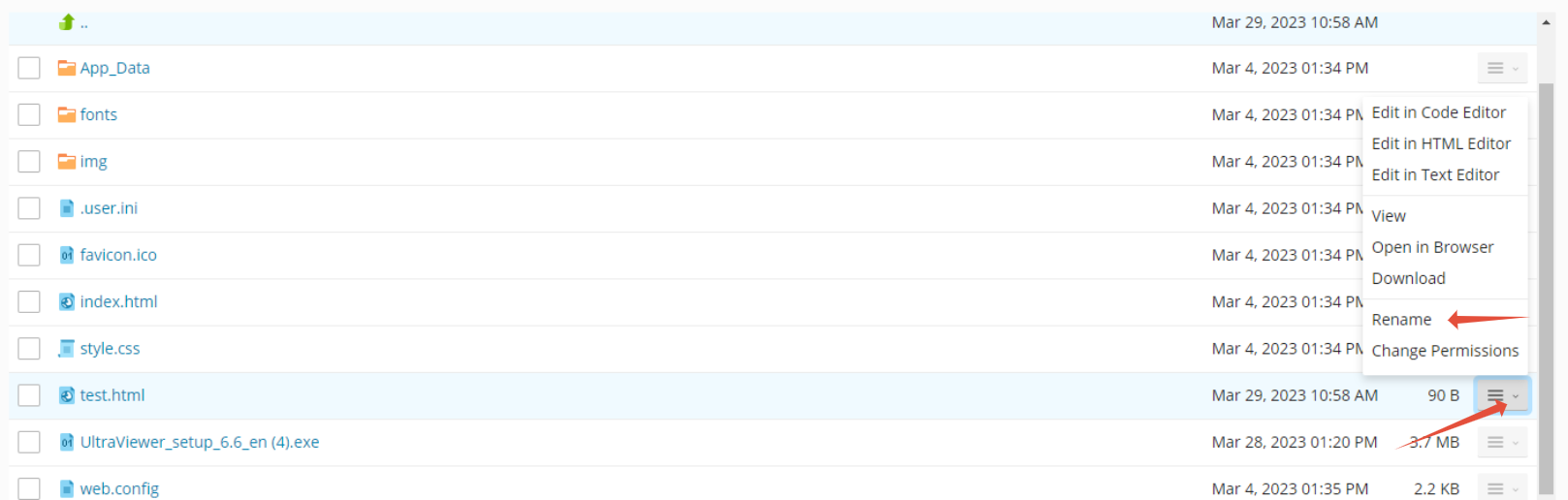
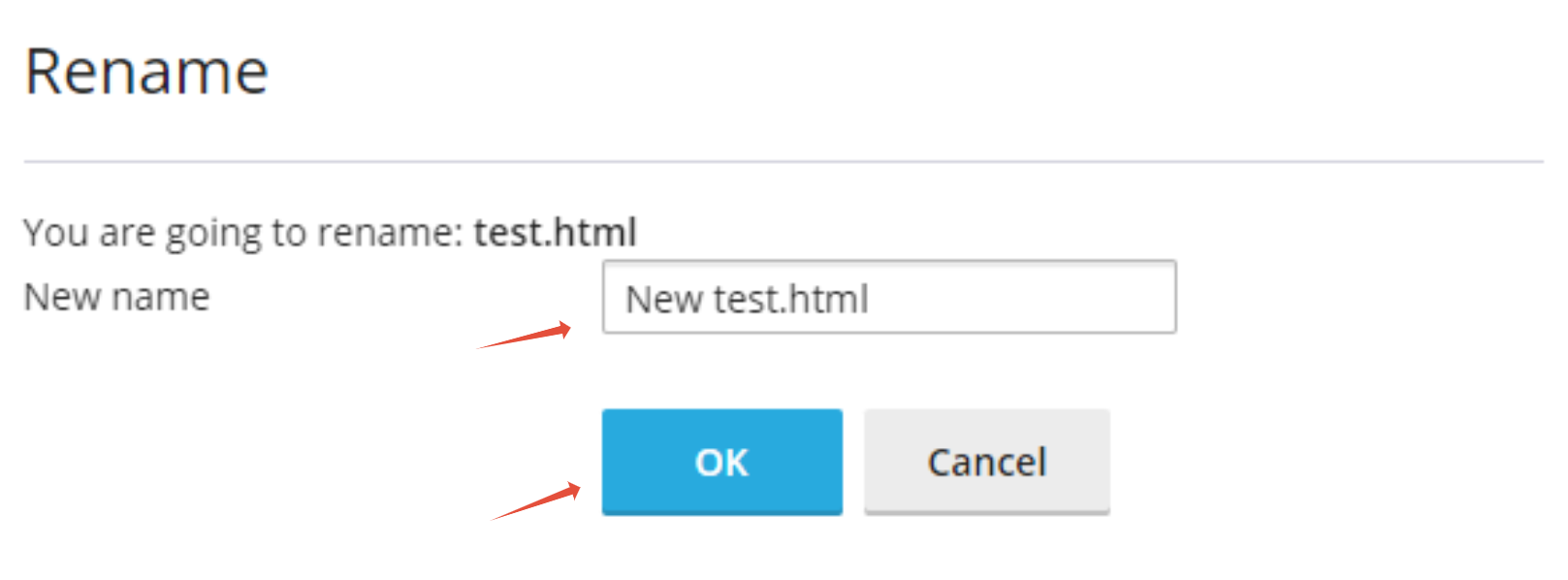
Step 4. Rename the file then click Ok


This article will show you How to Rename files in Plesk File Manager
Step 1. Log into Plesk
Step 2. Click on File Manager
Step 3. Navigate to the folder where the file exists that you want to rename
Step 4. Rename the file then click Ok