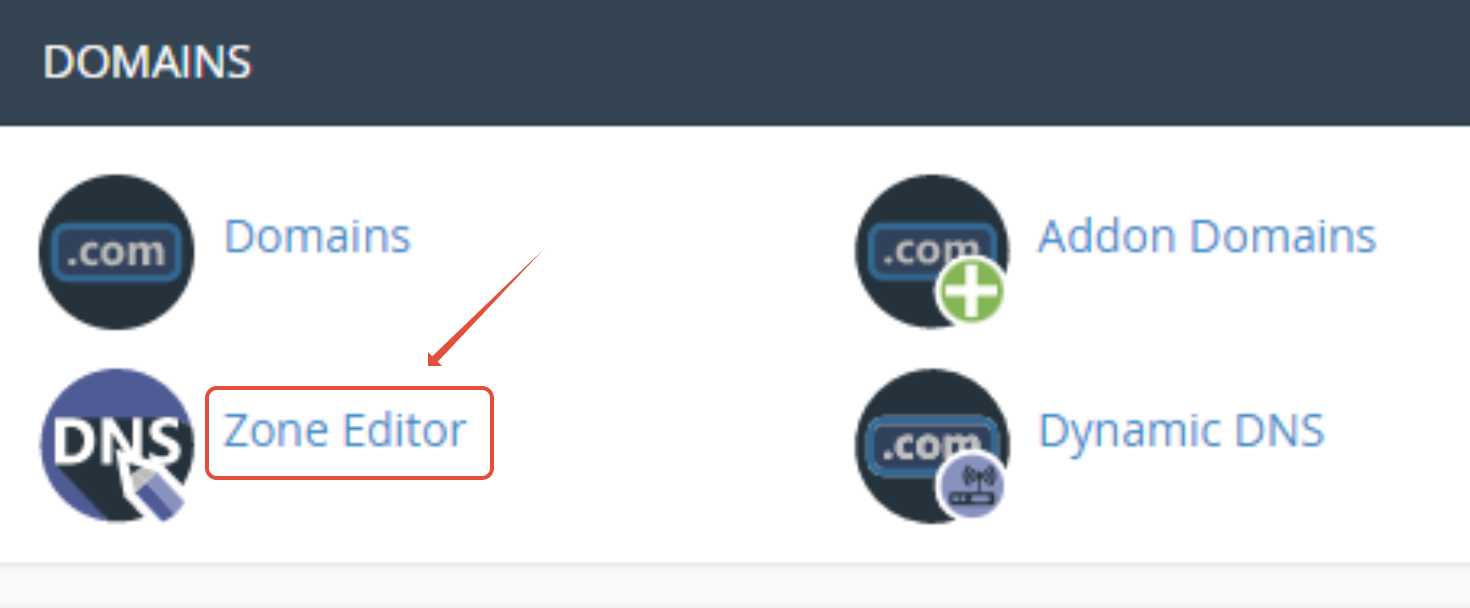
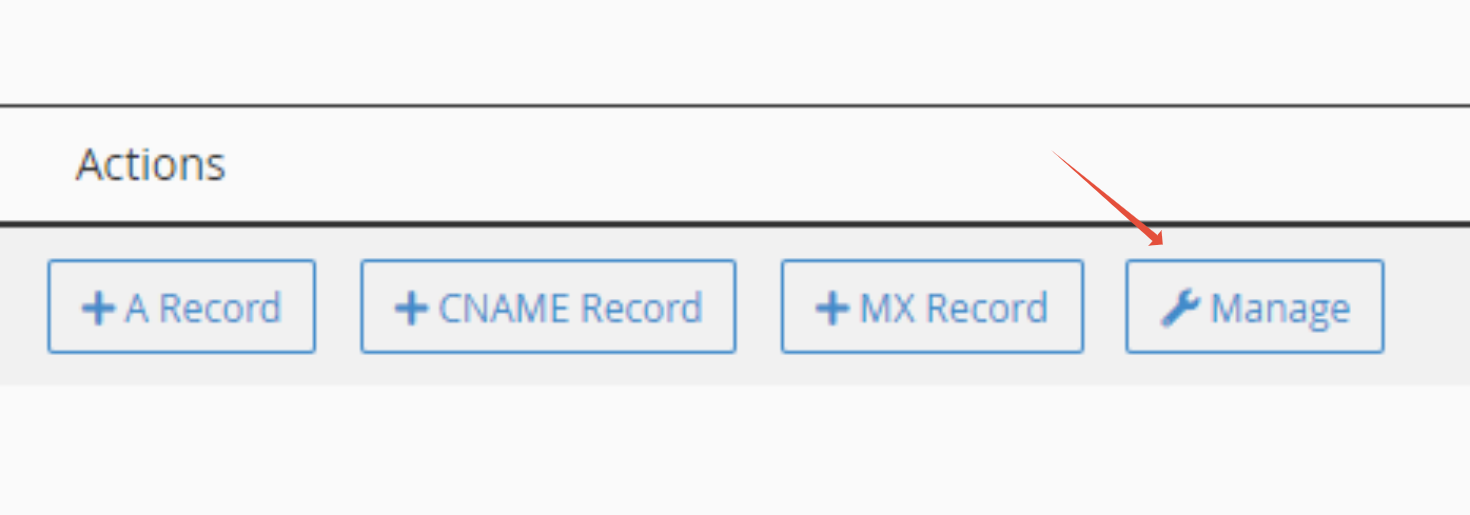
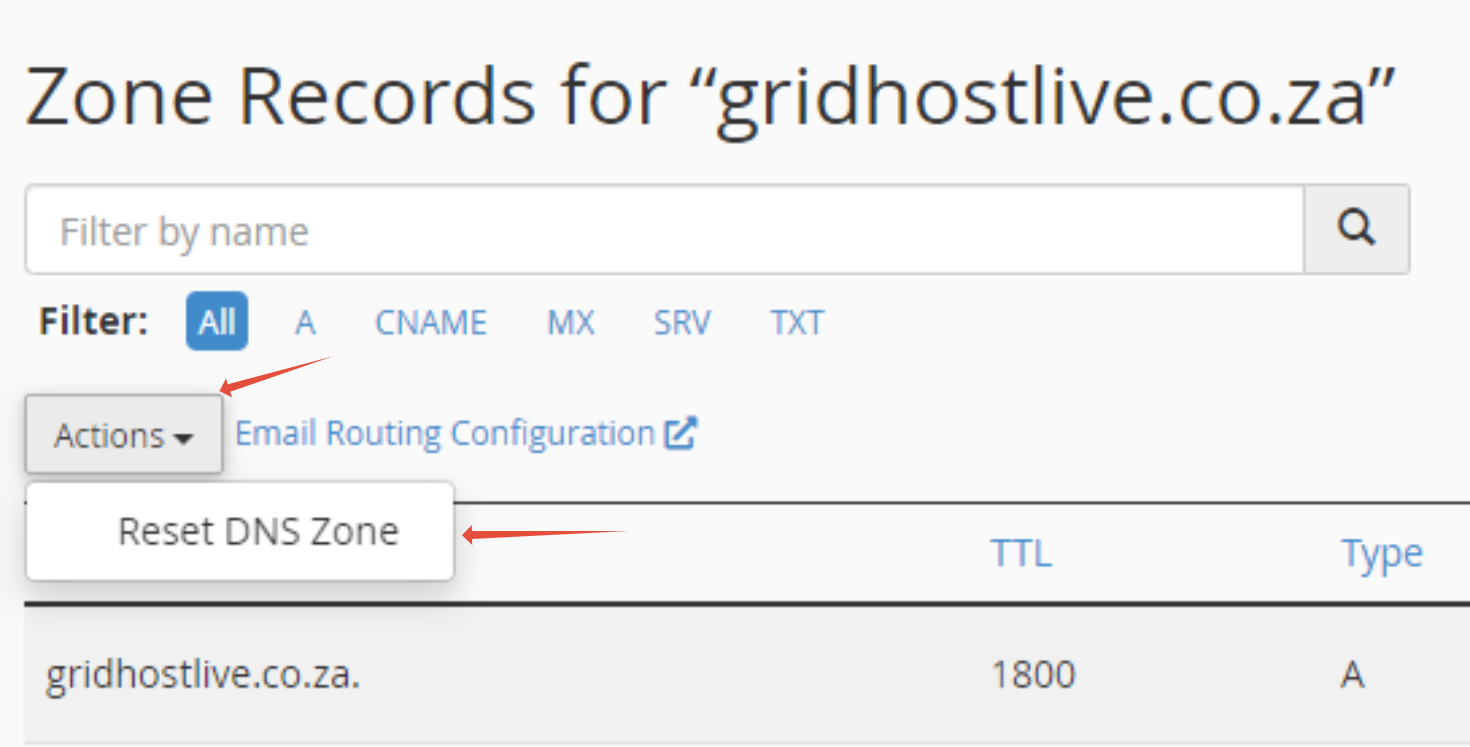
How to Reset DNS Zone in Control Panel This Article will show you how to factory reset your DNS files Step 1. Log into your Control Panel Step 2. Click on Zone Editor Step 3. Click on Manage Step 4. Click on Actions then Reset DNS Zone Updated on August 30, 2023 Tagged: controlcpanelDNShow toinpanelresetzone Was this article helpful? Yes No Related Articles How to Create an Under Construction Page in cPanel How to Configure Your PHP Time Zone in cPanel with 1-grid How to Find Your cPanel Username with 1-grid How to Check Website Overload Causes in cPanel with 1-grid How to Edit HTML Files in cPanel with 1-grid How to Protect Your Images and TMP Directories on 1-grid Hosting