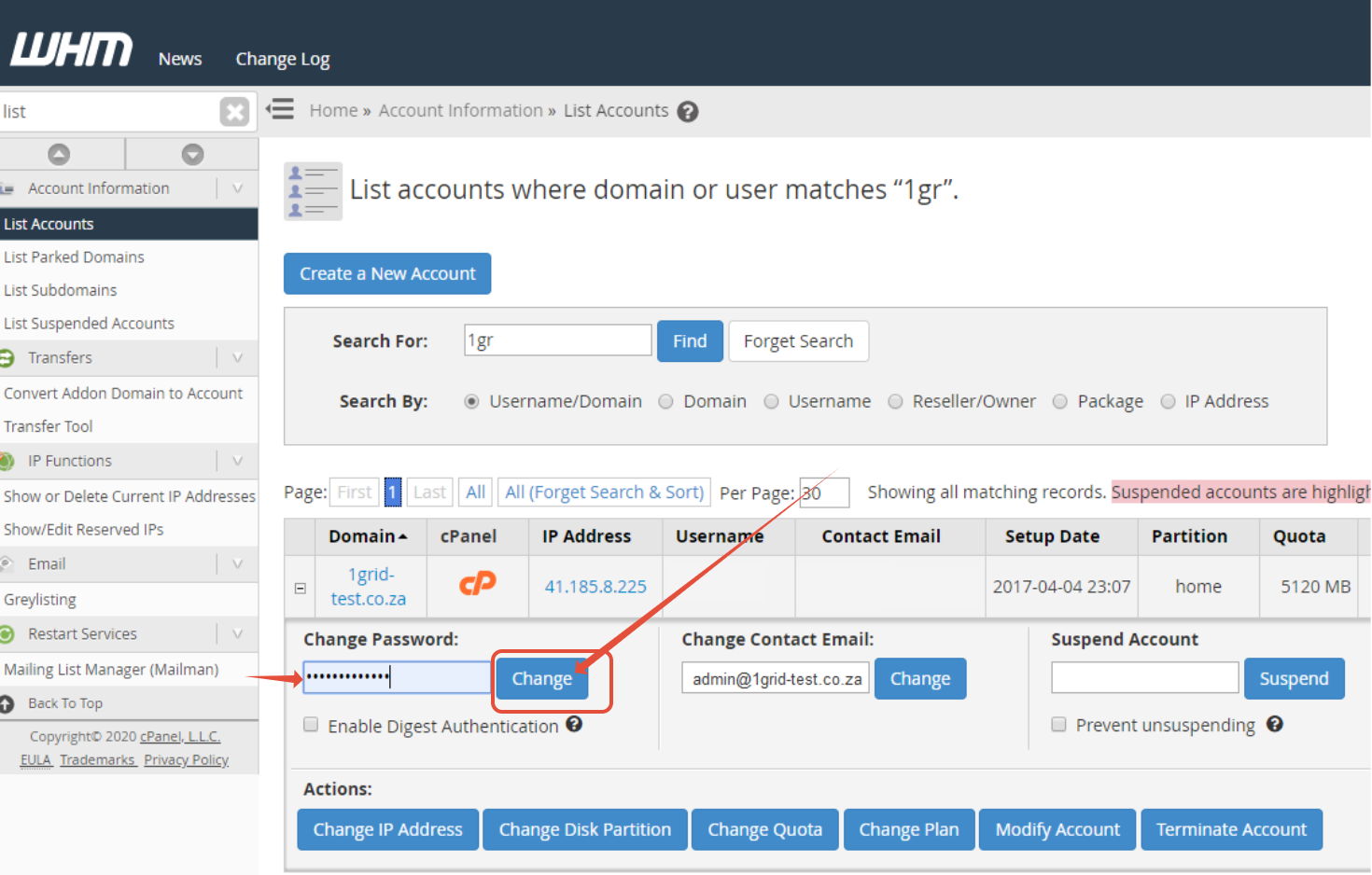
This quick guide will take you through the steps of changing a cPanel account’s password within WHM. Please note that this guide only refers to reseller accounts.
Step 1– Login to WHM
- Please see article on how to login to WHM here.
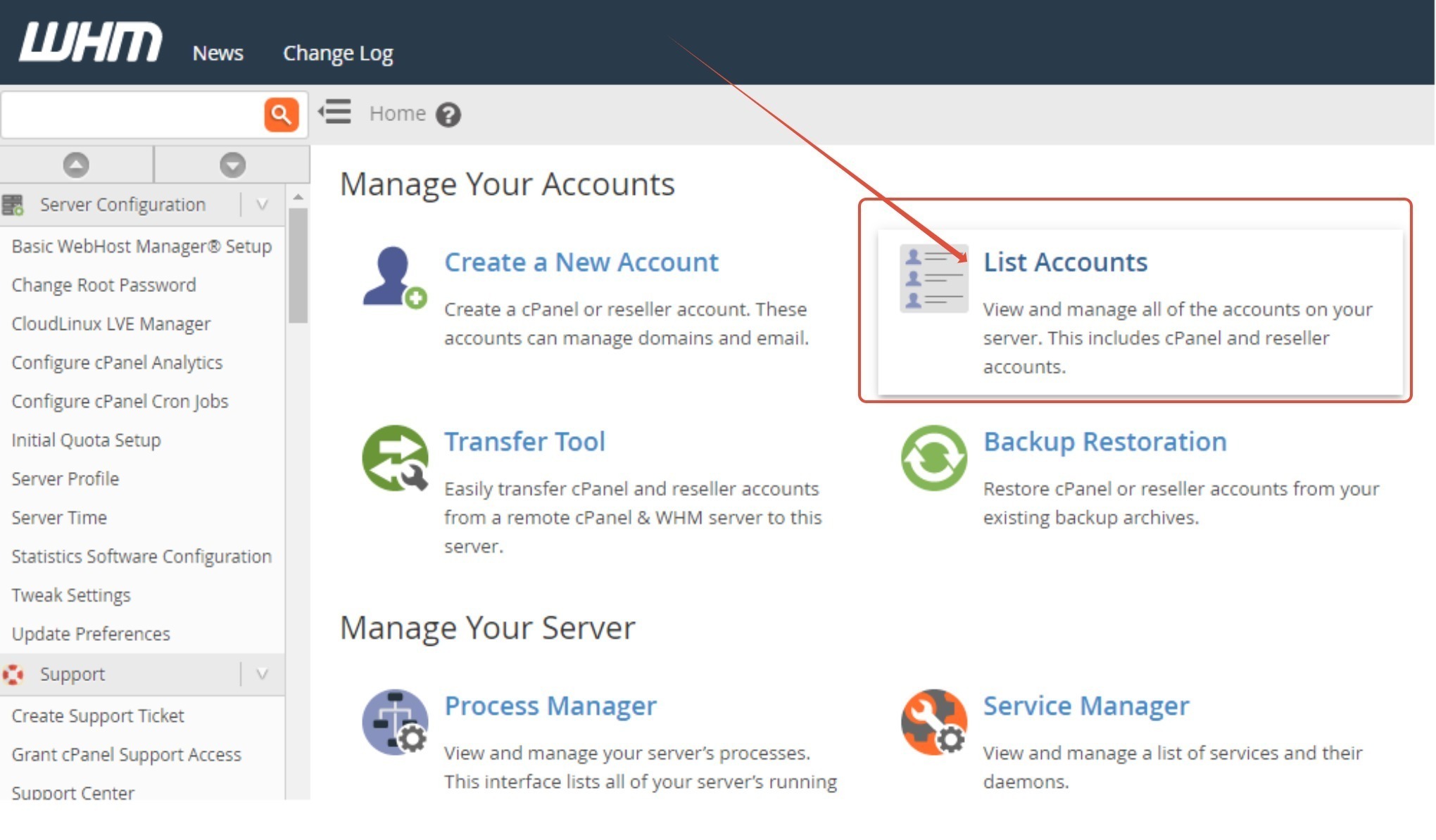
Step 2 – Click on List Accounts
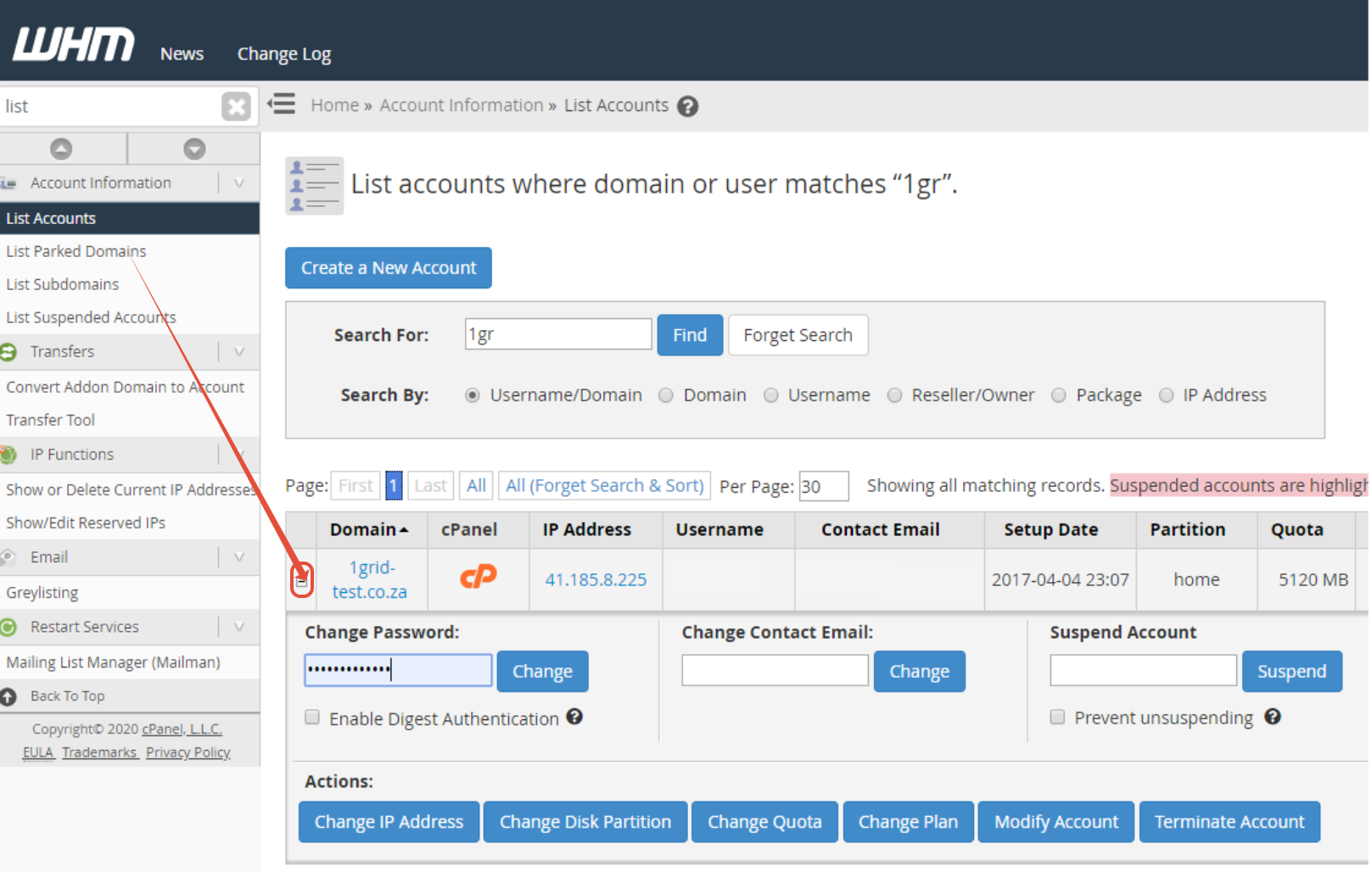
Step 3 – Click the “+” next to relevant domain name to expand options
Step 4 – Enter new password and click Change