
This guide will take you through the steps of setting up your email address in Outlook.
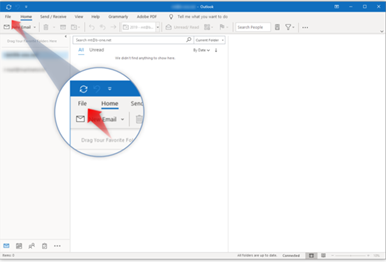
Step 1 – Open Outlook and click File.
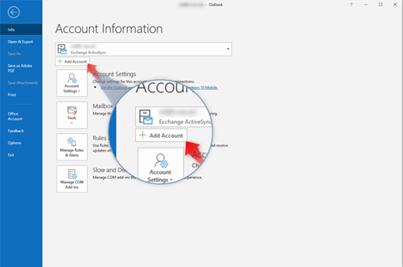
Step 2 – Click Add account.
Step 3 – Type in your email address and click Connect.

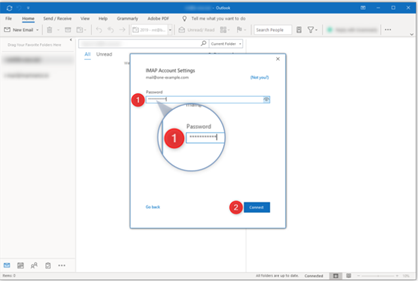
Step 4 – Enter your password and click Connect to continue.
INFO: At this point if your Outlook does not connect automatically please select the manual settings and enter information below:Incoming mail: mail.yourdomain.co.za port: 993 SSL /YESOutgoing mail: mail.yourdomain.co.za port: 465 SSL /YESShould you still experience error please see our troubleshooting guide here for alternative settings.
|
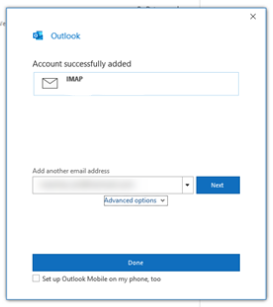
Step 5 – Completed! Click done to start using your email account.
TIP: Should you experience issue any error messages at this point please click here to see our Troubleshooting guide.