This article provides you with steps to create email accounts via your Plesk Control Panel.
Step 1– Login to Plesk.
- Login with username and password received when you completed your application.

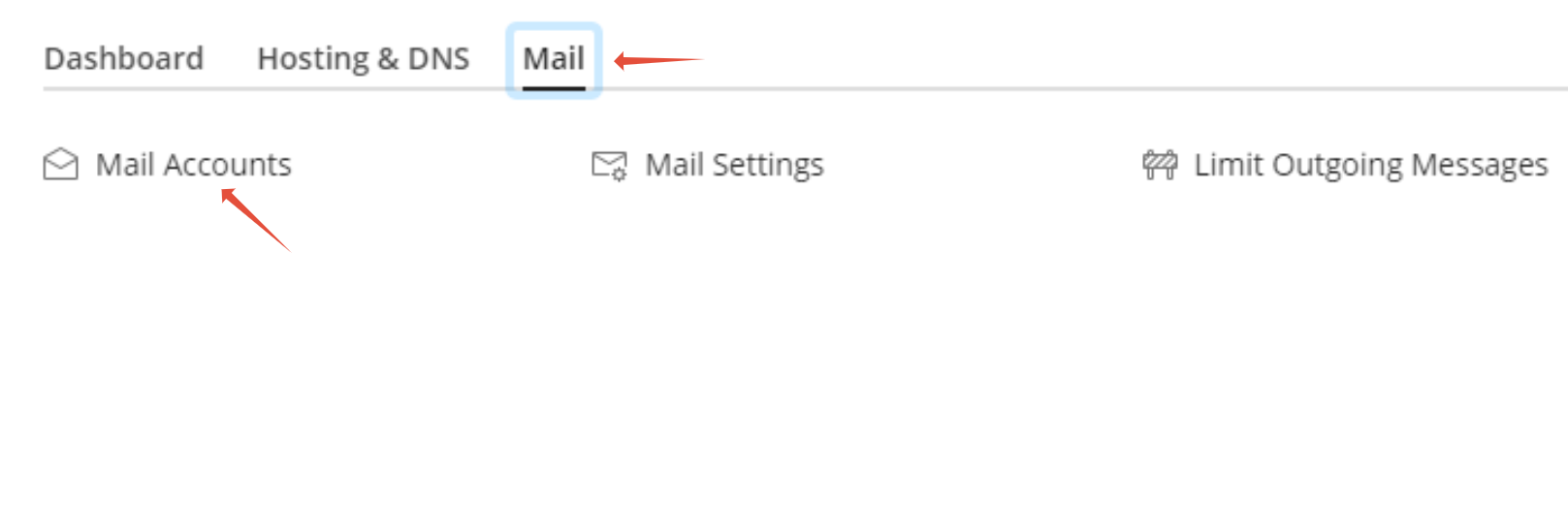
Step 2 – Click on Mail then Mail accounts.
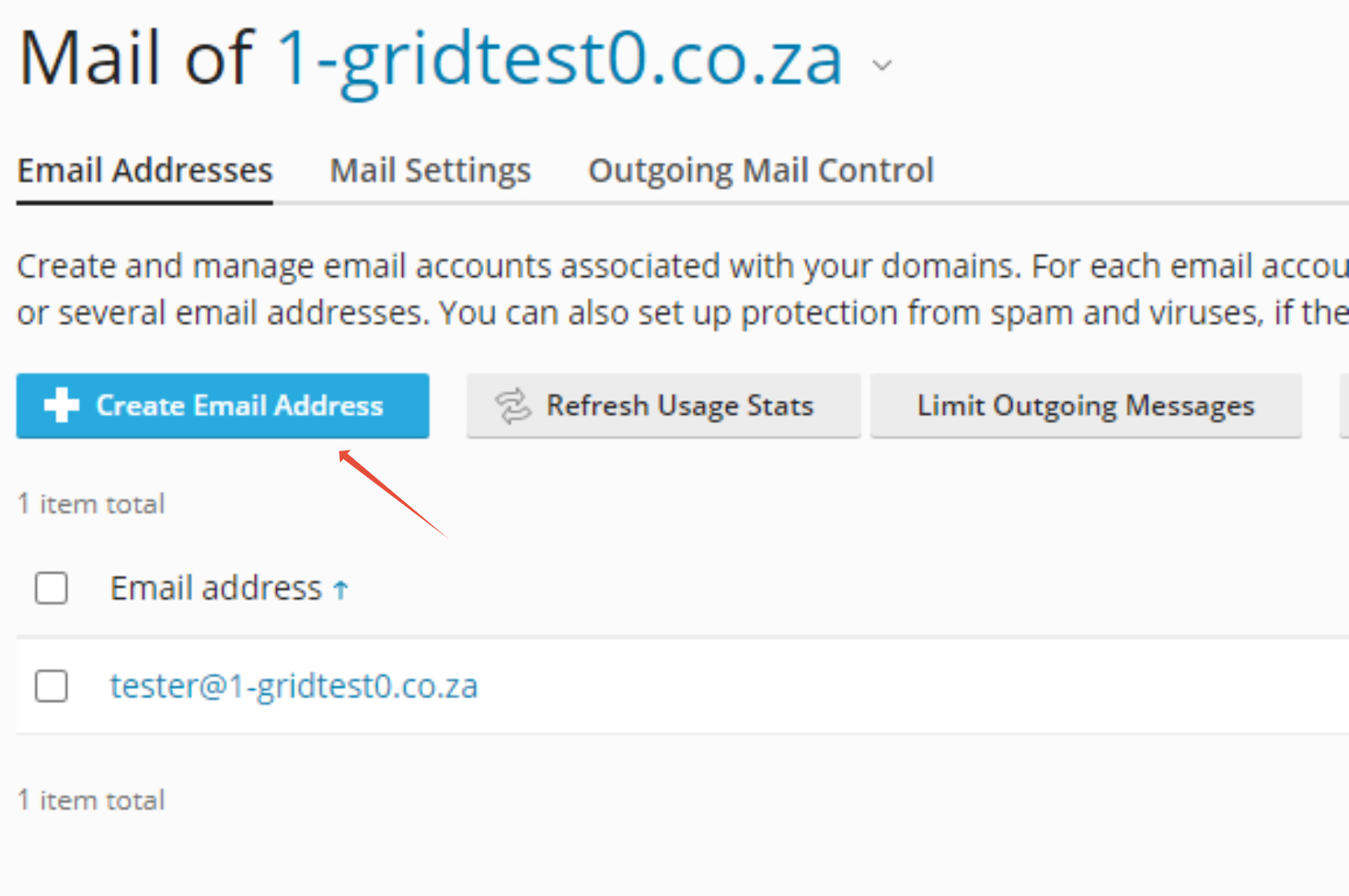
Step 3 – Click on Create Email Address
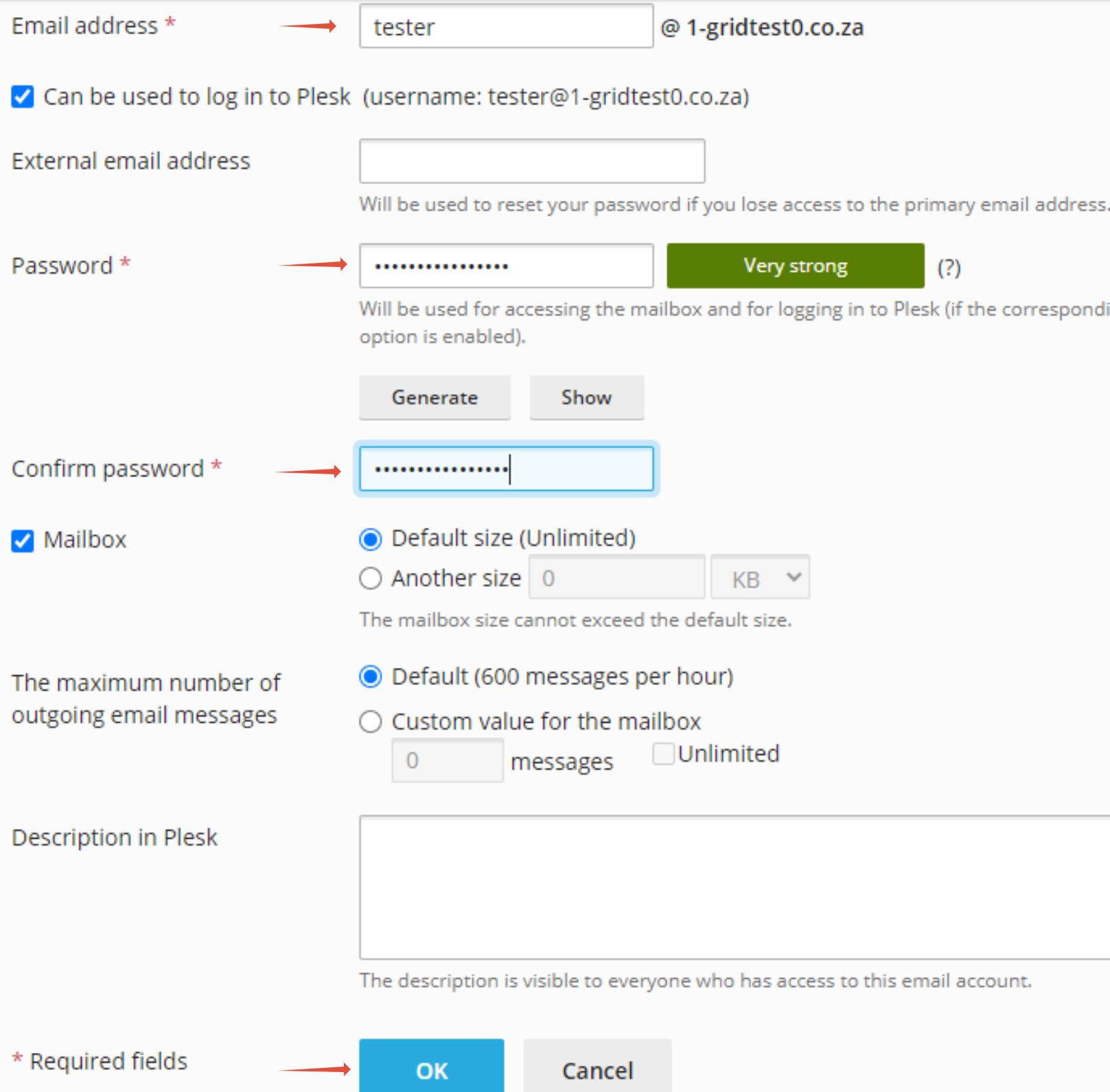
Step 4 – Enter Mail account details and click OK.