
We understand that invoices don’t always arrive at a convenient time. Whether you’re travelling, working remotely, or simply away from your computer, you can pay your invoices via the 1-grid App, which helps you take immediate action and avoid unnecessary service interruptions.
Pay invoices in minutes, directly from your phone – anytime, anywhere.
This guide shows you how to pay your 1-grid invoices on the go using the 1-grid mobile app quickly, securely, and without needing a desktop login.
Why Paying via the App Helps You Stay in Control
Using the 1-grid App for payments allows you to:
- Respond instantly to invoices
- Avoid missed due dates
- Choose or change your payment method easily
- Keep your services running smoothly
It means less stress, more certainty with your billing in your pocket and at your fingertips.
The Benefits of Payments on the Go
- Avoid service suspension
- Act immediately on invoices
- No desktop login required
- Pay securely from anywhere
- Stay in control of renewals
What You’ll Need Before You Start
- The 1-grid mobile app installed from either Google Play or the Apple App Store
- Your Customer Zone login details
- An active invoice
TIP: The app uses the same secure login as your Customer Zone, so there is no need to create a new or separate account.
Supported Payment Methods (May Vary)
Depending on availability, you may see options such as:
- Payfast EFT
- Credit Card
- Snapscan
- Other supported gateways and methods
Note: Available options may vary by region or provider.
How to Pay Your Invoice Using the 1-grid App
Installing the app gives you peace of mind before you need it, making payments quick, easy, and secure.
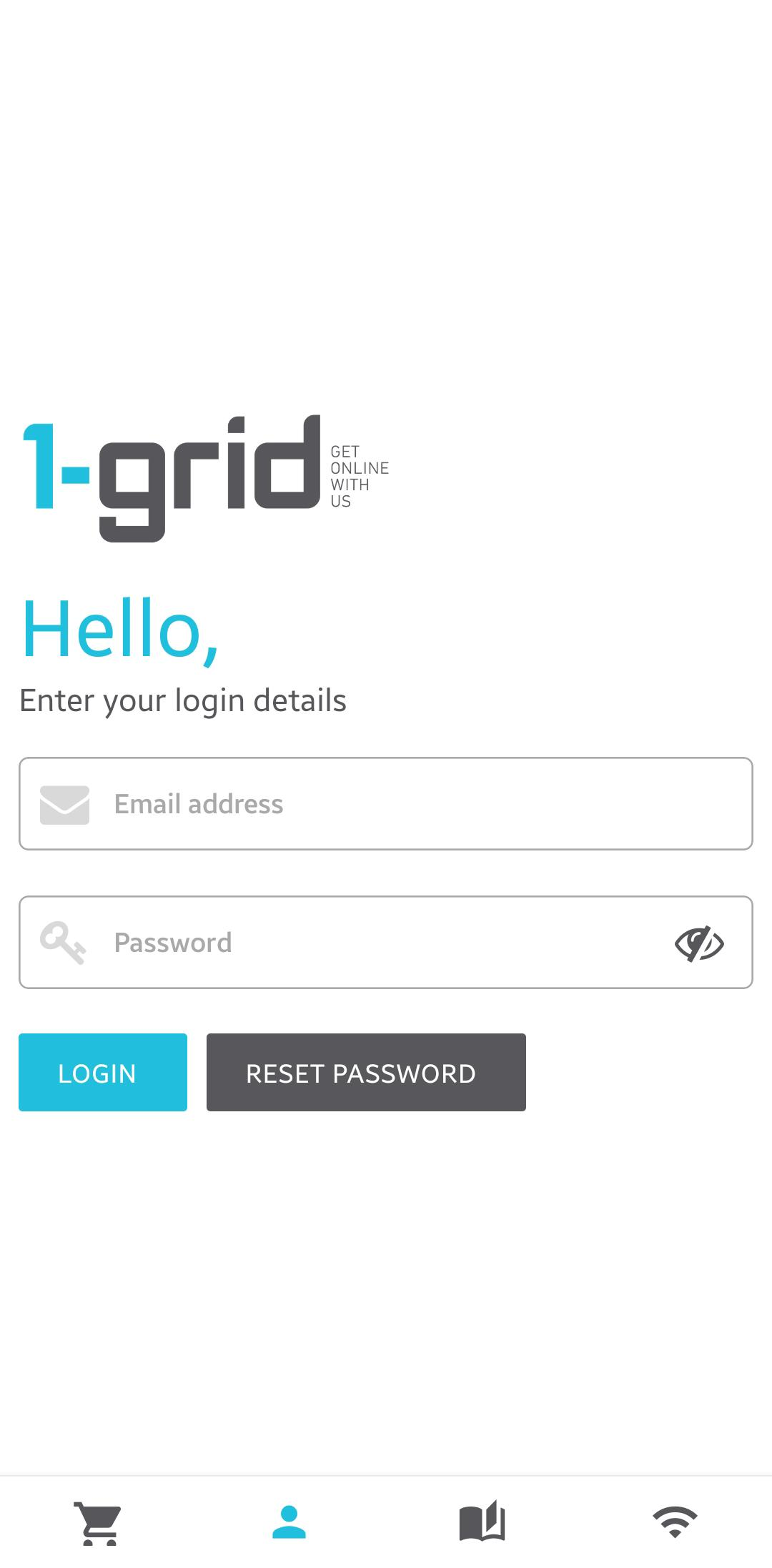
1: Log In to the App
- Log in using your 1-grid Customer Zone email address and password.
2: Locate and Open the Relevant Invoice
- Once logged in, locate the invoice you wish to pay.
- Navigate to Billing > Unpaid
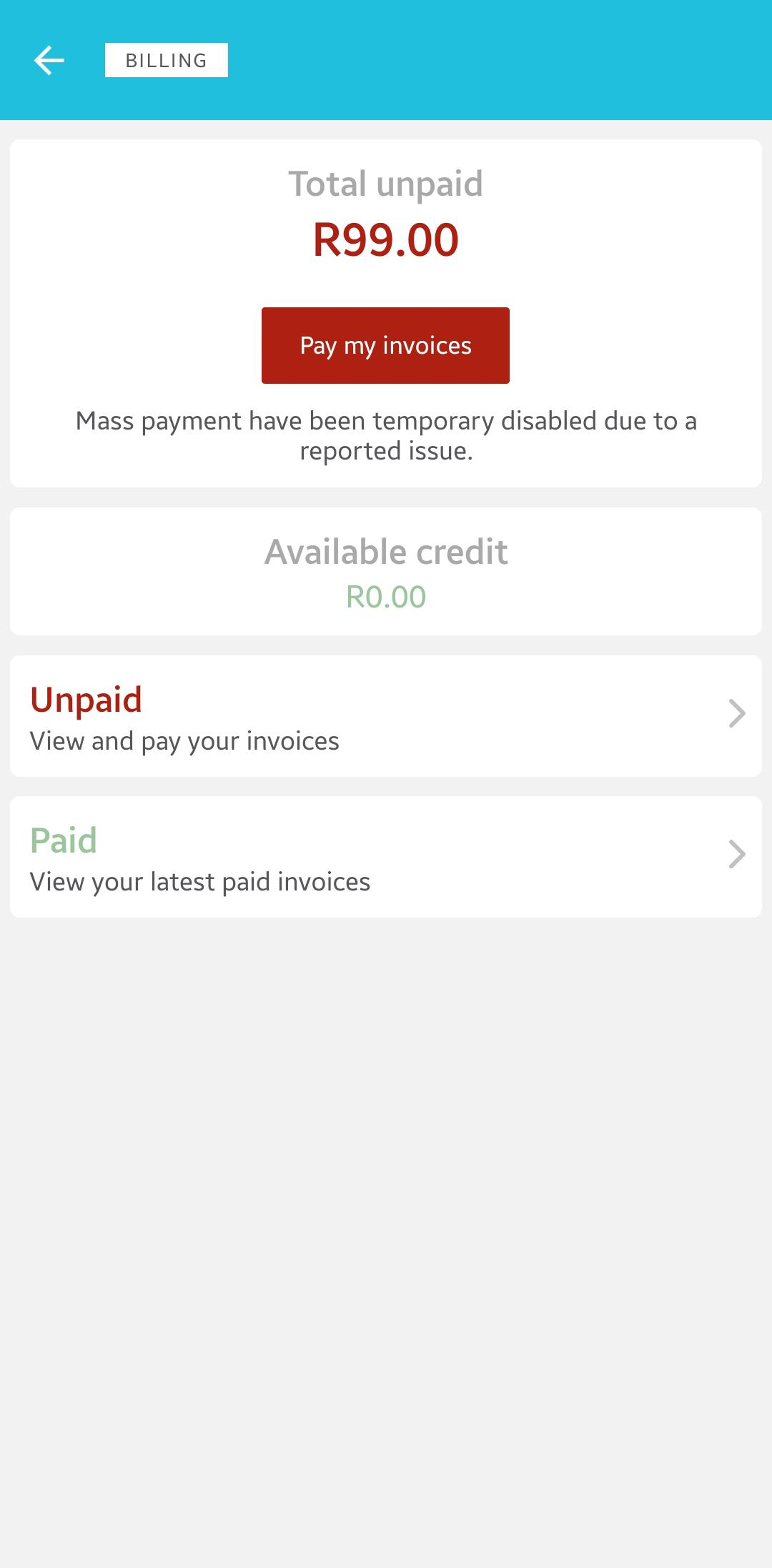
You now have three flexible payment options, depending on your needs for the selected invoice(s), and steps to follow whether you choose VIEW DETAIL or Pay Invoice:
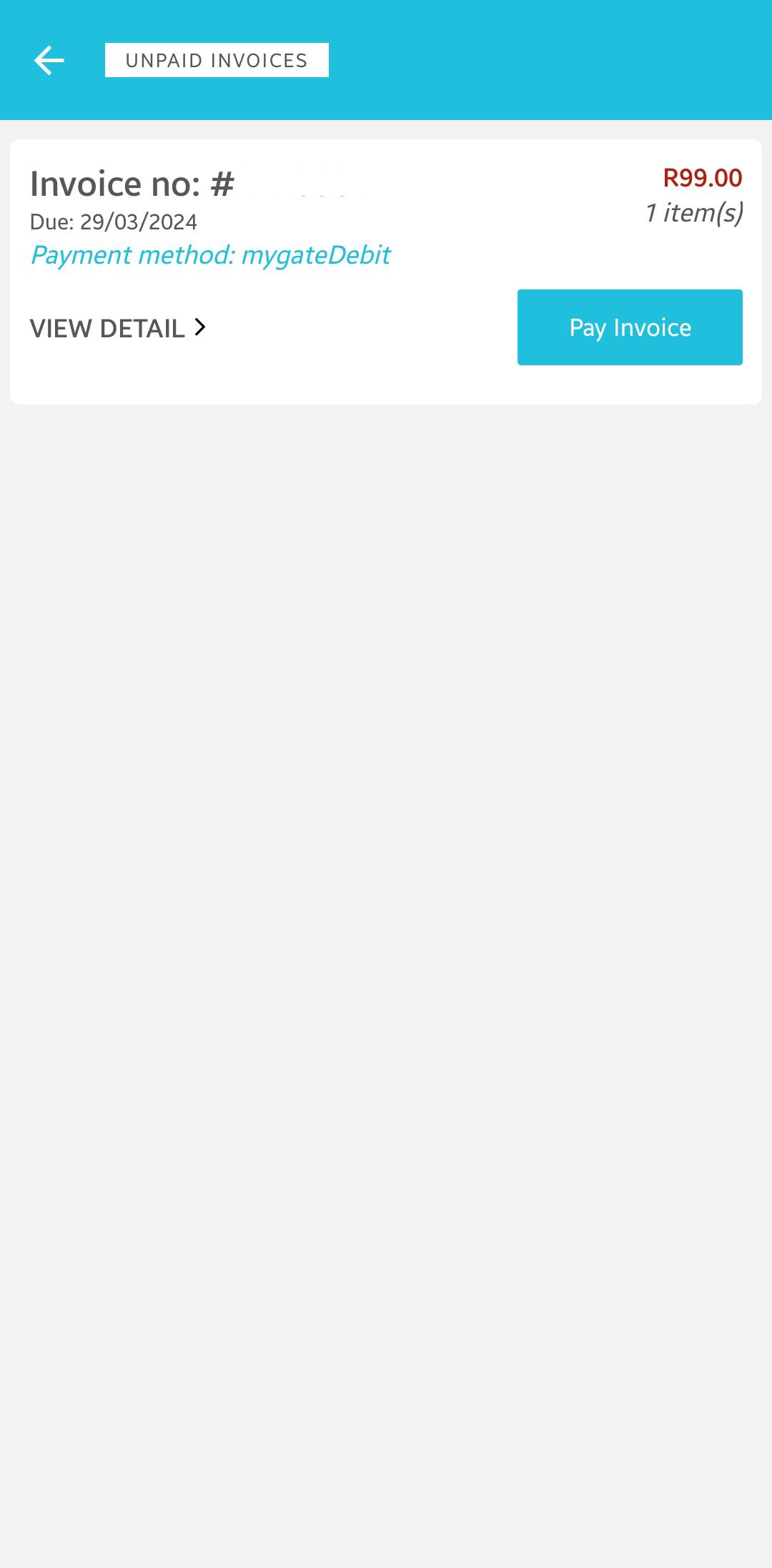
A: Pay Using an Alternative Payment Method
- Tap Pay Invoice
- Select Yes, Proceed
- Choose your preferred payment method
- Follow the prompts to complete payment
TIP: This is ideal if you want to switch banks or payment methods quickly.
B: Pay Using Your Current Payment Method
- Tap VIEW DETAIL
- Select Make Payment
- Follow the prompts to complete payment
TIP: Fastest option when your saved payment method is already correct.
C: Change Your Payment Method Before Paying
- Tap VIEW DETAIL
- Select Change Payment Method
- Choose an alternative method
- Follow the prompts to complete payment
TIP: This gives you full control if your usual payment method isn’t available.
3: Complete the Payment
- Follow the secure payment flow provided by your selected payment method (e.g. Instant EFT or card payment).
IMPORTANT: Payments are processed securely through trusted payment gateways.
Our Scope of Support
Here’s an outline of what we can do and what is not within our Scope of Support if you’re stuck and need any additional guidance or support.
What We Can Help With
- App access or login issues
- Understanding payment options
- Troubleshooting failed payments
We may refer you to related billing or account guides where needed.
FAQs
Q. Can I pay invoices without a computer?
Yes, the app allows full invoice payment from your phone.
Q. Can I change my payment method before payment?
Yes, you can select or change payment methods before completing payment.
Q. Is it secure to pay via the app?
Yes, payments are handled through secure, trusted gateways.
Q. What if my payment doesn’t go through?
You can retry or contact support for assistance.
Additional Resources
A Guide to Invoices at 1-grid, and When to Expect Yours
Our Easy-to-Use Payment Methods at 1-grid
Everything You Need to Know About Payments at 1-grid
Update Your Profile Information with the 1-grid App
View Your Logged Support Tickets via the 1-grid App
Checking our Network Status Using the 1-grid App
Need Additional Support?
We’re Here to Help:
Paying your invoices using the 1-grid App from your device doesn’t have to feel frustrating with this easy-to-understand guide. Stuck? Contact our Support Team for further clarity and guidance (https://1grid.co.za/contact-us/). We’re ready to see how we can help!