This Article will show you how to add an additional email account to your email basic / email pro
Step 1. Log into your Customer Zone

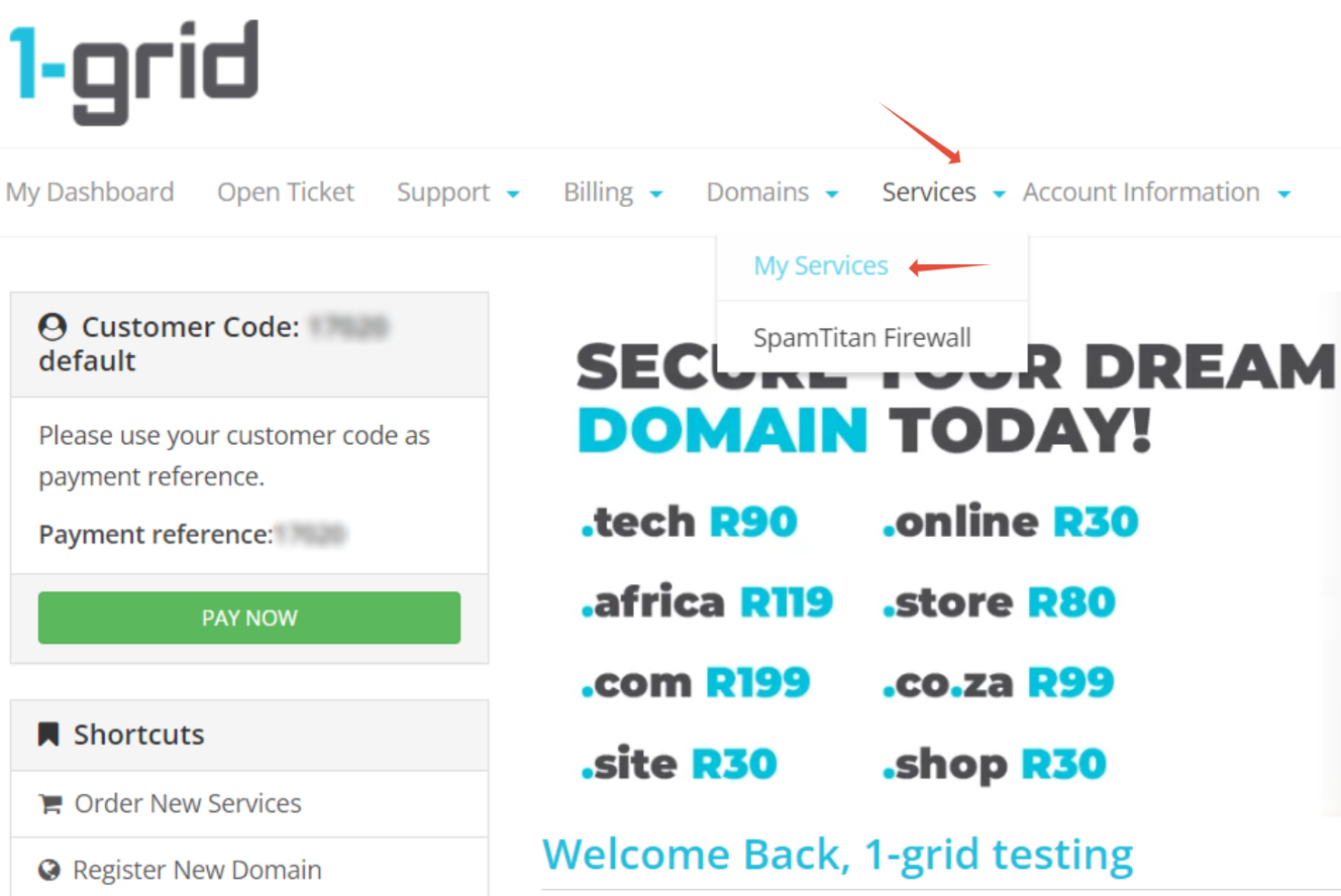
Step 2. Click on Services > My Services
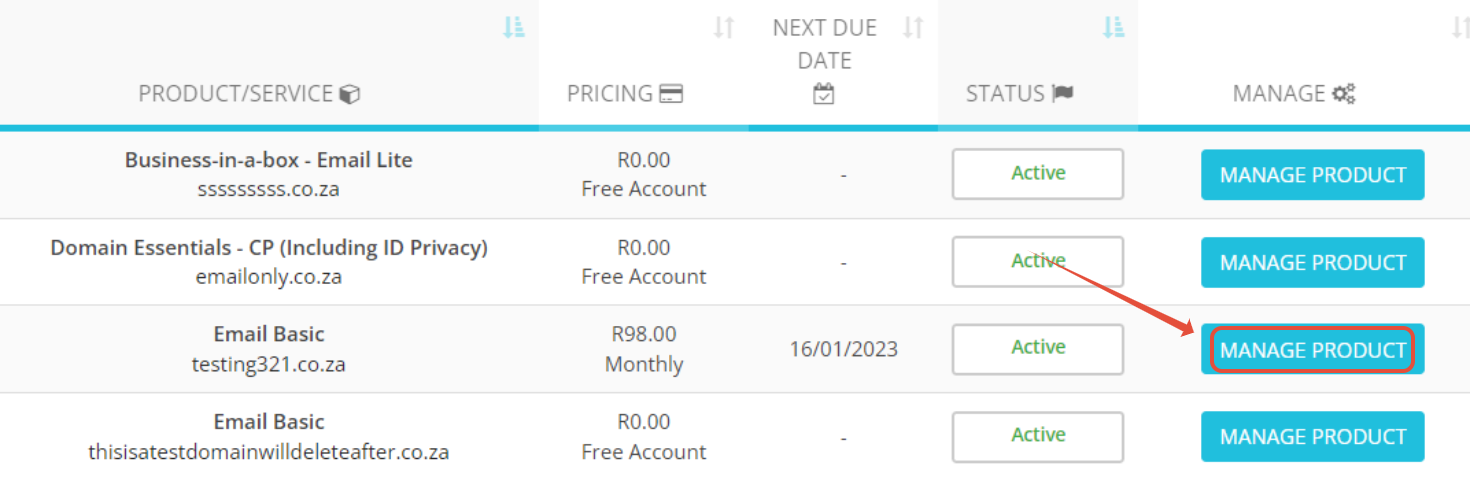
Step 3. Click on Manage Product
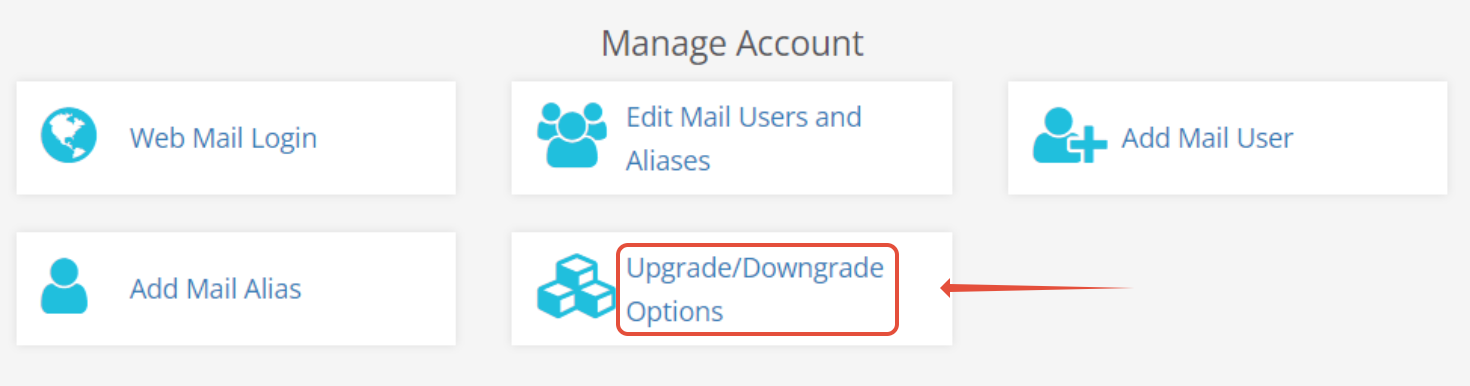
Step 4. Select Upgrade / Downgrade option
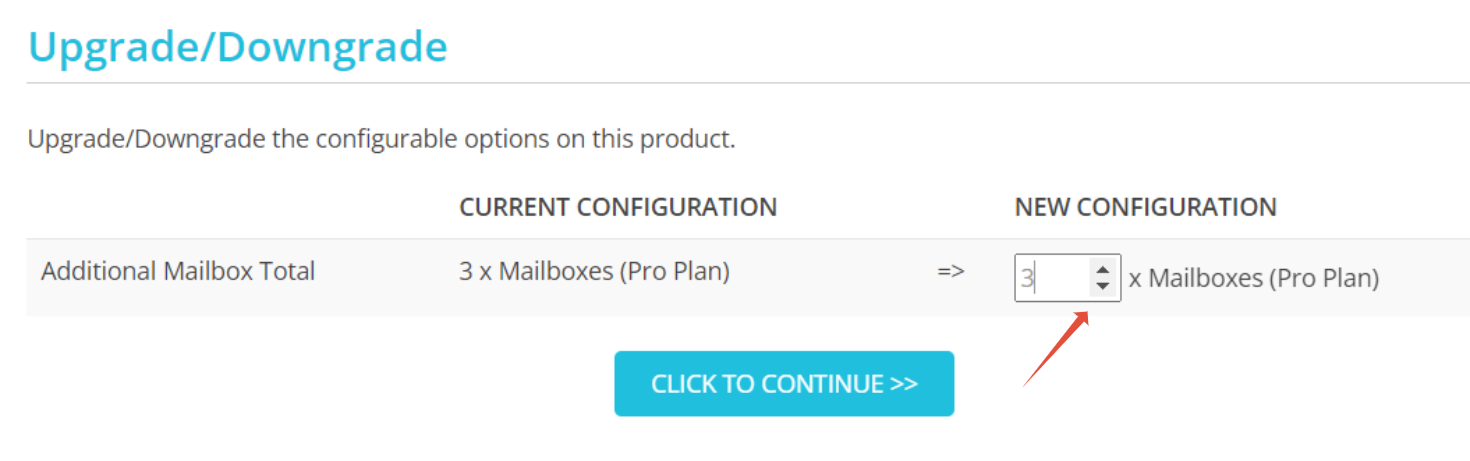
Step 5. You can change the amount of email accounts you want to add. Click to continue after