
Accessing your Webmail via cPanel for your email hosting is easy and secure. Webmail also allows you to read, send, and manage your email directly from a web browser with no app setup required if you don’t have access to your cPanel at the time. This is ideal if you’re working remotely, using a shared computer, or need quick access to your inbox.
This guide will help you understand what you need to access Webmail via your cPanel, and how to access Webmail directly via your browser, in case you need to access your emails on the go.

What You’ll Need
- Your email address (e.g. [email protected])
- Your email password
- Access to your Customer Zone or domain
Access Webmail via cPanel (Recommended)
1. Log in to your Customer Zone
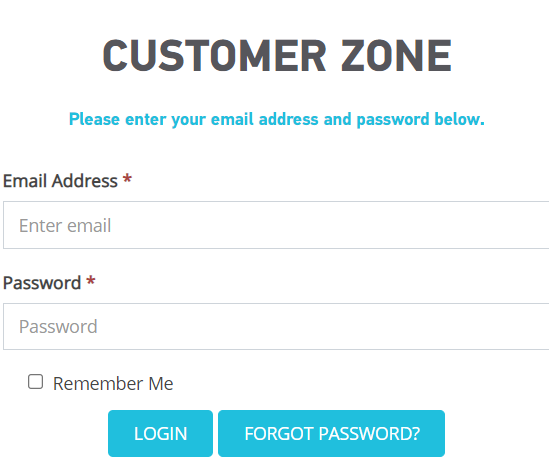
- Services → My Services
2: Open your Hosting Package
- Click View Details on the relevant hosting service.
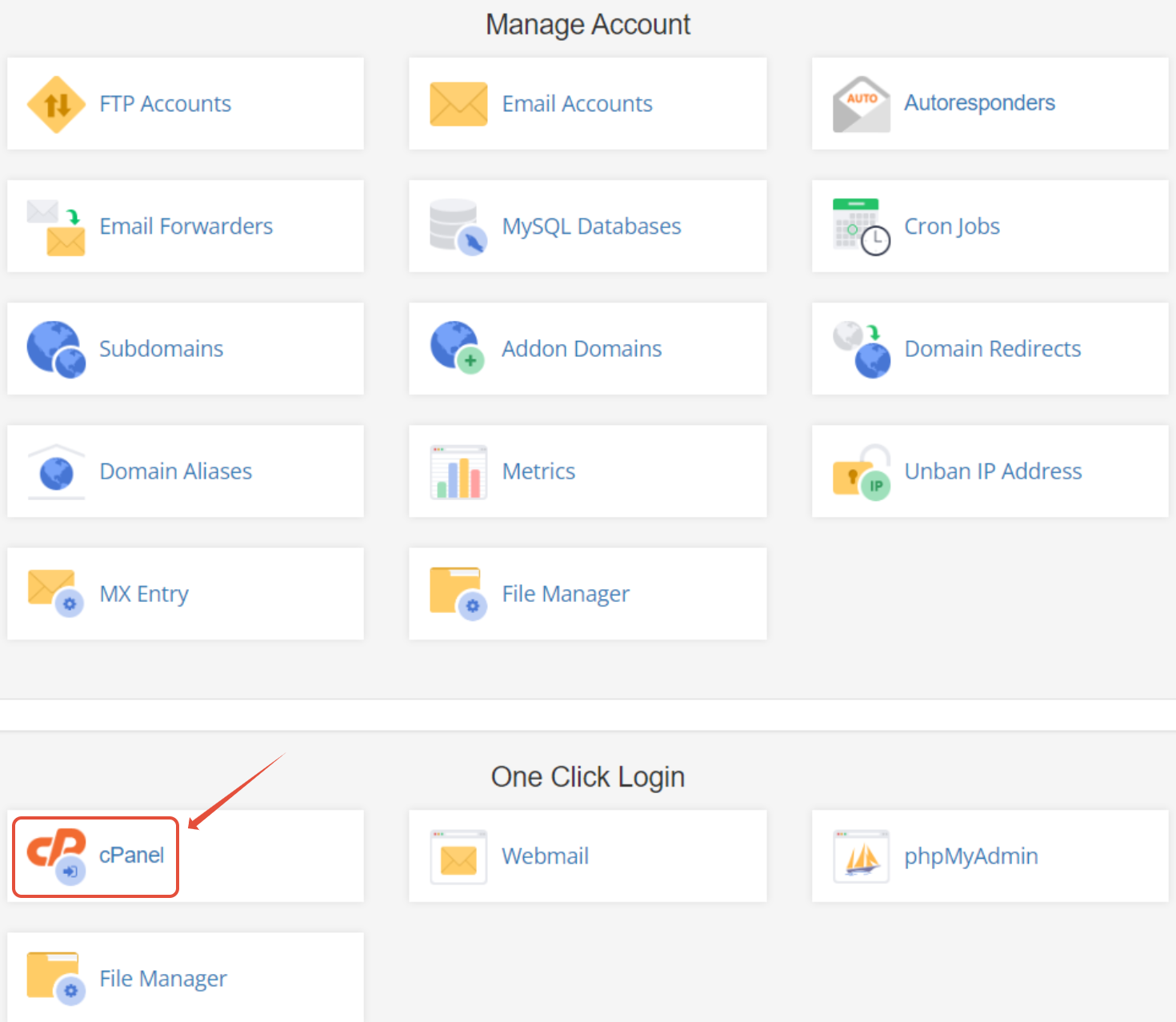
3: Launch cPanel
- Scroll down and click the cPanel icon.
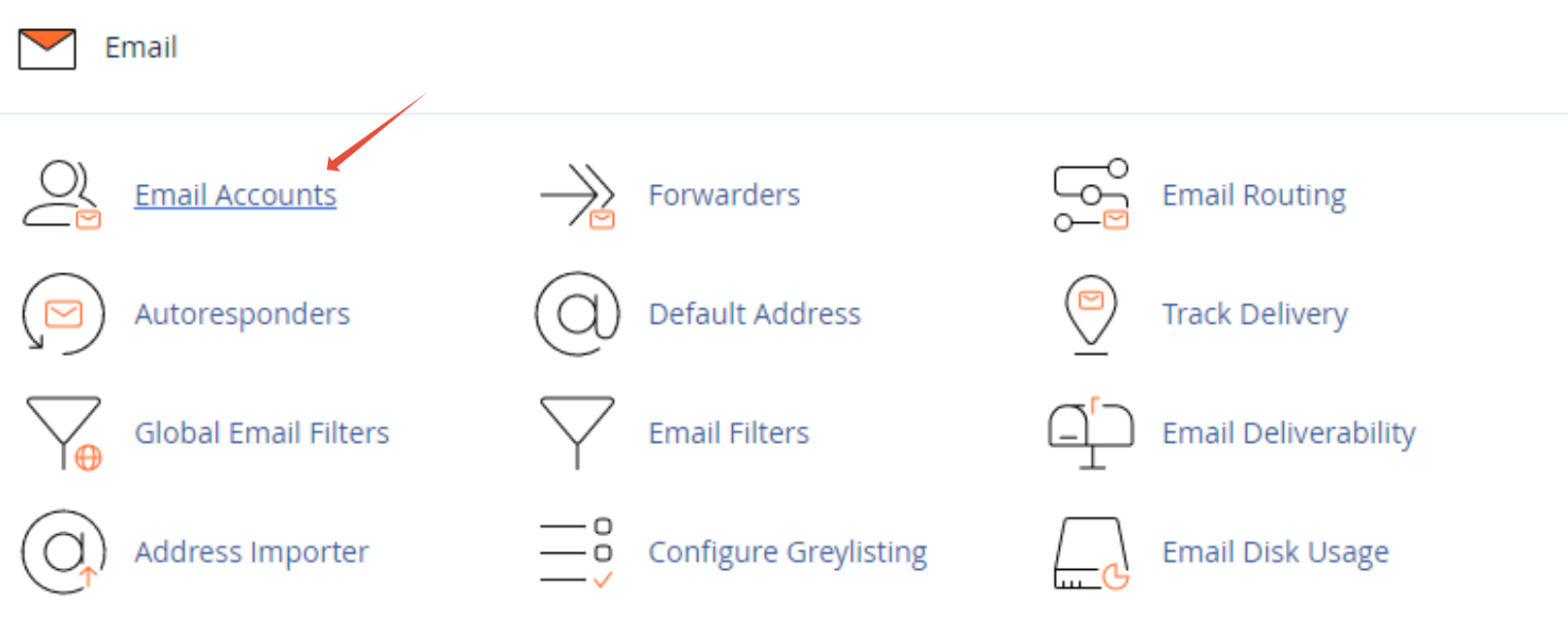
4: Go to Email Accounts
- Under the Email section, click Email Accounts.
5: Open Webmail
- Find the email address you want to access and click Check Email, then select Open (or Roundcube if prompted).
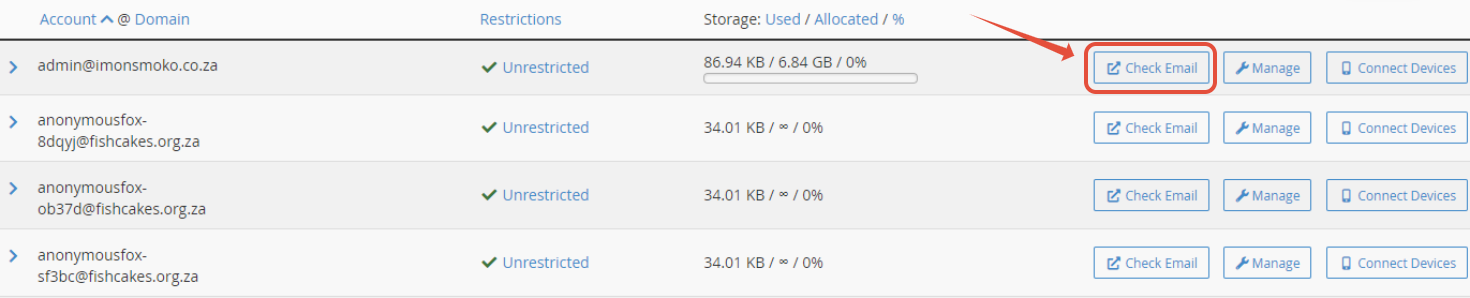
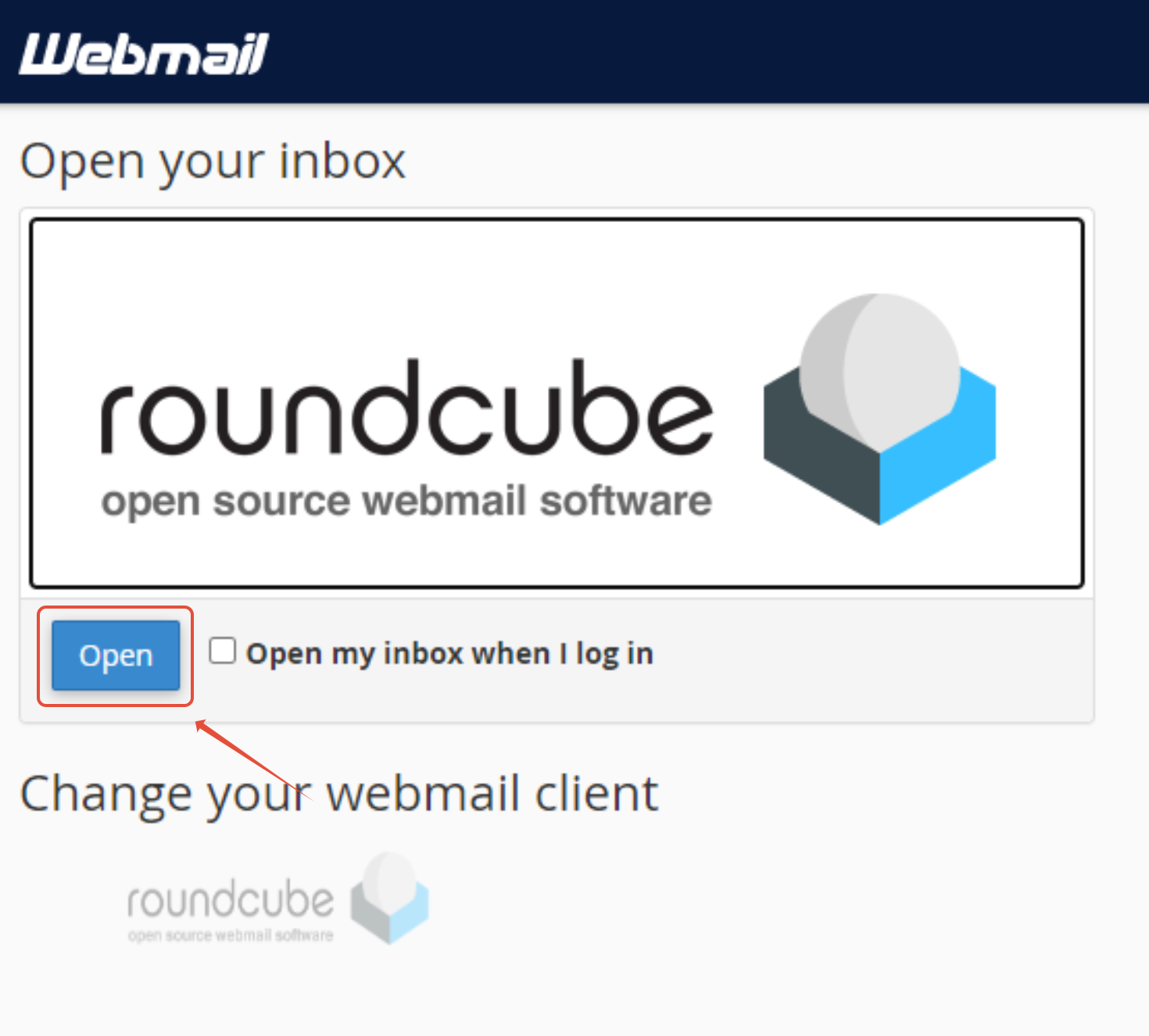
You can now send and receive emails directly in Webmail via cPanel.
Direct Webmail Login (Fastest Option)
Direct Webmail login is perfect if you can’t access cPanel or need instant inbox access.
Simply visit one of the following in your browser:
- https://yourdomain.co.za/webmail
- https://yourdomain.co.za:2096
- https://webmail.yourdomain.co.za (if enabled)
Log in using your full email address and password.
Security Best Practices
- Always log out after using webmail on public devices
- Use a strong, unique password
Troubleshooting Tips
Webmail not loading?
- Try using https://yourdomain.co.za:2096
- Clear your browser cache or try another browser
Incorrect login?
- Ensure you’re using your full email address
- Reset your email password via cPanel if needed
FAQs
Q. Can I access webmail without cPanel?
Yes, use the direct URL option.
Q. Do I need to install anything?
No, Webmail works entirely in your browser.
Q. Is webmail secure?
Yes, when accessed over HTTPS and used with strong passwords.
Additional Resources
How to Reset an Email Password in cPanel
Setting Up Email on Mobile Devices
Troubleshooting Email Issues
Webmail FAQs
Need Additional Support?
We’re Here to Help:
Accessing your Webmail via cPanel doesn’t have to feel technical with this easy-to-reference guide. Stuck? Contact our Support Team for clarity and guidance (https://1grid.co.za/contact-us/). We’re ready to see how we can help!