This article will show you How to Edit your Contact Information Windows Plesk
Step 1. Login into Plesk

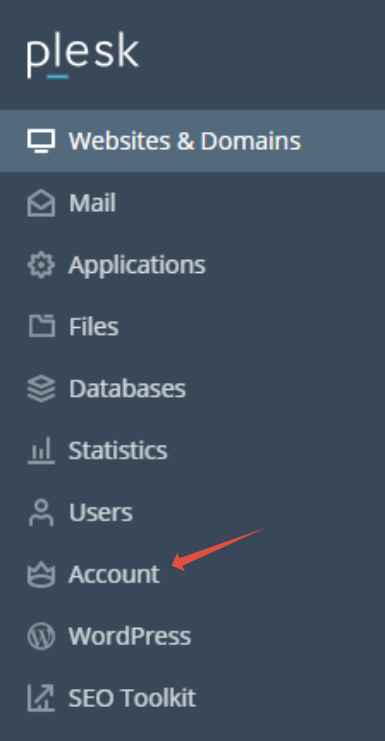
Step 2. Click on Account
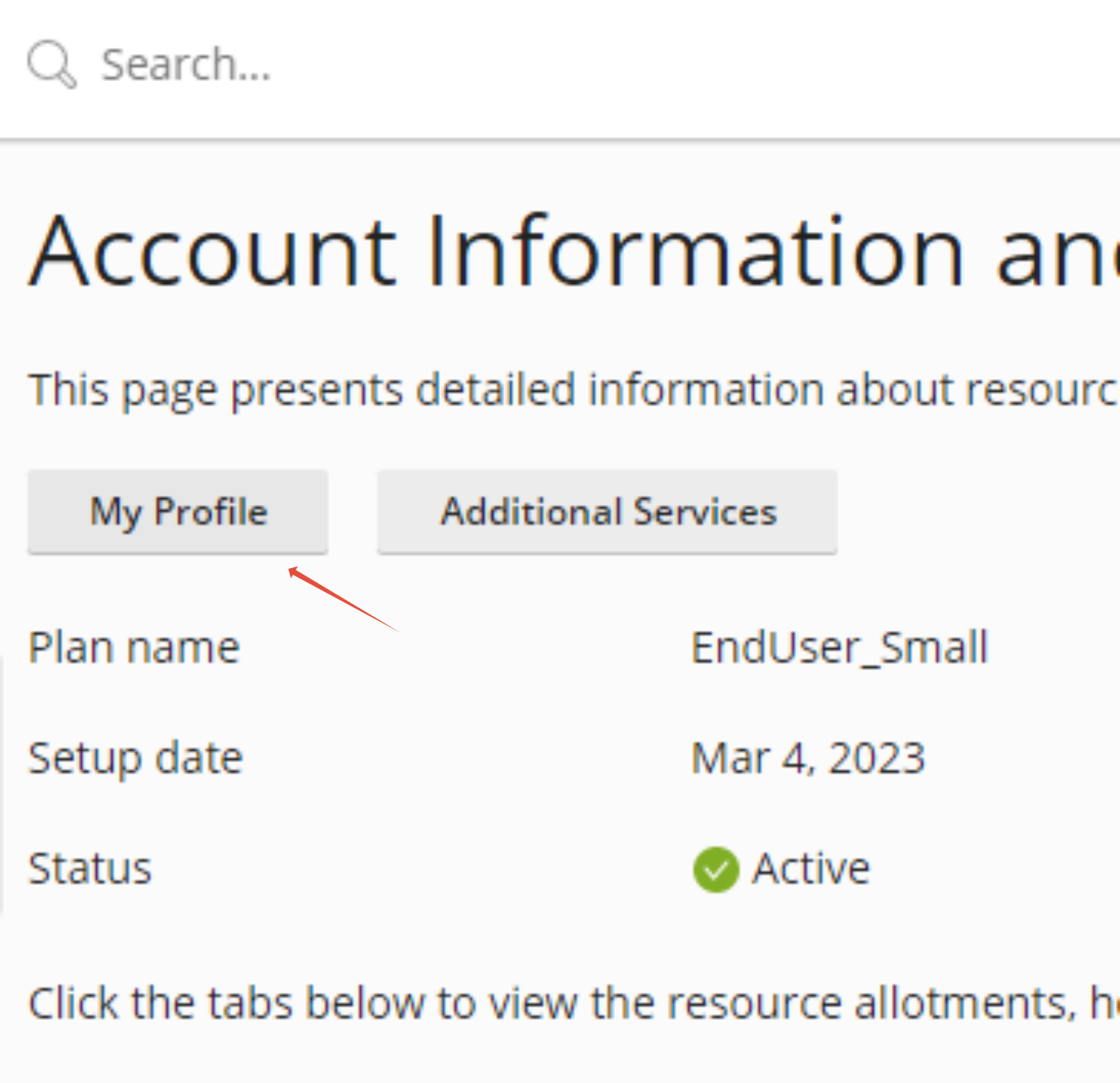
Step 3. Click on My Profile
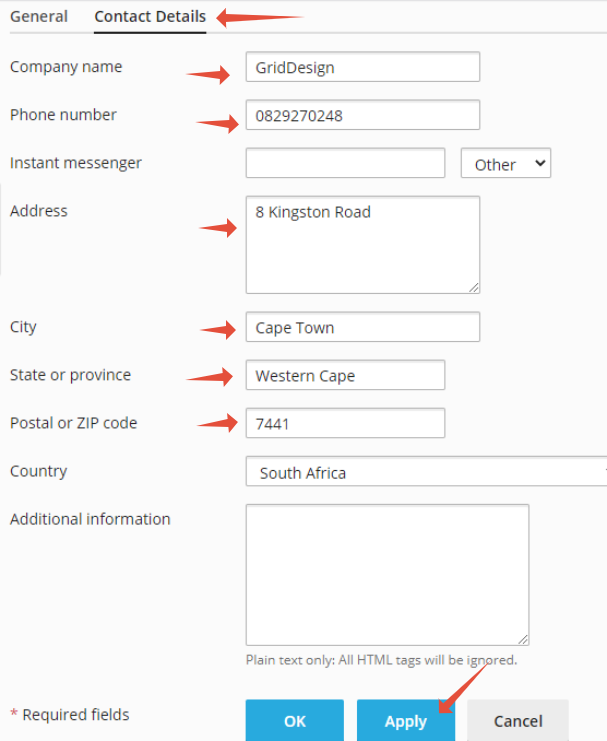
Step 4. Click on Contact details, fill in the necessary details then click Apply


This article will show you How to Edit your Contact Information Windows Plesk
Step 1. Login into Plesk
Step 2. Click on Account
Step 3. Click on My Profile
Step 4. Click on Contact details, fill in the necessary details then click Apply