This article will show you How to add a Domain Alias in Windows Plesk
Step 1. Login into Plesk

Step 2. Click on Add Domain Alias

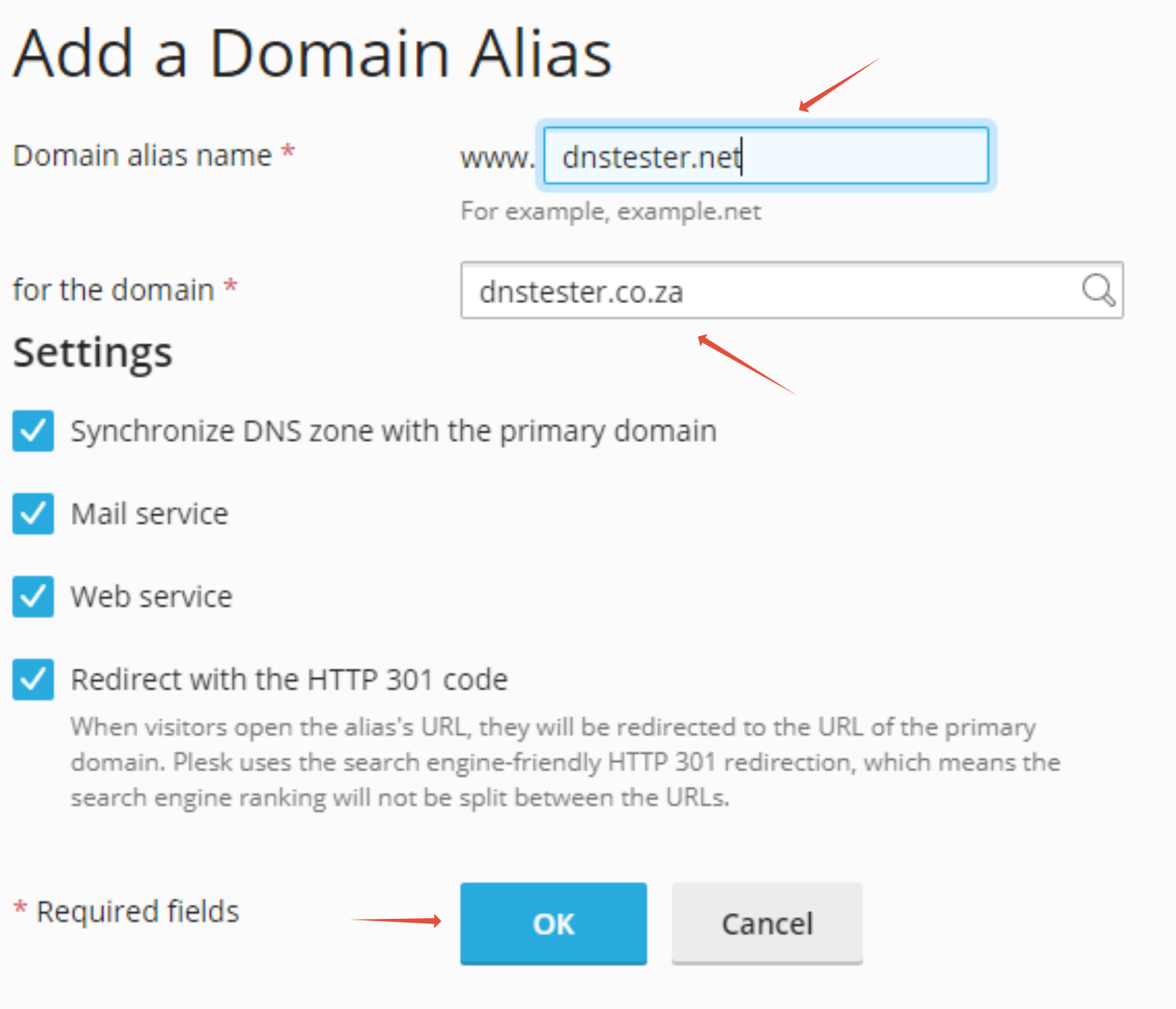
Step 3. Add your Domain Alias name in the field, then select your domain name. Once completed click on OK


This article will show you How to add a Domain Alias in Windows Plesk
Step 1. Login into Plesk
Step 2. Click on Add Domain Alias
Step 3. Add your Domain Alias name in the field, then select your domain name. Once completed click on OK